
The Neophyte's Custom Liquid Cooling Guide: How To, Why To, What To Expect
- Posted in
- Cases/Cooling/PSUs
- Systems
- G.Skill
- Corsair
- Gigabyte
- Haswell
- Water Cooling
- Plextor
- NVIDIA
- Overclocking
- Swiftech
It stands to reason that the heat barriers I was running into under air would become less of an issue when I moved to water. That's...partially true. In a weird way, I feel like this review would ultimately have been a lot less useful if things had gone smoothly instead of turning out the way that they had. Early on I mentioned that overclocking is and will always be a bit of a lottery. The halcyon days of Sandy Bridge are behind us and for many of us even Ivy Bridge is going to be a dream of better days.
I used my overclock under air as a fairly appropriate starting point. Since 4.4GHz and 4.5GHz were outside the realm of possibility under air due to thermals, I made the jump to 4.4GHz, and it was here where I ran into two complications: one specific to Haswell and one broad enough that I should've seen it coming even as more of a hobbyist overclocker.
First, when overclocking the CPU, it's wise to set the RAM to the spec of the CPU to take it out of the equation; in the case of the Core i7-4770K, that's 1333MHz/1600MHz. After finding an overclock, though, I neglected to test it under the G.Skill Trident X RAM's rated speed, and that complicates things with Haswell. An overclock stable at 4.4GHz at DDR3-1333 wound up needing even more voltage for DDR3-2133. Haswell's IMC can be particular about memory speed when the cores are heavily overclocked.
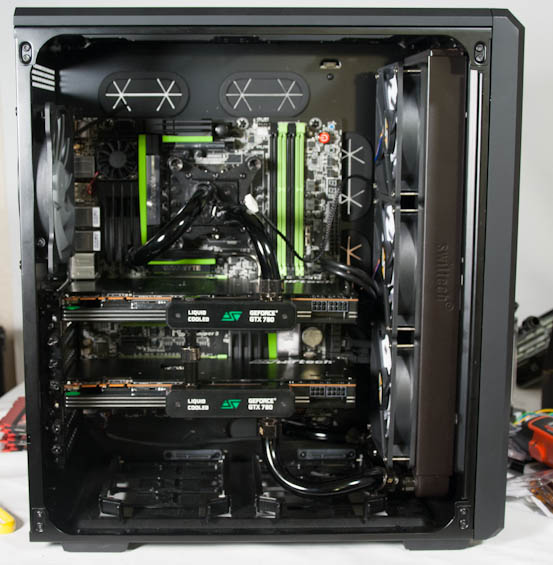
The other more broad complication was that I hadn't accounted for the minor voltage bump that 4.3GHz required, or the major one that 4.5GHz did under air. Chips tend to have an inflection point; you can get up to a certain speed at stock voltage or with a slight bump, but once you get there, any increases in speed require substantially boosted voltage. As it turned out, 4.5GHz wasn't happening, and 4.4GHz required a fairly healthy one in and of itself.
4.4GHz at DDR3-2133 and 1.35V ran benchmarks fine, but stress testing for power consumption and thermals with the GTX 780s being pushed at the same time caused its core temperatures to shoot over 90C. I had to run all the fans on the radiators at maximum to cool that 4.4GHz as well. Ultimately a really good overclock just wasn't in the cards for this i7-4770K.
Meanwhile, the two 780s had also apparently hit their wall on air. Watercooling stabilized boost clocks, but even after overvolting in Precision X, I was only able to get them to run at a consistent ~1160MHz on the cores and 7.1GHz on the GDDR5. Temperatures remained incredibly low; a modified BIOS would probably help but is out of the scope of this article. For now, I have to rely on the improved boost stability and 100MHz jump on the CPU to improve performance.
Originally published at https://www.anandtech.com/show/7363/the-neophytes-custom-liquid-cooling-guide-how-to-why-to-what-to-expect (Wayback Machine).