
The Neophyte's Custom Liquid Cooling Guide: How To, Why To, What To Expect
- Posted in
- Cases/Cooling/PSUs
- Systems
- G.Skill
- Corsair
- Gigabyte
- Haswell
- Water Cooling
- Plextor
- NVIDIA
- Overclocking
- Swiftech
Part of the purpose of this article is to help quantify just how much of a performance boost an individual can obtain by overclocking their system. Watercooling or not, modern hardware typically has a healthy amount of headroom that can be exploited for additional performance.
At stock, our system ran its Intel Core i7-4770K at 3.7GHz on all four cores (3.9GHz on a single core) and the pair of GTX 780s at reference clocks.
The air overclock ran its i7-4770K at 4.3GHz on all four cores and the pair of GTX 780s with a +125 offset on the GPUs and 7.1GHz on the GDDR5.
The liquid overclock ran its i7-4770K at 4.4GHz on all four cores and the pair of GTX 780s with a +135 offset, with a stable boost at 1160MHz, and 7.1GHz on the GDDR5.
We'll start with the PCMark tests.
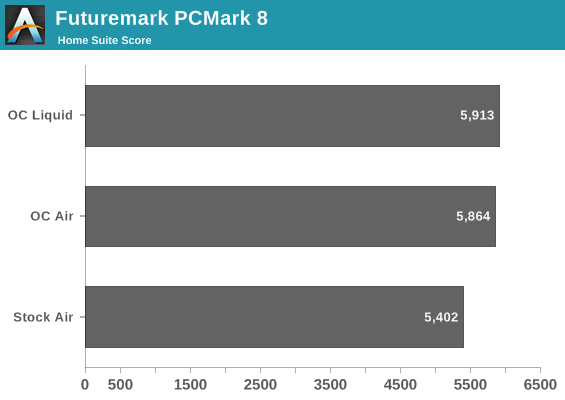
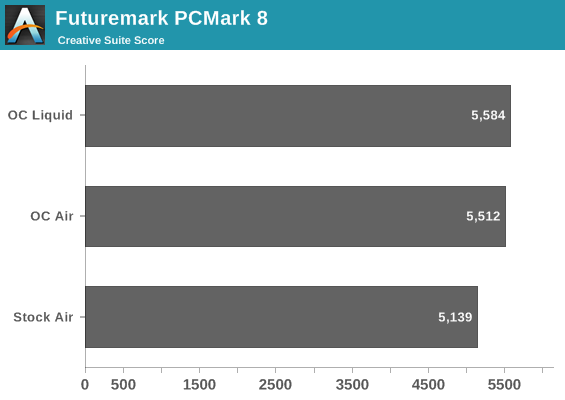
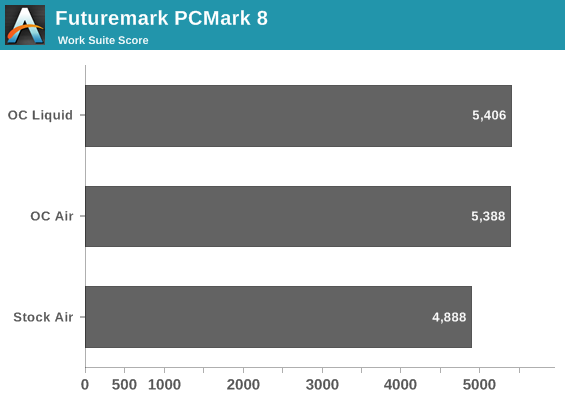
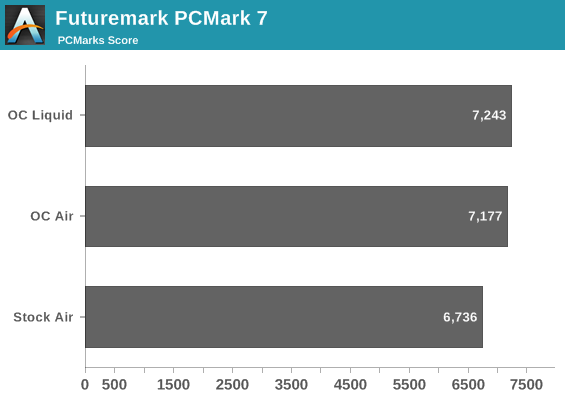
Our biggest jump came, naturally, from going from an effective 3.7GHz to 4.3GHz. The extra 100MHz on water improves scores across the board, but only marginally.
Next, we'll isolate CPU performance completely with Cinebench and the x264 benchmark.
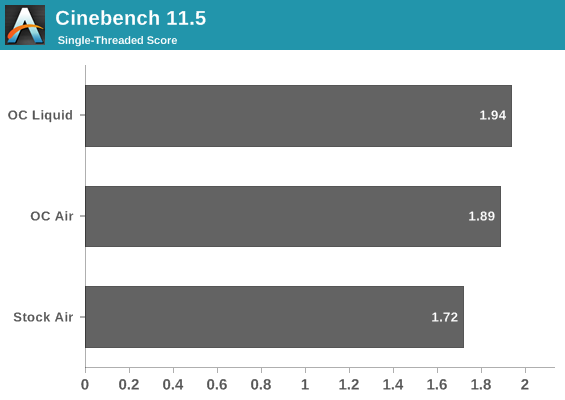
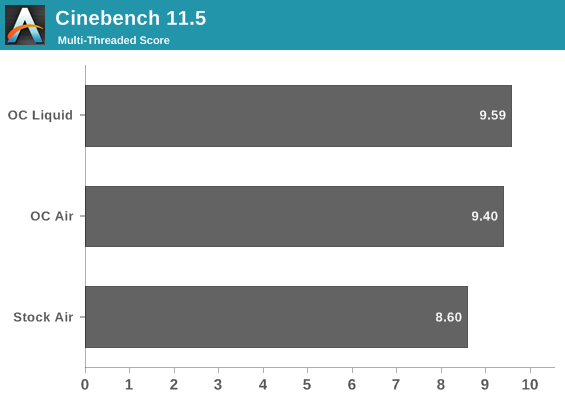
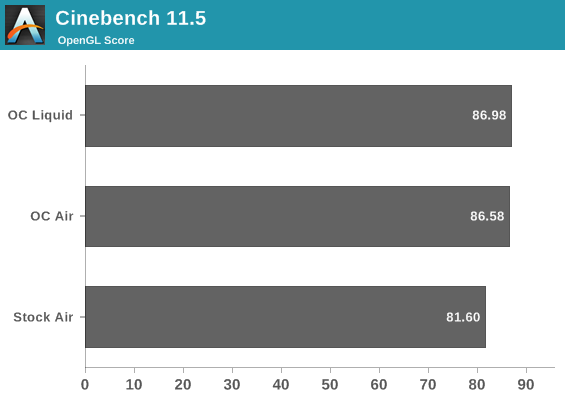
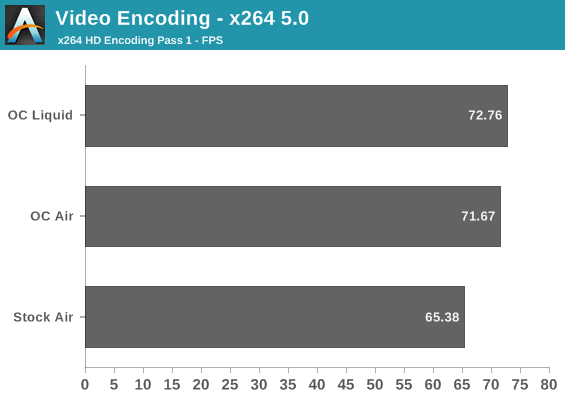
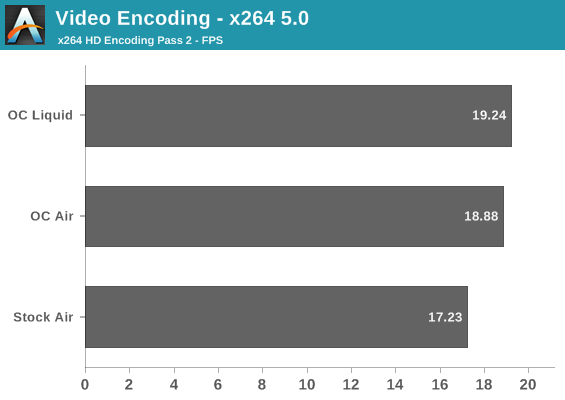
Again there's a healthy boost across the board, but the effort to get 4.4GHz just doesn't seem worth it for CPU centric tasks. 4.3GHz and DDR3-2133 wasn't too difficult for this chip and is probably the way to go; 4.4GHz brings a lot of heartache for not much gain.
Originally published at https://www.anandtech.com/show/7363/the-neophytes-custom-liquid-cooling-guide-how-to-why-to-what-to-expect (Wayback Machine).