
Gigabyte's i-RAM: Affordable Solid State Storage
- Posted in
- Storage
Using the i-RAM
To begin our testing, we loaded up the i-RAM with four 1GB DDR400 sticks. We didn't have any large DDR200 modules, so unfortunately we had to go with more modern DDR400. Using DDR500, DDR400 or DDR200 doesn't change performance at all, since the Xilinx controller runs them all at the same frequency.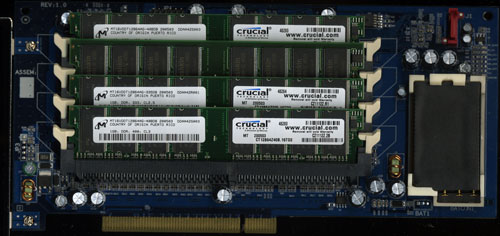
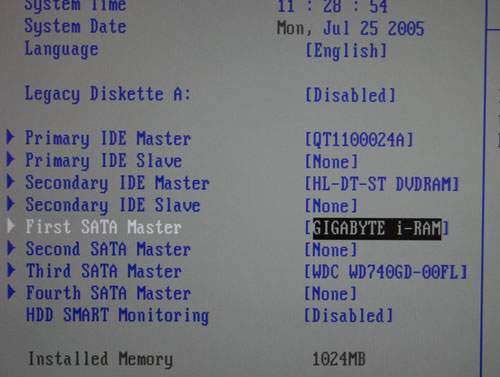
Powering the system on revealed the installation was a success; the BIOS reported the presence of the i-RAM as a regular storage device connected to our SATA controller:
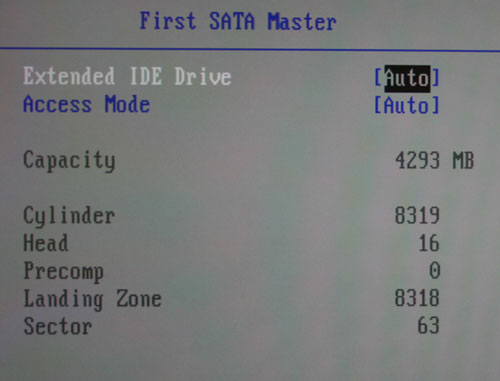
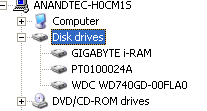
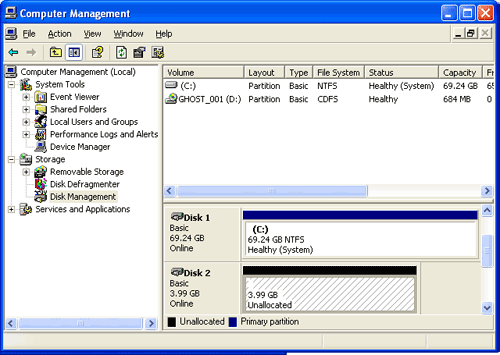
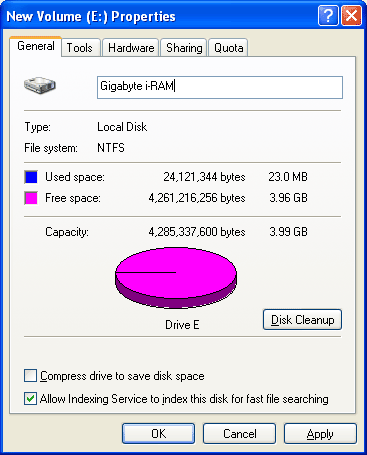
Also, all disk accesses are instantaneous; formatting the thing takes no time at all, and you can even "defragment" it (although, you get no benefit from doing so).
With the setup done, it was time to evaluate the i-RAM as more than just a novelty silent hard drive. Armed with our 4GB partition, we started testing...
The Test
We ran all of our tests on the following testbed unless otherwise noted:ASUS A8N SLI Deluxe nForce4 SLI Motherboard
AMD Athlon 64 FX-57 Processor
1 GB OCZ 2:2:2:7 DDR400 RAM
Seagate 7200.7 120 GB Hard Drive (boot drive)
Western Digital Raptor W740GD (test drive)
Gigabyte i-RAM w/ 4x1GB DDR400 modules (test drive)
We used the latest nForce 6.53 and ForceWare 77.72 drivers for our test bed, and paired it with the recently released GeForce 7800 GTX.
Originally published at https://www.anandtech.com/show/1742 (Wayback Machine).