
HP Z27q Monitor Review: Aiming For More Pixels
AdobeRGB Calibration
AdobeRGB tests are done with the same workflow as sRGB, but with the target gamut set to AdobeRGB. As with the sRGB, precalibration results are done for 200 nits, and then calibrated results are done for 200 and 80 nits.
Grayscale
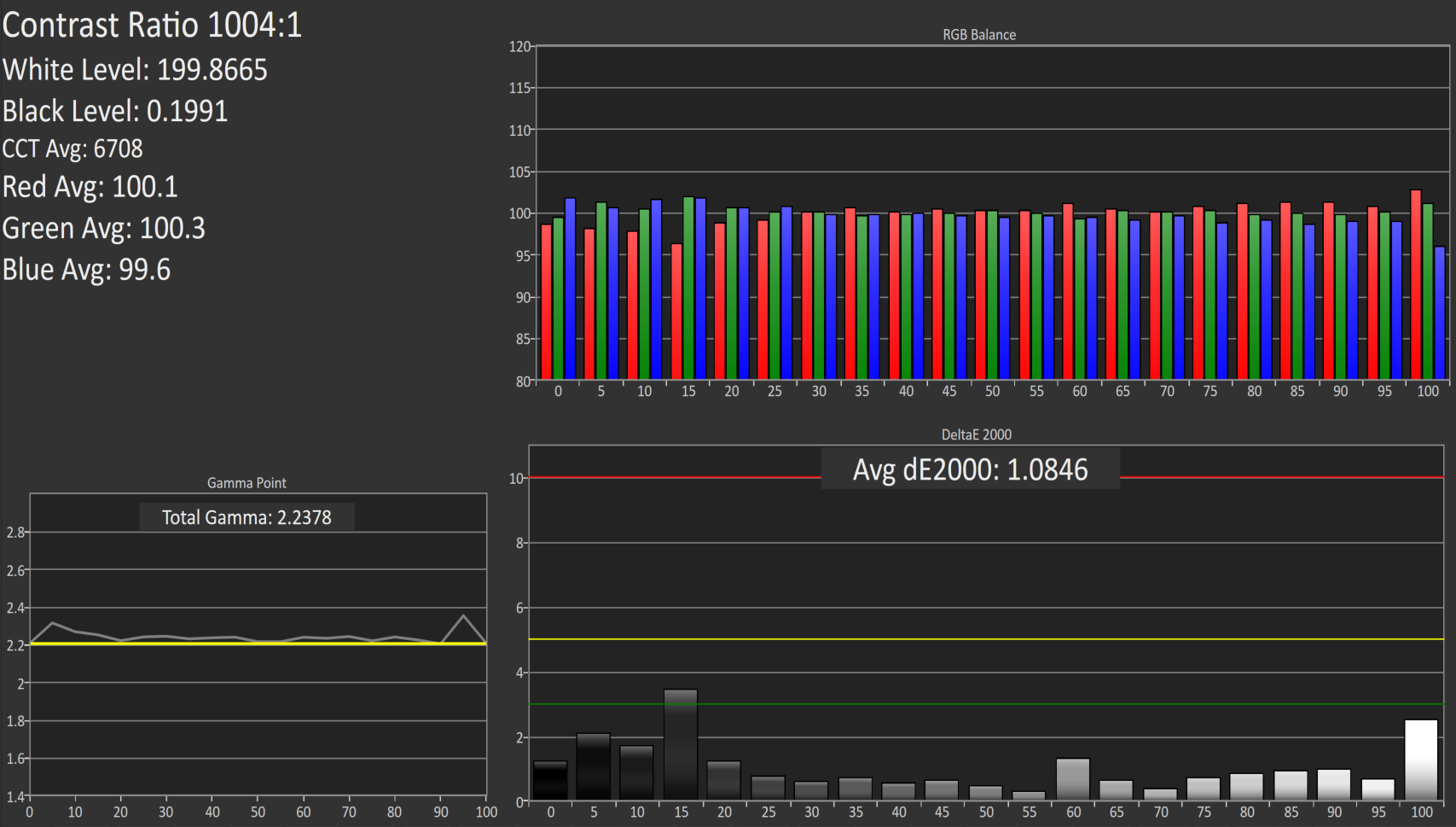
Set to AdobeRGB, the pre-calibration results are quite a bit improved over the sRGB values. They are so good that there is actually little reason to calibrate this display if you are using it for AdobeRGB. The average error rate on grayscale is only 1.08, and the gamma curve is almost perfect. The white point is very close to correct as well.
Saturation
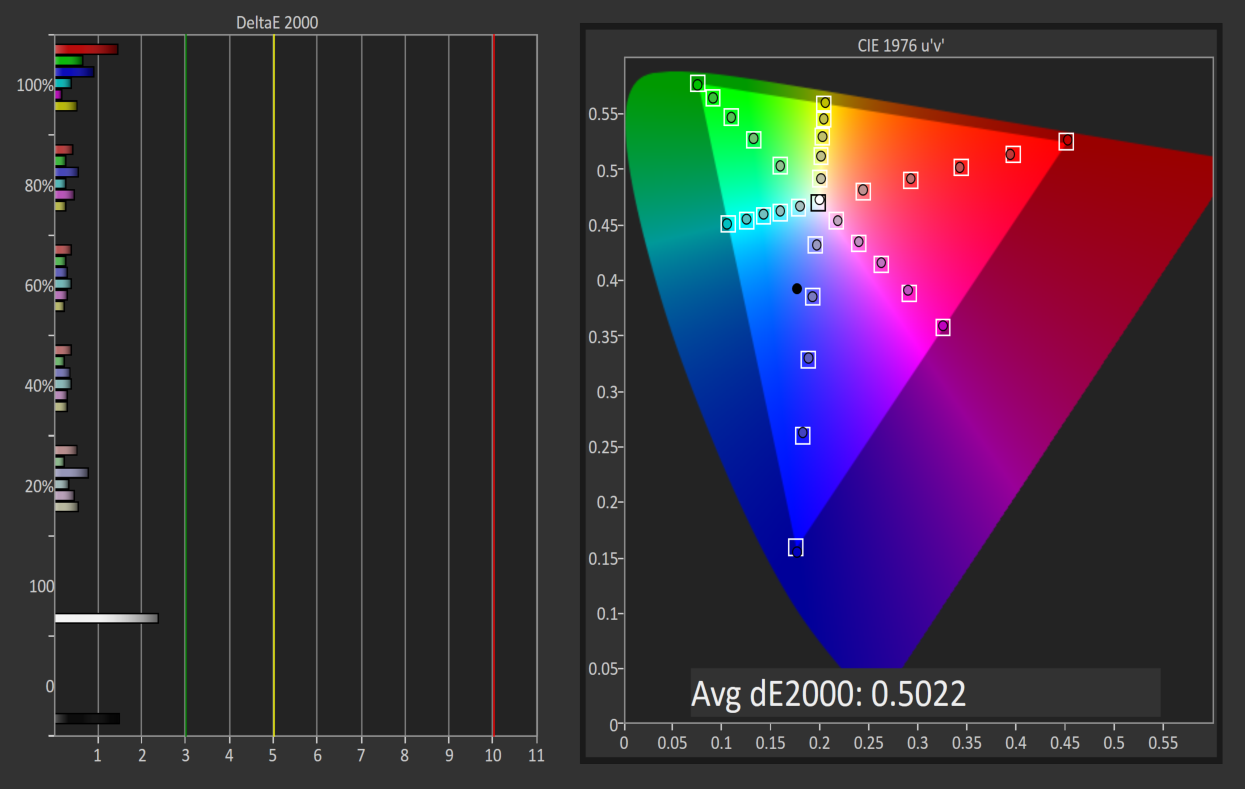
Saturations are very good again, with an average error of just 0.5. This is a great result for an uncalibrated display, and you can see that it easily covers the much wider gamut of AdobeRGB here.
GMB
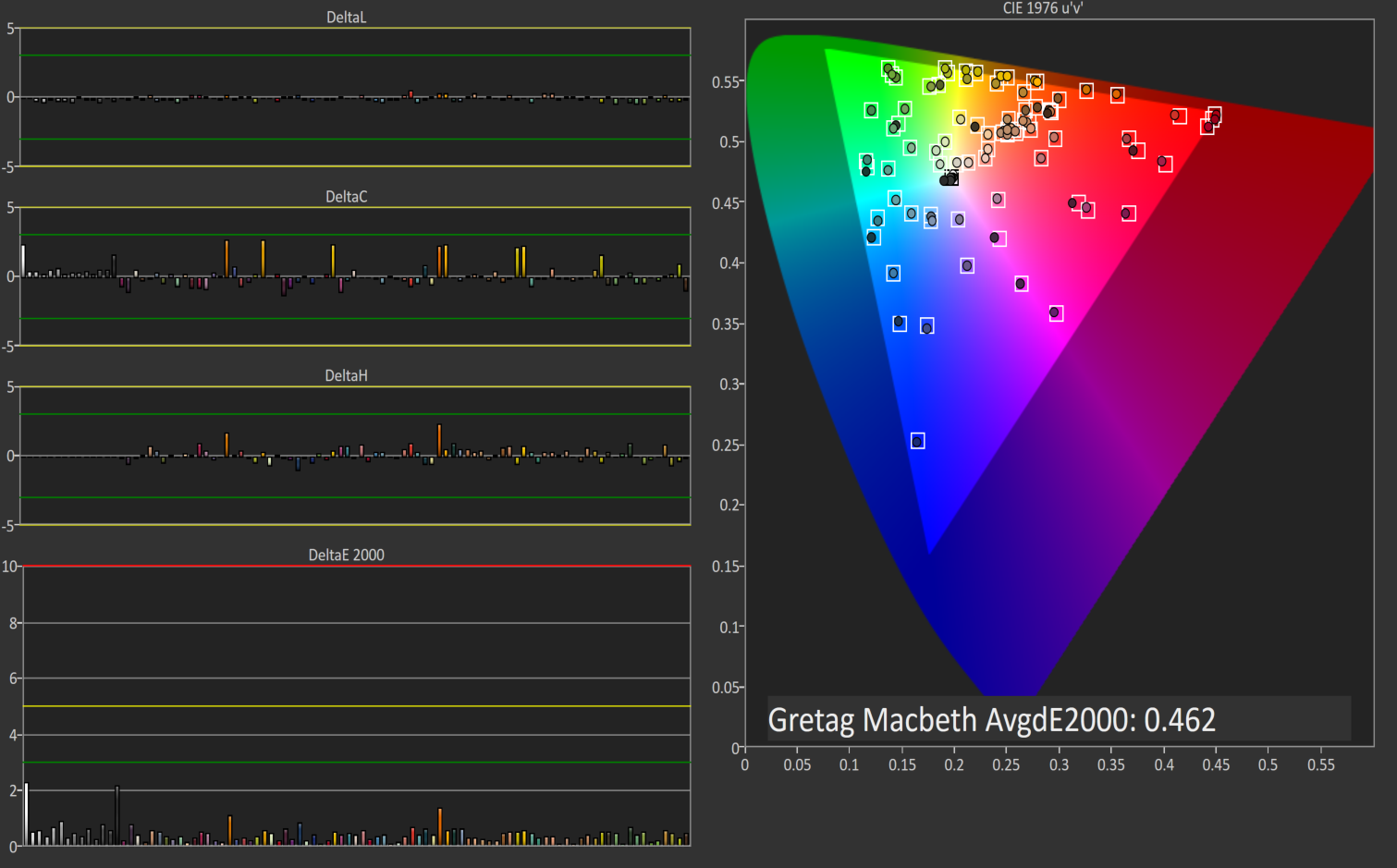
I feel like a broken record a bit, but the pre-calibration results for GMB are fantastic, with an average error of just 0.462. HP has done a fantastic job on the AdobeRGB LUT for this display.
200 cd/m2 Calibrated
Since the pre-calibration measurements were so good, there would be very little if any need to calibrate this display, but for completeness that has been done.
Grayscale
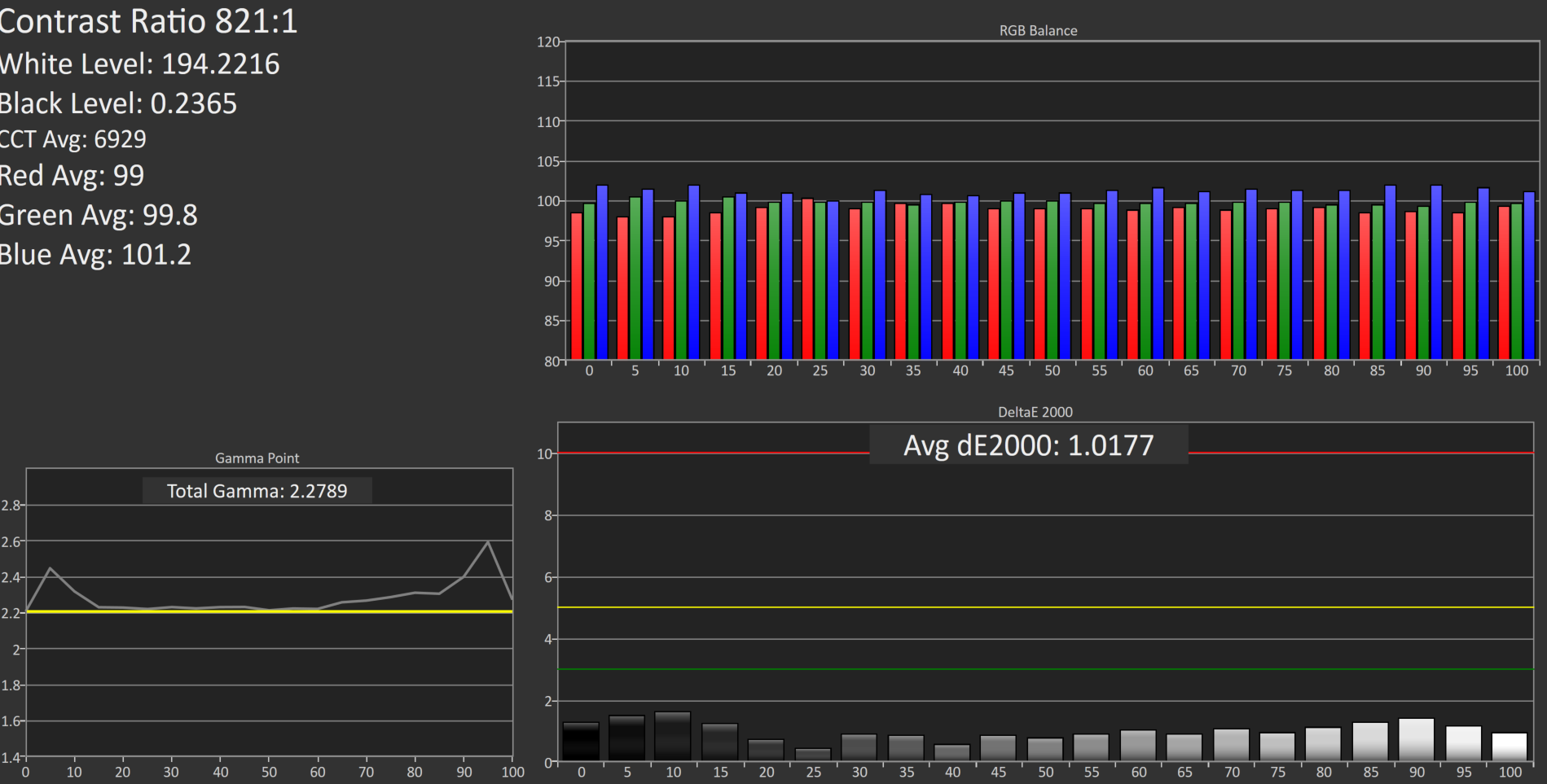
Although the couple of spikes for grayscale have been corrected, the overall result is actually slightly worse than out of the box. The gamma jumps up, and the white point is off. The results were better before, so if I was using this I would throw this out and leave it at stock.
Saturation
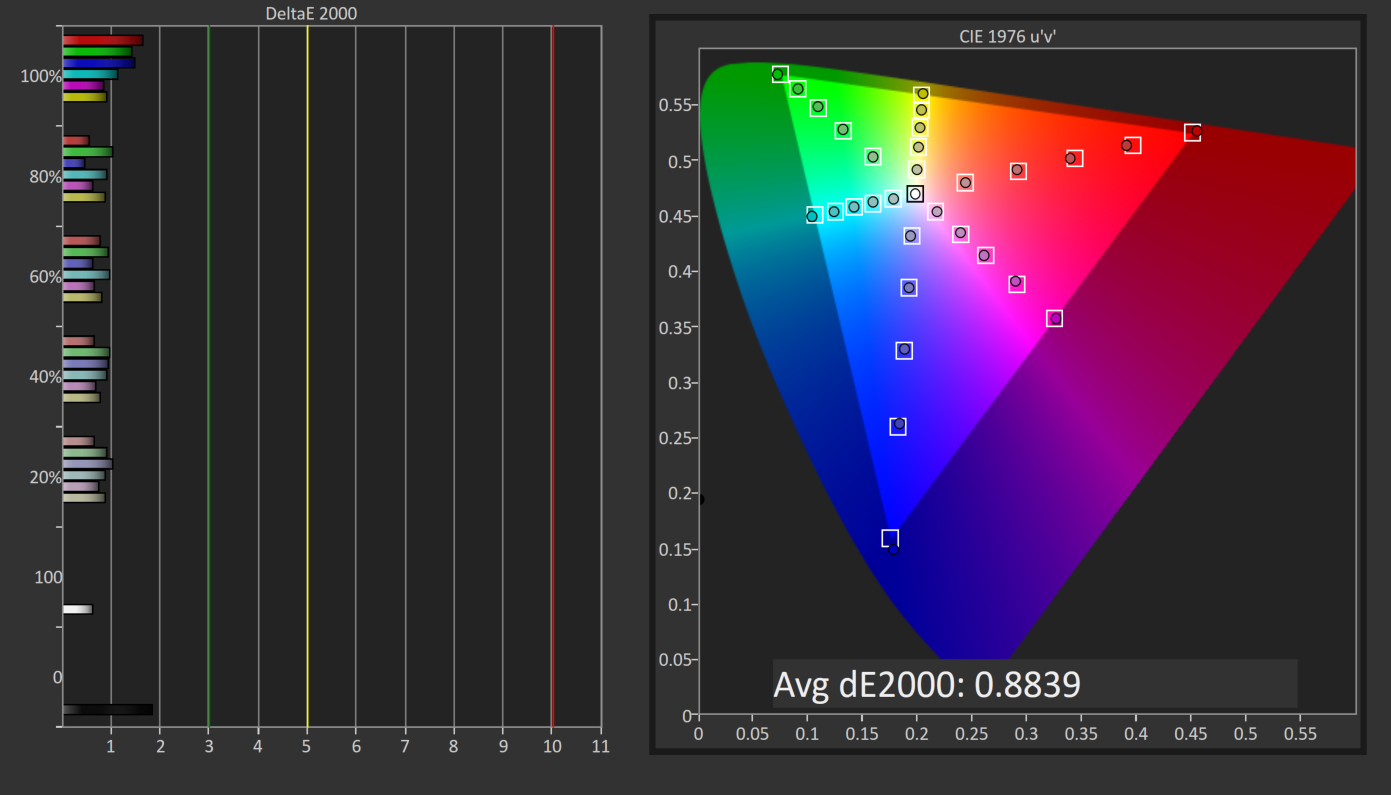
With the white point slightly moved, the overall error rate has actually gone up. It’s still excellent, but not as excellent as before.
GMB
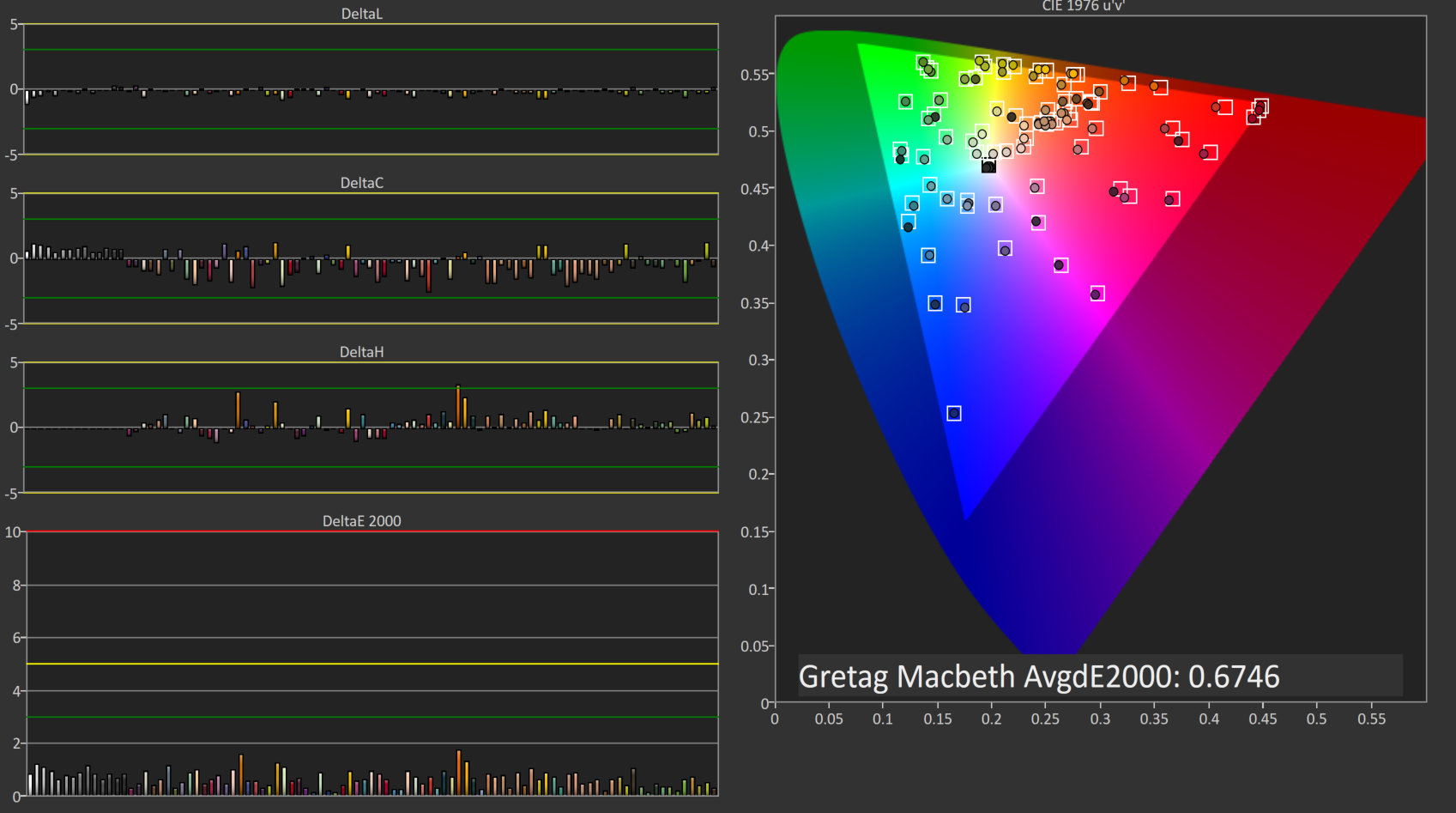
The final test also has a higher score, which at 0.67 is still excellent, but the calibration did nothing to help this display on AdobeRGB gamut. Let’s see how it does at 80 nits.
80 cd/m2 Calibrated
Setting the display to 80 nits, it was then calibrated again.
Grayscale
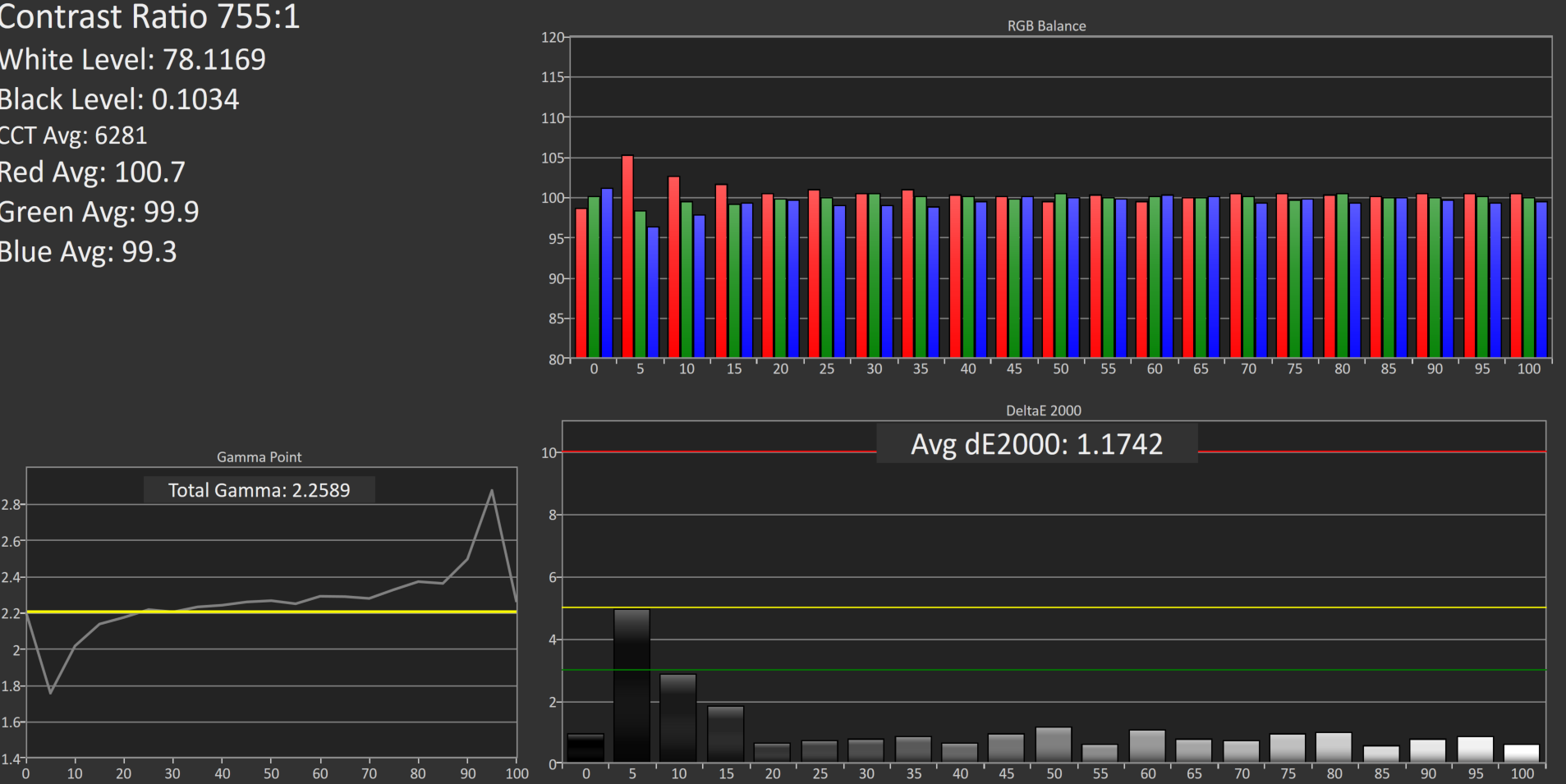
Overall the result is very good again, although the gamma is not as flat as it was before calibration. The white point and average error rate are both very good though.
Saturation
Much like at 200 nits, the pre-calibration measurements are actually better again, but the end result even with the slightly worse scores is still a very accurate representation of the AdobeRGB color space.
GMB
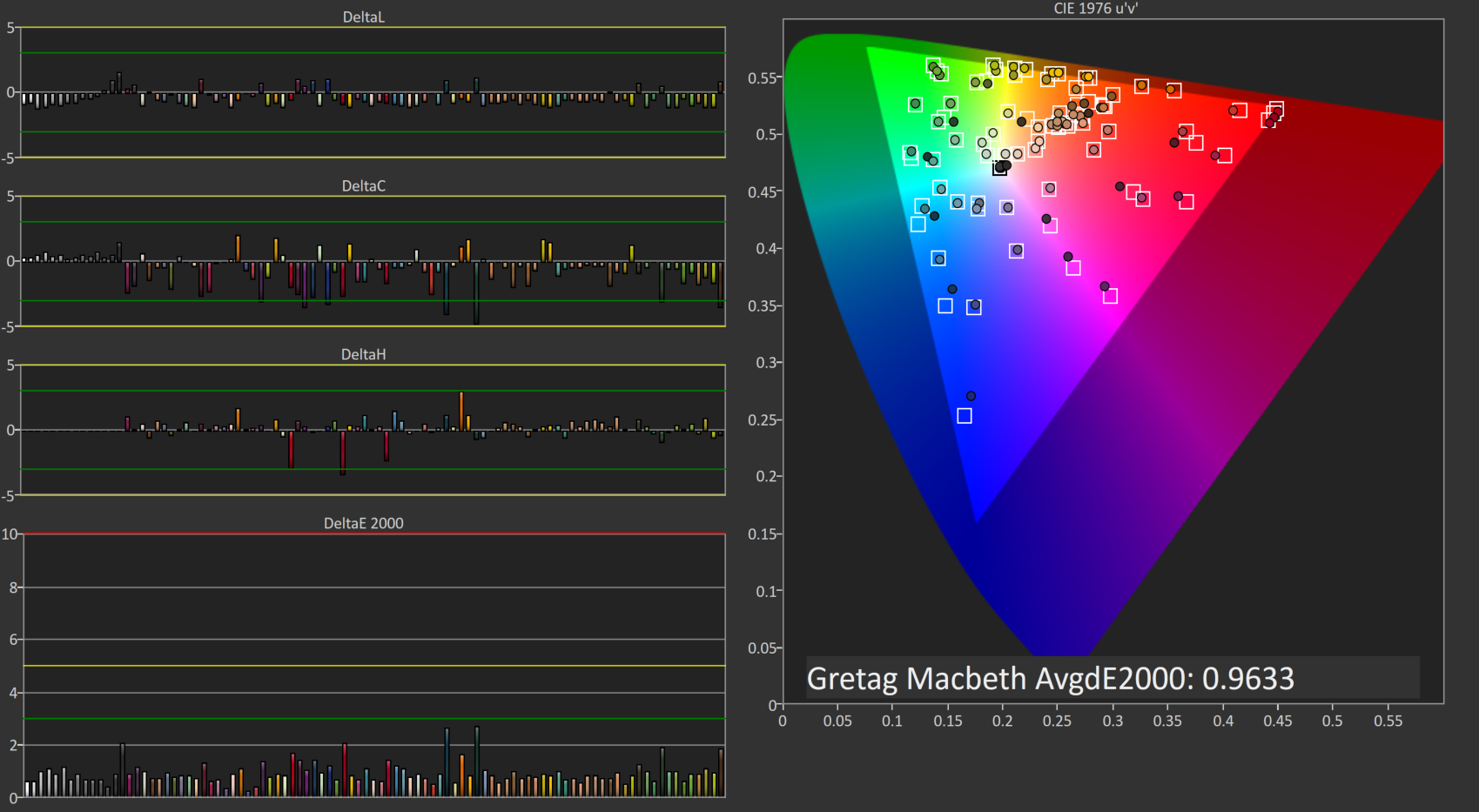
A result of 0.96 is very good, and the Z27q pretty much had no issues with any of the colors in our Gretag Macbeth test.


Relative Color Comparator - Displayed color on bottom, correct color on top
The results from AdobeRGB are even more impressive than the sRGB space. The Z27q can easily hit pretty much 100% of this target gamut, and the built in LUT is incredibly accurate when targeting AdobeRGB. This is one of the rare times were calibration pretty much did nothing.
Originally published at https://www.anandtech.com/show/9870/hp-z27q-monitor-review-aiming-for-more-pixels (Wayback Machine).