
HP Z27q Monitor Review: Aiming For More Pixels
sRGB Calibration
Calibration of the monitor is done with SpectraCal’s CalMAN 5 suite. For contrast and brightness, the X-Rite i1DisplayPro colorimeter is used, but for the actual color accuracy readings we use the X-Rite i1Pro spectrophotometer. Pre-calibration measurements were done at 200 nits for sRGB with Gamma set to 2.2. In addition, the display is also calibrated for 80 nits.
Grayscale
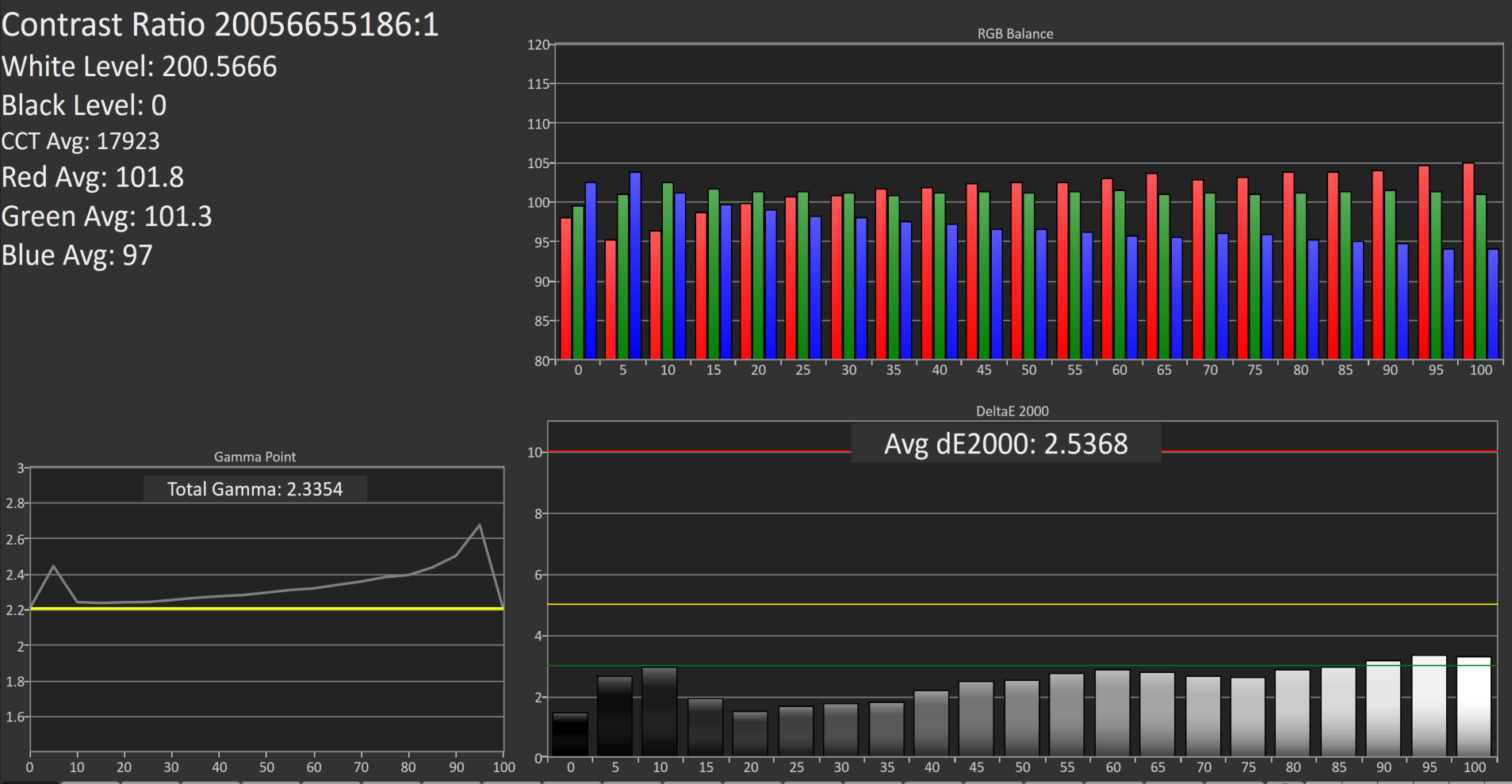
Out of the box, the grayscale could use some work. The white point is a bit warm, gamma is too high near 100%, and there are error levels over 3 at a couple of the measurement points. Overall the dE is just 2.5, which is reasonable, but anyone wanting to use this display for professional work is going to need to calibrate it.
Saturation
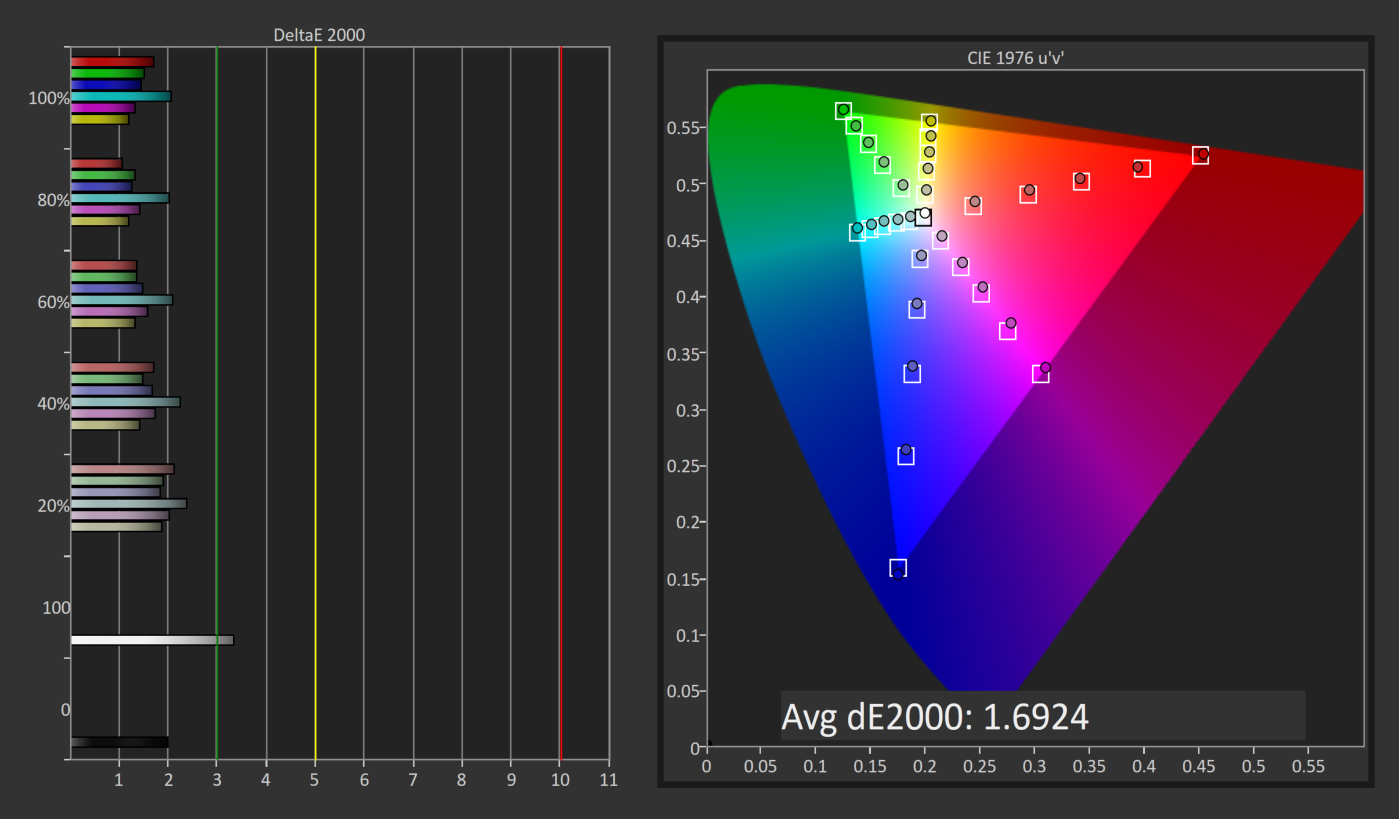
The saturation numbers are much better, which is good since the LUT is not adjustable. Overall the dE is just 1.7, which is very good, and none of the individual tests had an error over 3. You can see that the sRGB gamut is nicely profiled.
GMB
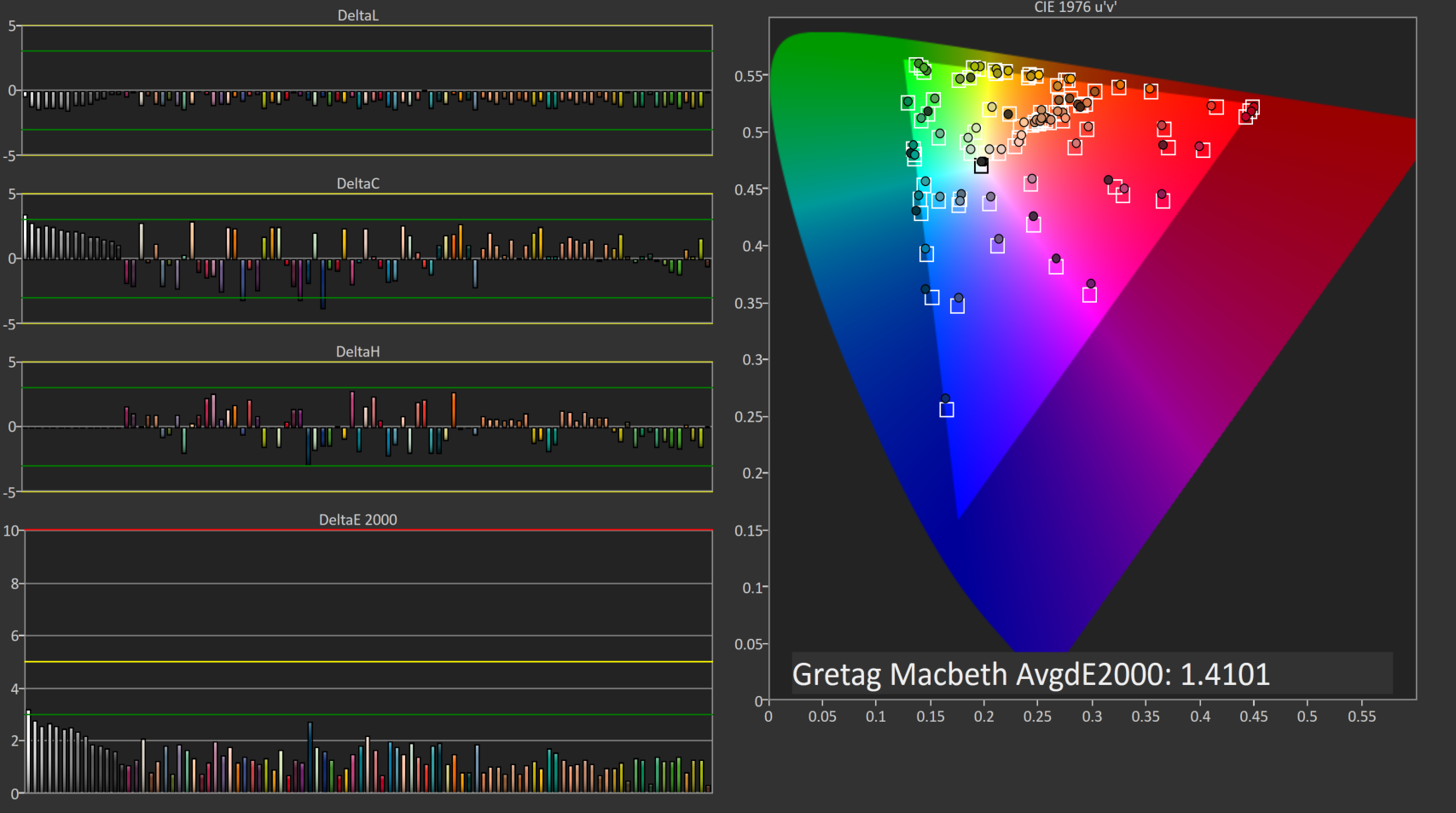
Gretag Macbeth is the most comprehensive test, which goes outside of the standard gamut and saturation tests, and includes many other important colors such as flesh tones. Once again the Z27q is very accurate, with an overall score of just 1.41, which should be plenty accurate for most people. In fact, the grayscale is a part of this test, and it would have pulled the score up even higher. This is a very good result.
200 cd/m2 Calibrated
Next, we use the CalMAN software to calibrate the display. Since this display does not have an accessible LUT, the video card LUT is the only one able to be calibrated. This fixes pretty much just grayscale, but in this case that is the only thing that really needs work anyway.
Grayscale
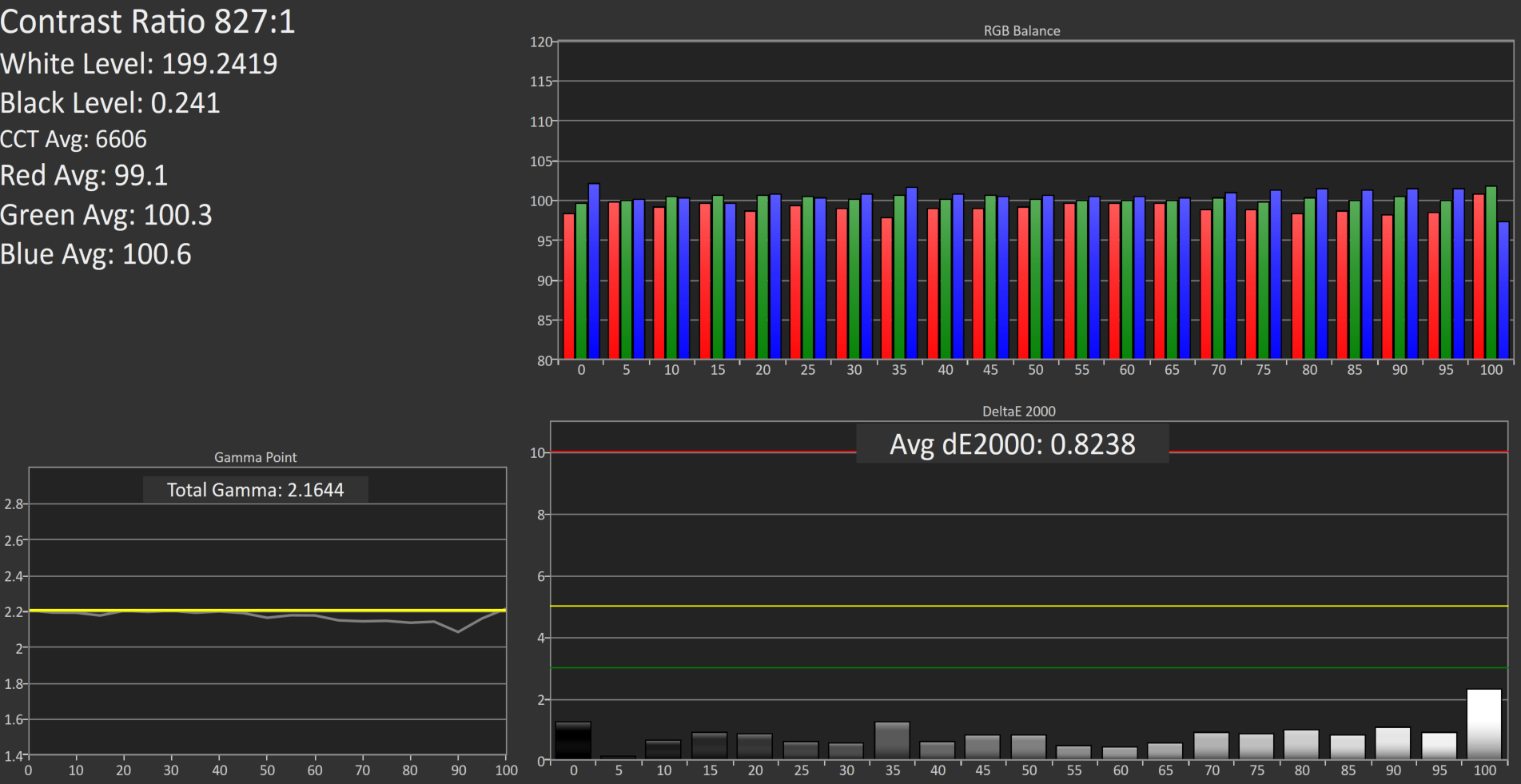
Once calibrated, the grayscale is almost perfect. The gamma curve is much closer to where it should be, and the overall error level averages just 0.82. The 100% level is better, but still not perfect, but other than that the other results are very much improved. The white point is also fixed with calibration.
Saturation
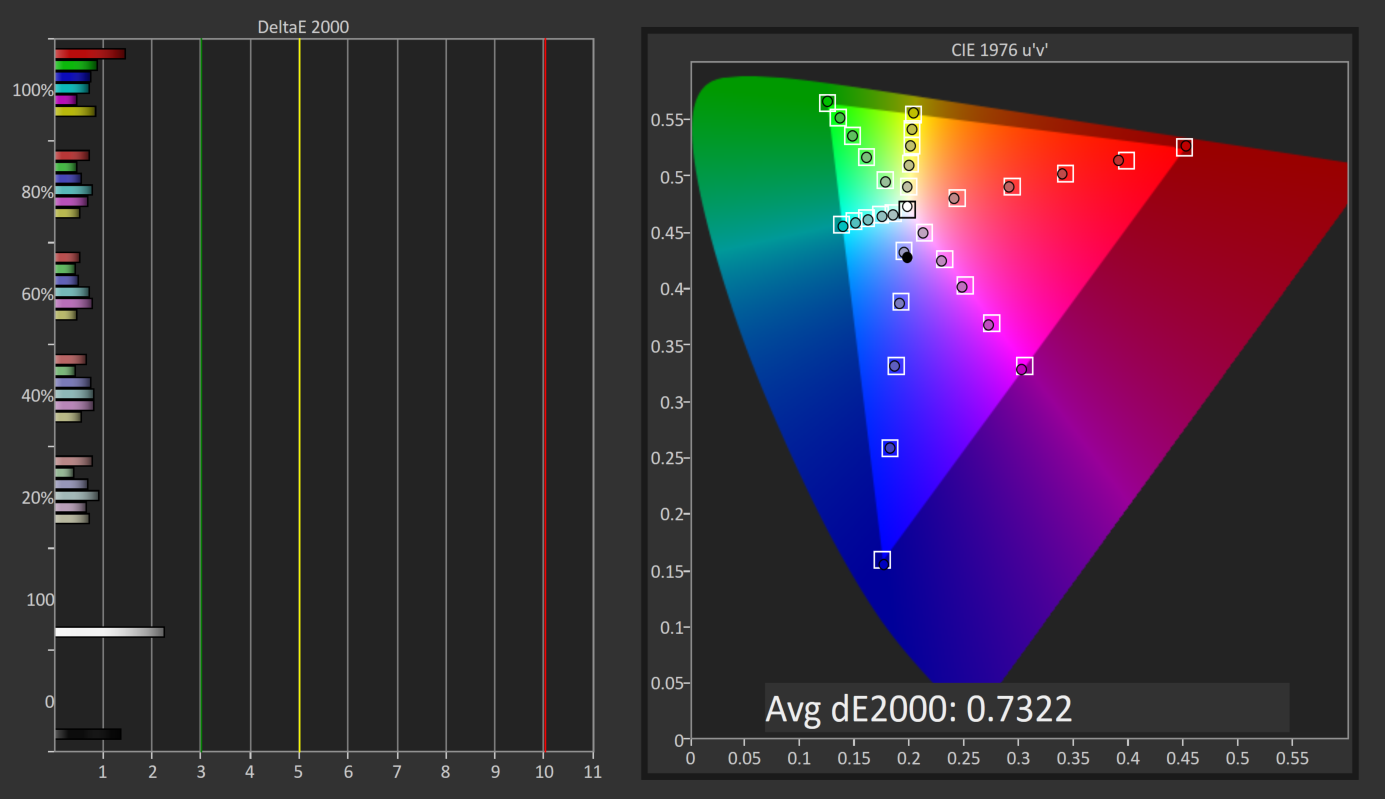
The improved white point also has a nice impact on the saturation sweeps, with an overall average error level of just 0.73.
GMB
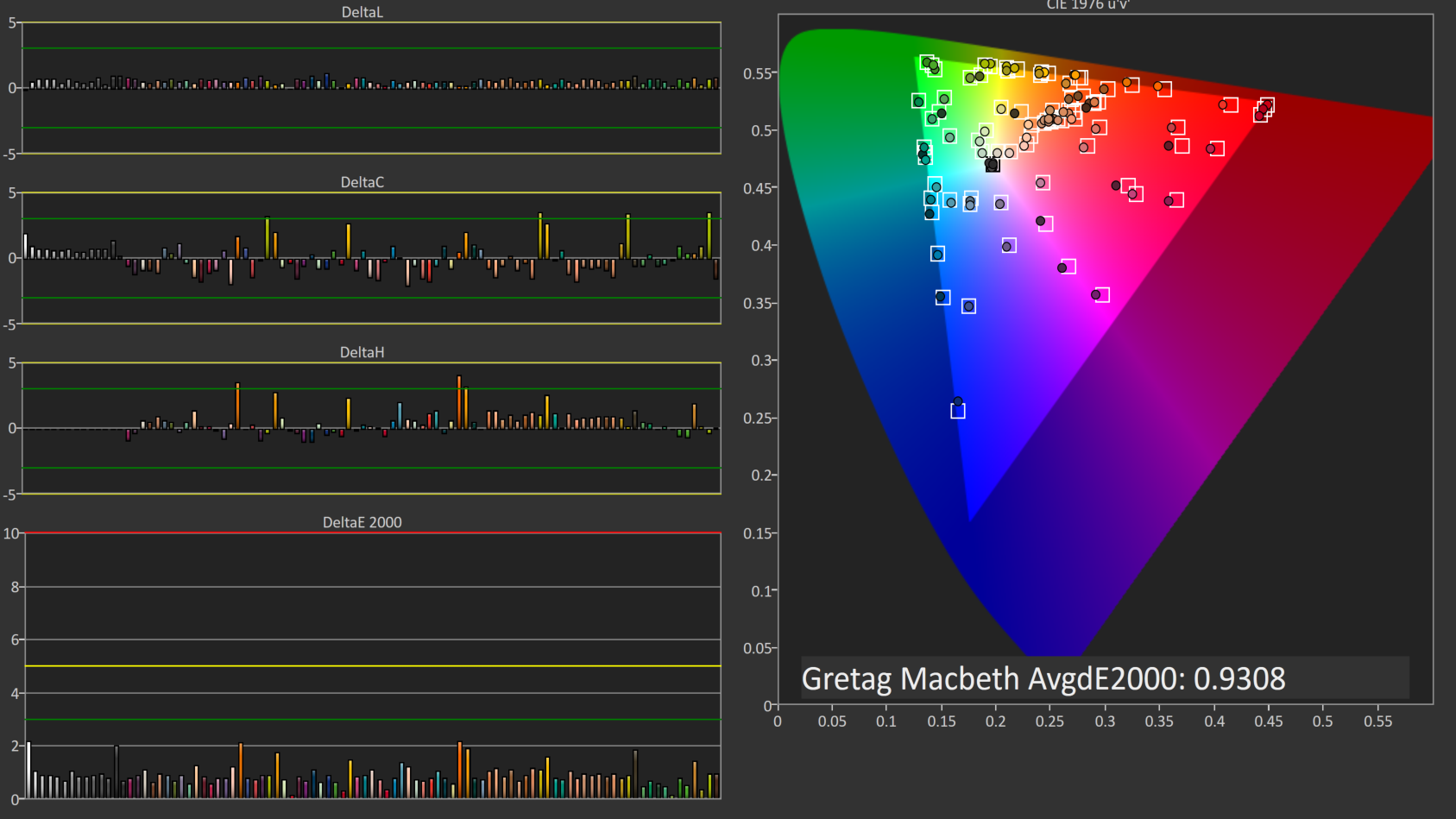
The Gretag Macbeth test also sees a nice improvement, going to an average error level of 0.93, which is fantastic. There were a couple of the colors which spiked close to dE of 3, but overall this is a very accurate panel once calibrated.
80 cd/m2 Calibrated
Since the average office space may not calibrate just at 200 nits, we also run through the tests again at 80 nits calibrated to see if the panel is as accurate with the backlight lowered.
Grayscale
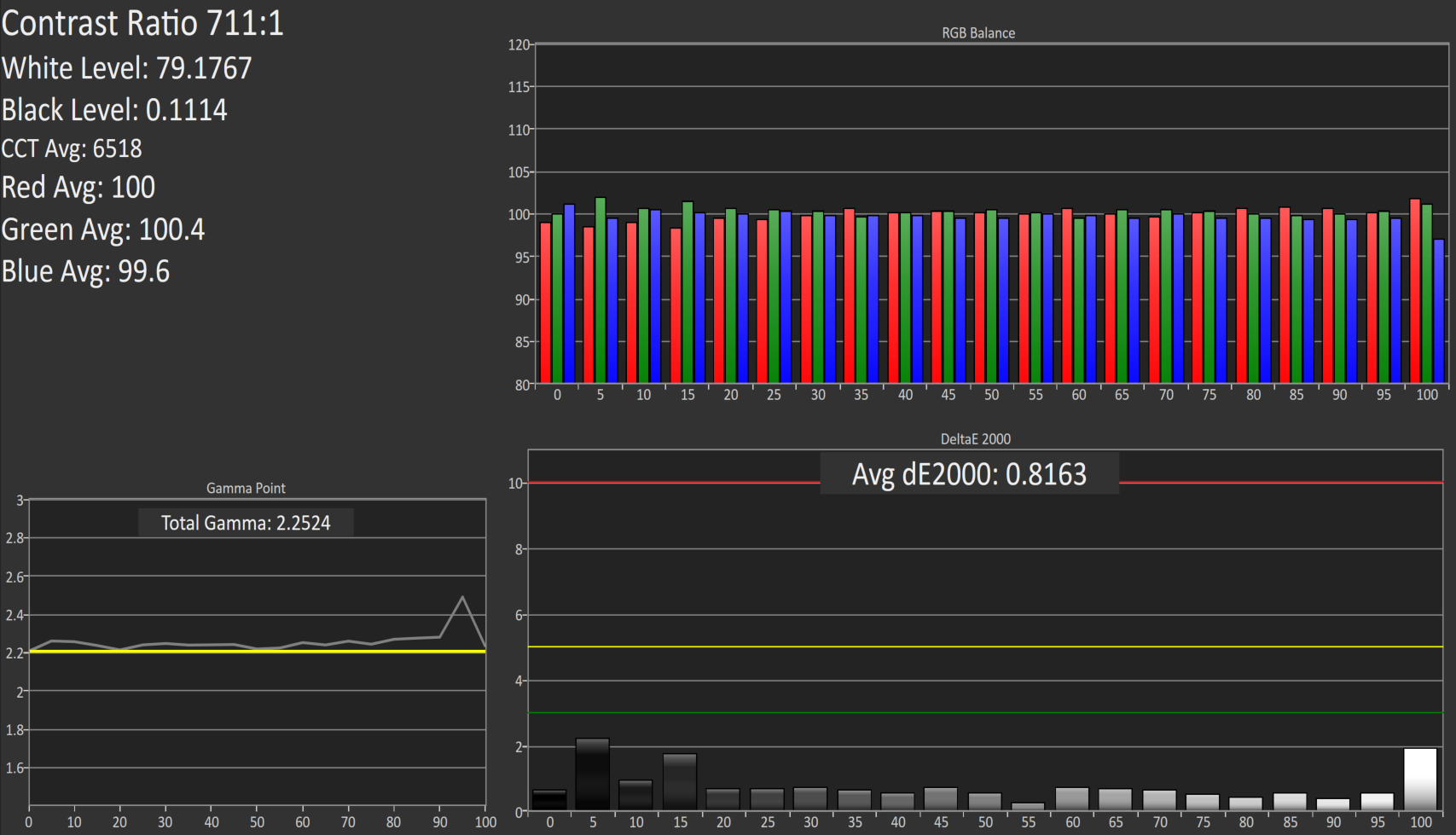
There are no issues once calibrated at 80 nits. The average error rate is just 0.82 again, matching the 200 nit score. White point and gamma are very good as well, although there is a slight bump in gamma close to 100% white level.
Saturation
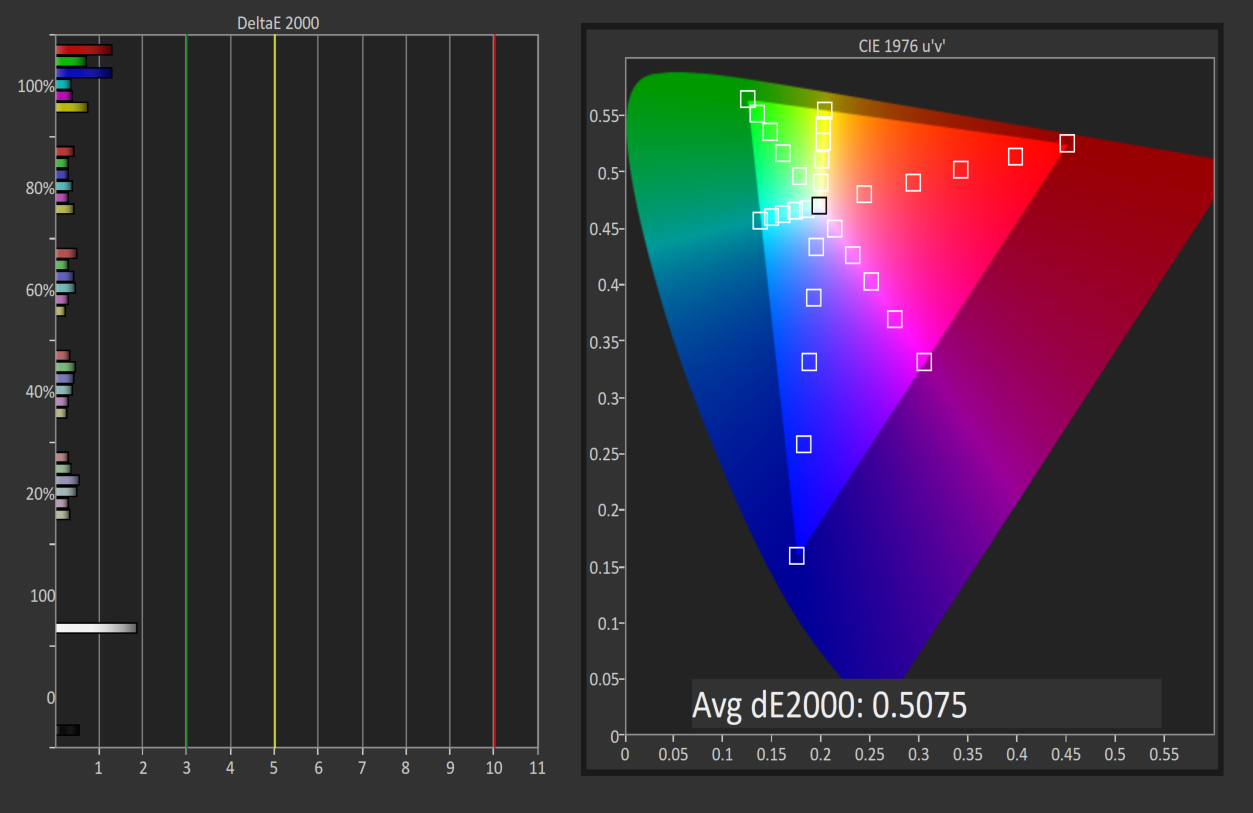
The saturation score has even improved at 80 nits, coming in at just 0.51 dE2000 average. Please pardon the graph – there is a bug with our workflow for the 80 nit level for saturation.
GMB
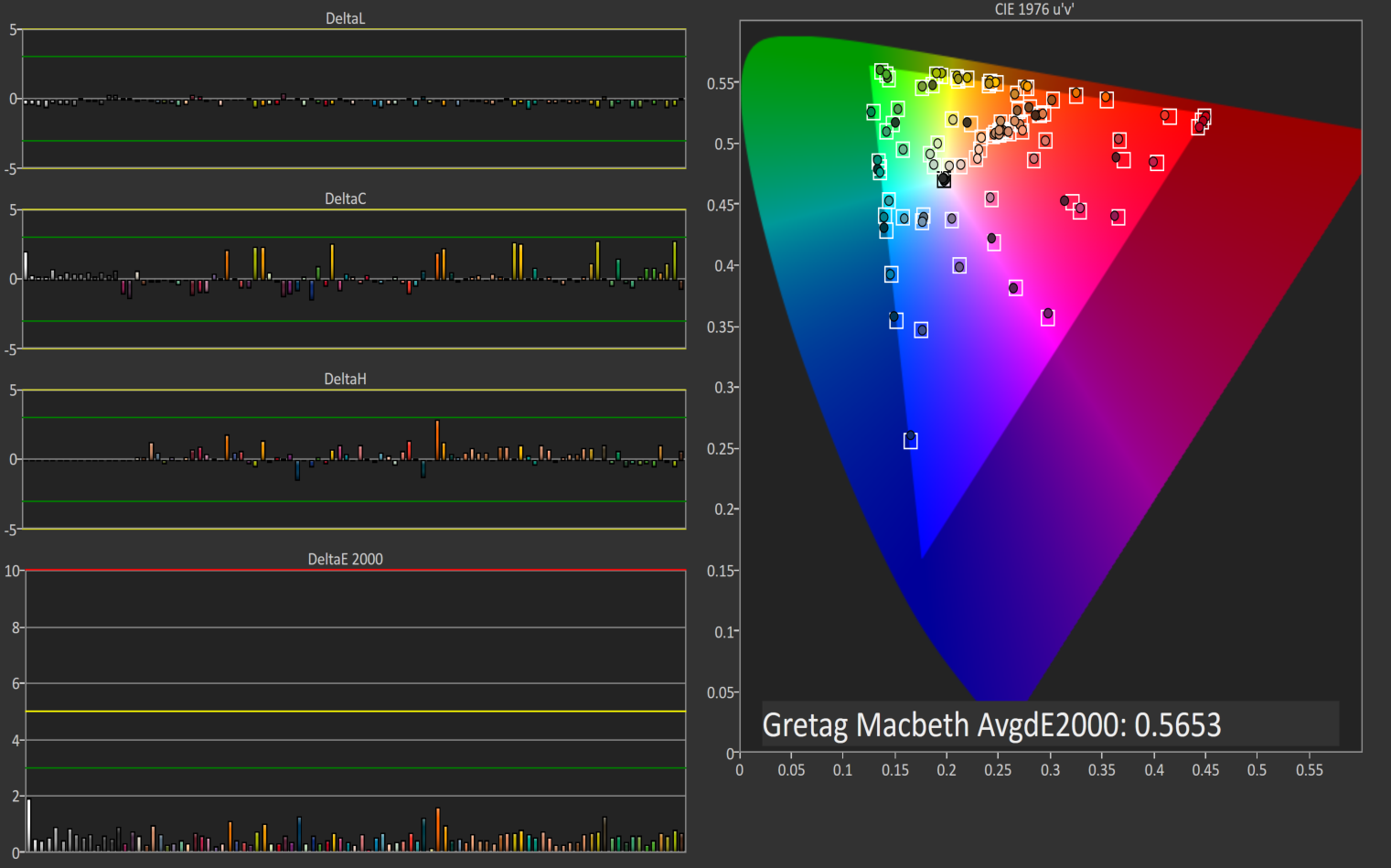
Once again we can sum up the Z27q as a very accurate display, once calibrated. The built in LUT for sRGB is very accurate, with the Gretag Macbeth average dE2000 of only 0.56. Considering you can’t calibrate the LUT on your own, it is even more important that HP gets it correct at the factory, and it appears that they have done their homework.


Relative Color Comparator - Correct on bottom, displayed on top
I don’t really find the inaccurate grayscale to be a big issue out of the box. Anyone purchasing the monitor for professional work is going to be calibrating it anyway. Prosumers who are after a 5K panel and don’t have the software or hardware to do calibration will likely be happy with the out of the box results too, since they are fine for most people.
Originally published at https://www.anandtech.com/show/9870/hp-z27q-monitor-review-aiming-for-more-pixels (Wayback Machine).