
LaCie d2 Thunderbolt 2 DAS Review
- Posted in
- Storage
- Seagate
- LaCie
- DAS
- Thunderbolt 2
Introduction and Testbed Setup
Seagate's premium storage brand, LaCie, has been introducing a wide variety of Thunderbolt 2 products since late last year. We reviewed the 2big Thunderbolt 2 as well as the Rugged Thunderbolt back in July. Today, LaCie is adding one more member to their Thunderbolt family, the d2 Thunderbolt 2. The original d2 USB 3.0 Thunderbolt series was, in essence, a hard drive in an external enclosure with support for both USB 3.0 and Thunderbolt (first generation) interfaces. The product being launched today doesn't simply upgrade the Thunderbolt interface to Thunderbolt 2, but brings in some innovative updates.
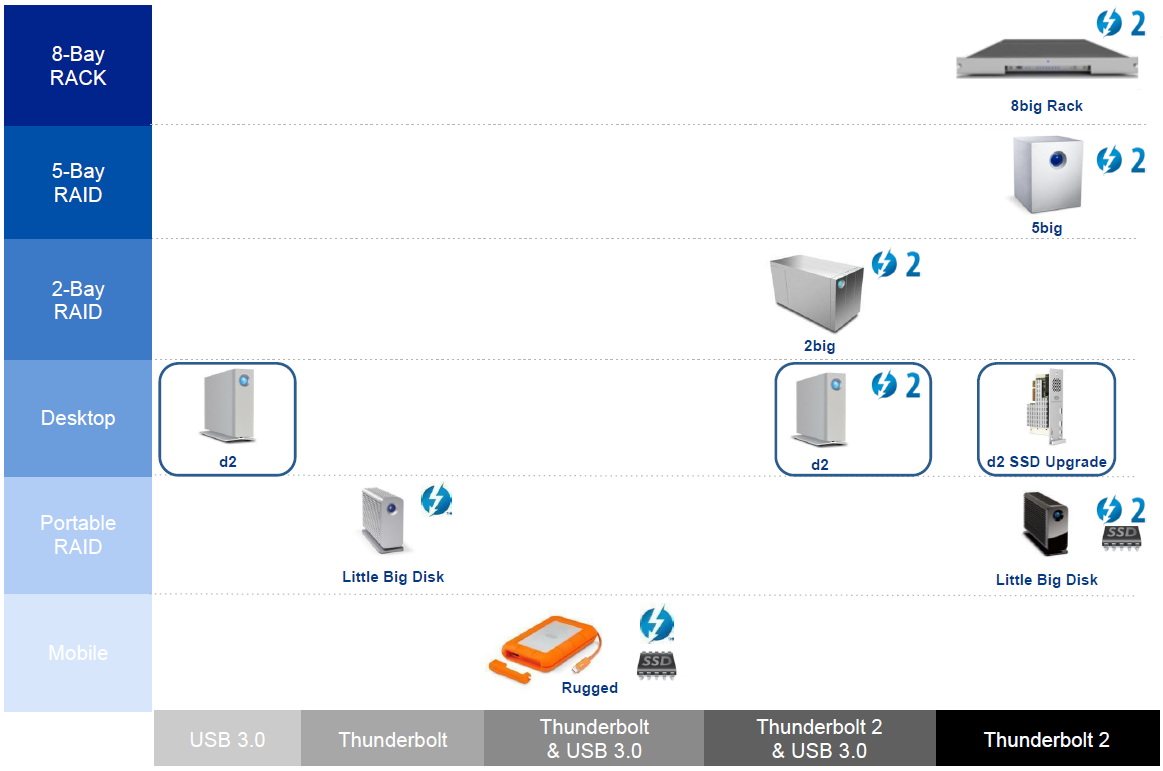
One of the limitations of the original d2 USB 3.0 Thunderbolt unit was the SATA hard drive inside the unit. The new version, by default, ships with a hard drive, but also adds an SSD upgrade option (without sacrificing the hard drive's capacity play). The SSD is PCIe-based and not limited by the SATA bandwidth. The unit is, to our knowledge, the first external hybrid desktop storage drive. As we will see in the performance section, it also happens to be the fastest single-drive desktop storage system. On the external side of things, the new unit also has a slightly different industrial design. The detailed specifications of the review unit are provided in the table below.
| LaCie d2 Thunderbolt 2 and SSD Upgrade | |
| Internal Storage Media |
1x 6 TB 3.5" ST6000DX000 HDD 1x 6 TB 3.5" ST6000DX000 HDD + 1x 128 GB Samsung XP941 PCIe SSD |
| Interface |
2x Thunderbolt 2 + 1x USB 3.0 (HDD) 2x Thunderbolt 2 (HDD + SSD) |
| Cooling |
Aluminium Chassis (HDD) Aluminium Chassis + Fan (SSD) |
| Power Supply |
100-240V AC Switching Adapter (12V @ 4A DC) (HDD) 100-240V AC Switching Adapter (12V @ 5A DC) (HDD + SSD) |
| Included Software |
|
| Product Page |
LaCie d2 Thunderbolt 2 LaCie d2 SSD Upgrade |
| Price |
$499 (HDD) $499 + $299 (HDD + SSD) |
Testbed Setup and Testing Methodology
Evaluation of DAS units on Windows is done with the testbed outlined in the table below. For devices with USB 3.0 connections (such as the My Book Duo that we are considering today), we utilize the USB 3.0 port directly hanging off the PCH.
| AnandTech DAS Testbed Configuration | |
| Motherboard | Asus Z97-PRO Wi-Fi ac ATX |
| CPU | Intel Core i7-4790 |
| Memory |
Corsair Vengeance Pro CMY32GX3M4A2133C11 32 GB (4x 8GB) DDR3-2133 @ 11-11-11-27 |
| OS Drive | Seagate 600 Pro 400 GB |
| Optical Drive | Asus BW-16D1HT 16x Blu-ray Write (w/ M-Disc Support) |
| Add-on Card | Asus Thunderbolt EX II |
| Chassis | Corsair Air 540 |
| PSU | Corsair AX760i 760 W |
| OS | Windows 8.1 Pro |
| Thanks to Asus and Corsair for the build components | |
Full details of the reasons behind choosing the various components in the above build, as well as the details of our DAS test suite can be found here.
Originally published at https://www.anandtech.com/show/8468/lacie-d2-thunderbolt-2-das-review (Wayback Machine).