
From Mango to Apollo: The HTC Windows Phone 8X on the Daily
Essentials: Search
One of the places where Windows Phone 8 has done an excellent job of moving forward is the "Search" function. As one of the three buttons mandated on the bottom of the actual phone, this should've been a more robust feature in Windows Phone 7 and 7.5, but I never used it on the Dell Venue Pro. It was easier for me to just type whatever I wanted to search for in the browser window.
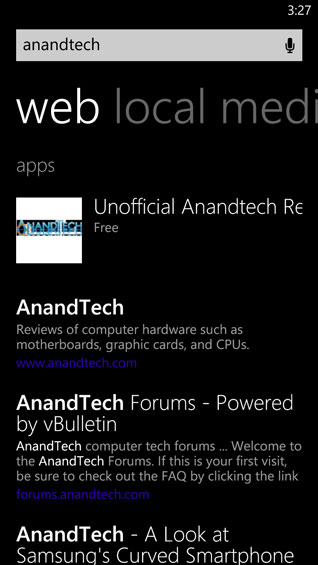
In 8, though, things are a bit different. Now there are multiple pages under Search; in addition to conventional web search results, there's a page for News, a page for Movie Showtimes, Local Videos, Local Deals, and Local Events. This feels much more robust. On top of that, whatever you enter into the search bar will provide you with a list of web links for whatever you've searched for, along with local, media, and shopping results. Compare that to the less powerful Search function in WP7.5, which only produced local and image results alongside web.
I couldn't tell you exactly why, but I just find myself using Search far more in WP8 than I did in WP7.5. It feels like a more useful tool and less like a trojan horse for Bing.
Essentials: GPS Navigation
While it's still not the catastrophe that Apple Maps was on release, Bing Maps continues to be a sore spot for Windows Phone. The map quality itself is fine, and Microsoft has worked with Nokia to integrate vector maps, but the actual navigation leaves a lot to be desired. Simply put: Bing Maps doesn't provide turn-by-turn navigation. This was something I found myself missing intensely from my time with Android, as Google's navigation is frankly excellent. With the default Bing Maps, you have to tap the display to get the next direction instead of it just simply being read to you as you approach it.
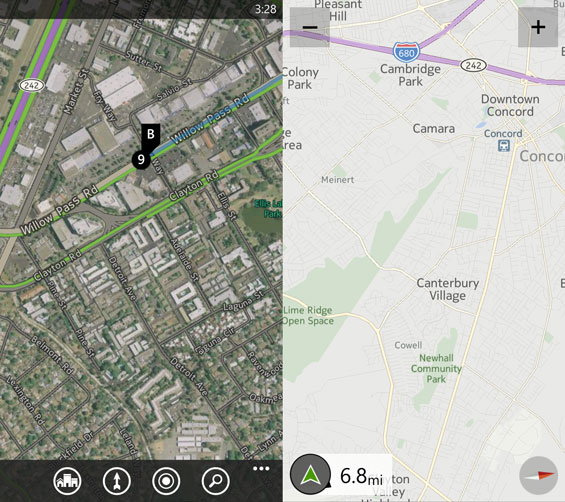
All isn't entirely lost, though. Until recently, users of Nokia-based Windows Phones had access to Nokia Drive for turn-by-turn navigation, but as of the 23rd, anyone using a handset based on Windows Phone 8 now has access to a beta version of Nokia Drive for free. This finally adds the turn-by-turn navigation that Bing Maps was so desperately lacking, and to me this offers a legitimate solution to a baked-in feature that competing phones sporting Android and iOS have been enjoying for a long time now.
Essentials: Camera
The camera app on Windows Phone 7.5, or at least with the Dell Venue Pro, was frankly mediocre at best and downright terrible at worst. As someone who enjoys foisting pictures of his cat to the internet, the Venue Pro was an exercise in frustration. White balance was never accurate, detail was poor, and image stabilization was nonexistent.

If you switch to Windows Phone 8, though, you'll definitely see a benefit. Windows Phone 8 enjoys more detailed controls for the camera, face detection, and Lenses functionality (the default Bing lens allows you to scan barcodes and text and use it to search online.) On top of that, you benefit from the advances that have gone into smartphone camera hardware in general. The WP8 camera is more responsive, easier to use, and produces far superior point and shoot photos than the Dell Venue Pro did.
Originally published at https://www.anandtech.com/show/6692/from-mango-to-apollo-the-htc-windows-phone-8x-on-the-daily (Wayback Machine).