
From Mango to Apollo: The HTC Windows Phone 8X on the Daily
Essentials: Browser
As Brian mentioned before, the browser experience on Windows Phone 8 is improved largely under the hood. Windows Phone 8 enjoys the Trident 6.0 engine shared by Internet Explorer 10 on the desktop and even identifies itself as IE10. It's smooth and gets the job done, but actually feels too stripped down. I've come to accept that if I want Flash on a mobile platform I need to be running Android, but tab management is sorely lacking.
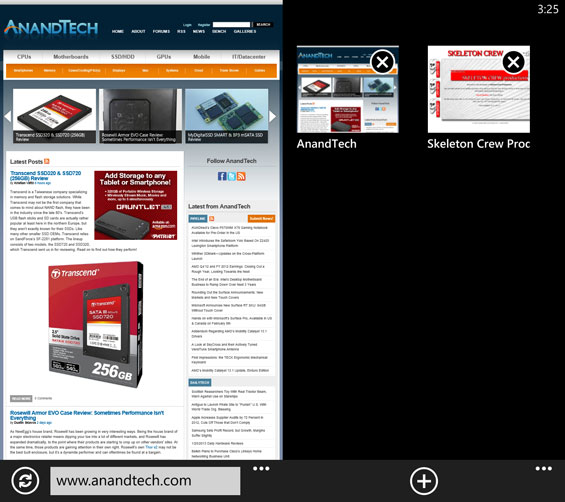
That isn't to say that you can't actually have multiple tabs open, but the only way you can get a shortcut to the tabs you have open without having to bring up the drop menu on the bottom of the display is to swap out the stop/reload button for it. So while the browser in Windows Phone 8 is very functional and snappy, it's extremely easy to outright forget which tabs you've left open in the first place. This was a problem in 7, and it persists here.
Again, though, performance is definitely up from 7, and compatibility as well. I've found IE10 in WP8 to be a noticeable improvement in practice.
Essentials: E-Mail
I've heard complaints of the e-mail app in Windows Phone 7 (and 7.5 and now 8) as being too stripped down, but I've never actually felt it was particularly oversimplified. I have three different e-mail boxes that I need regular access to: my personal e-mail, my Gmail, and my AnandTech e-mail. You can choose to have each mailbox store all of your e-mail from that box from the past week, from the past month, or just plain all of it. My AnandTech e-mail box is a nightmarish abyss of spam and clutter that I've done a horrible job curating, so that gets set to "past week."
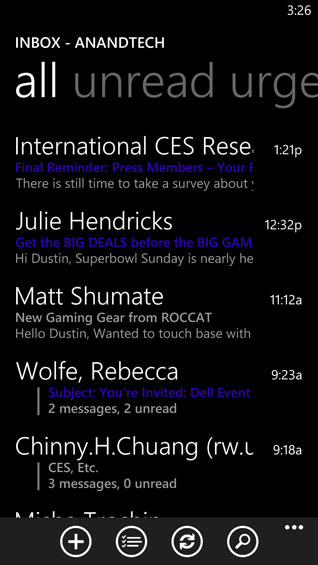
What's evident is that the app is still designed as a way to check your e-mail in a pinch, not as a way to actually do your e-mail bookkeeping and keep up on all your correspondence. Unfortunately, the lack of a robust app ecosystem keeps power users from finding a more comprehensive e-mail management solution (much as it keeps power users from finding an alternative browser to IE10), so if just having e-mail threads organized by subject line and middling multi-mail selection and management isn't adequate for you, you're stuck.
Essentials: Calendar
Just as the People hub brings all of your contacts from all of your disparate social networking accounts under a single unifying banner, so the Calendar does with your events and calendars. The Calendar app is also essentially unchanged from Windows Phone 7: a single calendar aggregates your Google calendar with events from Facebook.
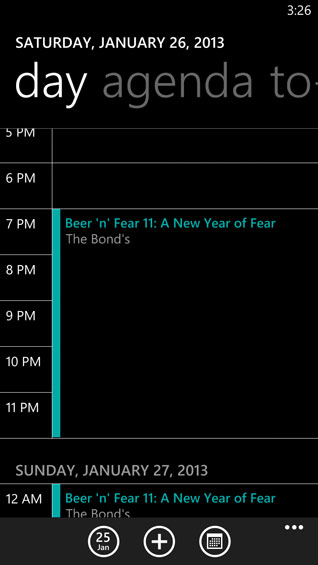
The complaint I've heard registered about Calendar is that it only allows for a single calendar, while Google allows you to have multiples. If you need multiple calendars to keep organized (for example, one with birthdays, one with tasks, one with meetings, and so on), this is probably going to be a dealbreaker. Note also that by default Calendar will integrate Facebook events you've been invited to but not actually responded to; this is something you can toggle off, but I'm confused as to why it's on in the first place.
Meanwhile, assuming you have it set to be the single text readout on the lock screen, the lock screen itself will tell you what, where, and when your next Calendar entry is.
Originally published at https://www.anandtech.com/show/6692/from-mango-to-apollo-the-htc-windows-phone-8x-on-the-daily (Wayback Machine).