
13-inch Retina MacBook Pro Review (Late 2012)
All Flash Storage
Until NGFF gains traction in the market, SSDs with a custom physical design are going to be the norm in any system that aggressively prioritizes form factor. There has been at least some standardization within the Apple camp this past year. The 2012 iMac, Mac mini, MacBook Air and Retina MacBook Pros all use the same custom SATA+power connector on their SSDs. The standard 2012 MacBook Pro still uses a 2.5" SATA SSD as it needs to easily swap positions with a mechanical hard drive depending on what the customer orders.

13-inch rMBP SSD module, image courtesy iFixit
The 13-inch rMBP goes one step further and uses the same physical SSD module that Apple uses in the 15-inch model. In the past Apple has used Samsung PM830 based SSDs for any drives larger than 128GB (so 256GB, 512GB and 768GB), which meant all of the 15-inch rMBPs got Samsung drives.
The 13-inch rMBP starts at 128GB however, which means there could be a chance you'll end up with a Toshiba/SandForce based solution in your Mac. Depending on your usage model (e.g. if you're going to enable FileVault), this could be undesirable. So far, all of the 128GB 13-inch rMBPs I've encountered use Samsung based drives.
As always, the easiest way to tell who makes the controller on your drive is to run a system report and look at the prefix on the drive itself: SM for Samsung and TS for Toshiba.
Performance of the PM830 based solution is quite good:
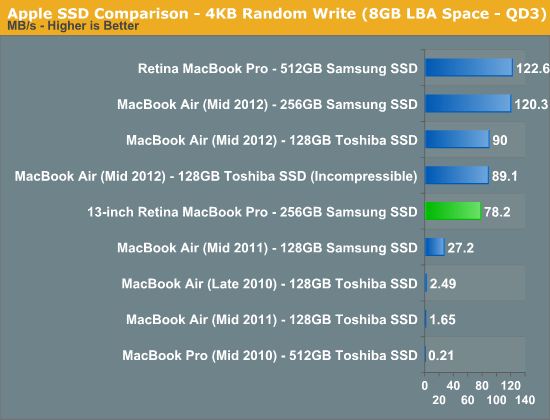
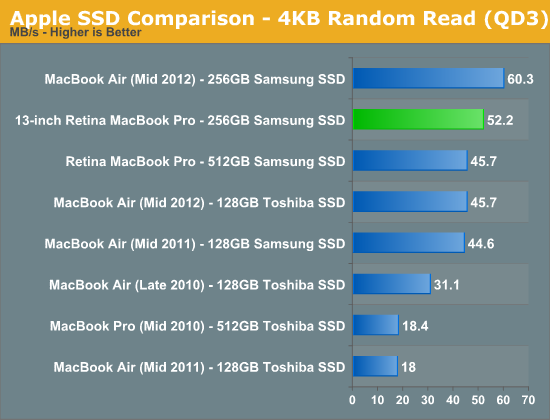
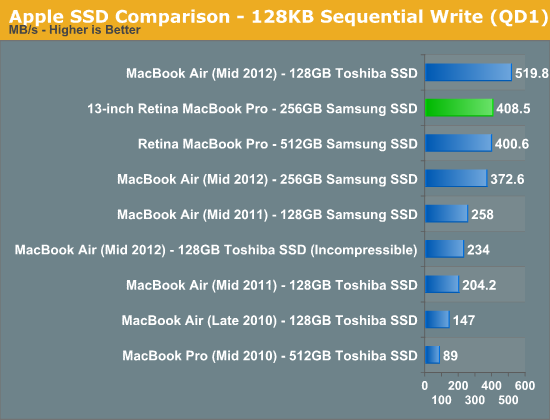
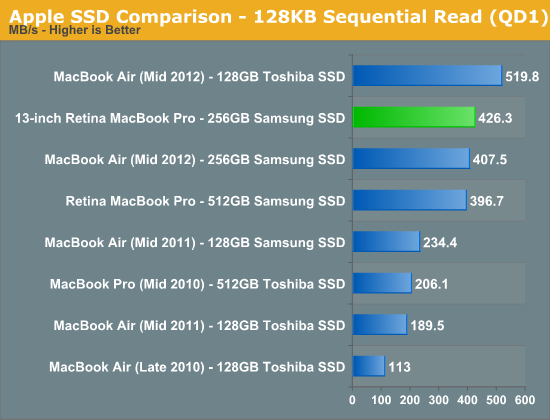
As expected, you get the same performance from the storage solution in the 13-inch rMBP as you would from the 15-inch model.
Samsung's PM830 was the controller of choice when the 15-inch rMBP hit, however now there are some interesting options available on the market. Samsung's latest MDX controller, used in the 840 Pro, will likely make its way to Apple's lineup next year. Intel's S3700 controller however provides a new optimization point for SSDs. I would love to see Apple work closely with Intel on bringing a mobile-friendly version of the S3700 to its notebooks. Although Samsung's drives have been my pick for Mac users for quite a while now, OS X doesn't respond well to unexpectedly high IO latency. As I showed in our review of Intel's SSD DC S3700, even Samsung's 840 Pro doesn't do a great job of delivering consistent random IO latency. The S3700's power profile alone will keep it out of any Apple notebooks, but there's nothing fundamentally power hungry about the controller's architecture. Apple needs the S3700 or something similar as it looks for ways to improve IO performance going forward.
Integrated SDXC Card Reader: Performance and Compatibility
The port layout remains consistent between the 13 and 15-inch rMBPs, which means that the 13-inch model retains an integrated SD card slot. The slot is mechanically different than the one used on the 15-inch model, with an inserted SD card sticking out a lot more on the 13 than it would on the 15.
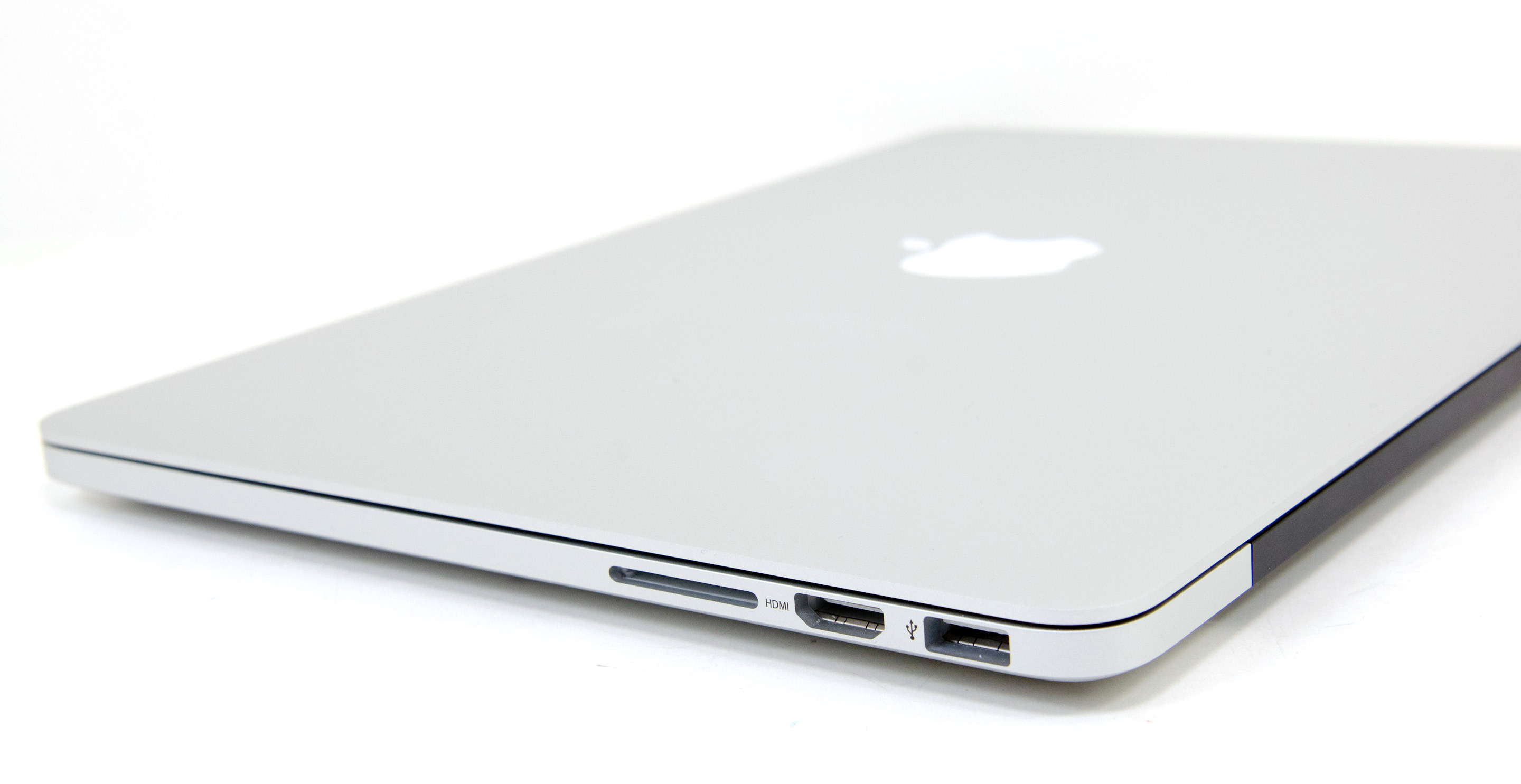
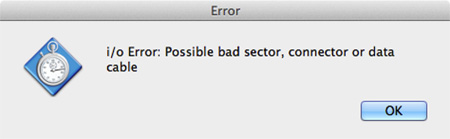
SD card compatibility was measurably worse on my review sample compared to the 15-inch rMBP. I tried Patriot's EP Pro UHS-I and Patriot's LX series cards, neither of which would reliably work on the machine. I usually got disconnect errors if I even slightly moved the notebook with the EP Pro in the reader. The behavior was quite erratic. On several insertions the problematic cards worked fine, only to go back to failing regularly a few hours later. My SanDisk Ultra microSD card in a SD card adapter worked just fine on the other hand.
Performance on the reader was on-par with the 15-inch rMBP. When I could get the EP Pro working I measured around 80MB/s for reads from the card and 40MB/s when writing to the card:

Originally published at https://www.anandtech.com/show/6409/13inch-retina-macbook-pro-review (Wayback Machine).