
Apple iOS 5 Review
Calendar
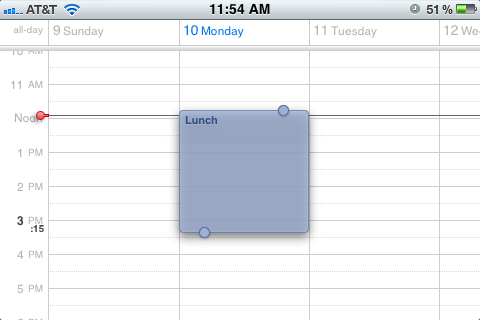
The Calendar app in iOS 5 closes the gap between it and more full-featured calendar software like iCal, Google Calendar, and Outlook. Most of these changes apply not just to calendars stored locally on your device, but also to calendars synced with iCloud or with Exchange servers.
Game Center
Introduced in iOS 4.1, Game Center is Apple’s response to Xbox Live and the PlayStation Network, and it features many of the same bullet points: Achievements, friend lists, and the rest.
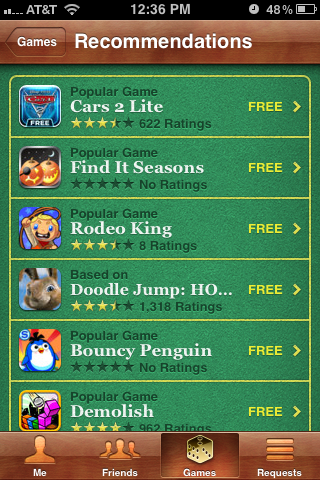
The additions to the service in iOS 5 are both small and obvious: Users can now set a profile picture, see Achievement point totals across all games played, and get friend recommendations based on your friends’ friends and the types of games you play. You can now also buy games directly from within Game Center, though the recommended games I was shown seemed to have little to do with the games I actually play. You also now get native support for turn-based (or “asynchronous” in game dev lingo) games like Words with Friends, taking responsibility for building those frameworks out of developers’ hands.
Game Center itself features no built-in cloud saving mechanism, but once game developers begin taking advantage of the iCloud APIs, they should be able to support playing a game on one device and being able to pick up where you left off on another.
Newsstand
To promote subscription-based apps from numerous magazines and newspaper publications, iOS 5 consolidates all your subscriptions using Newsstand, a dedicated place for all your subscription-based apps. Apple has also released new APIs for developers that wish to upgrade their apps to enable support for Newsstand.
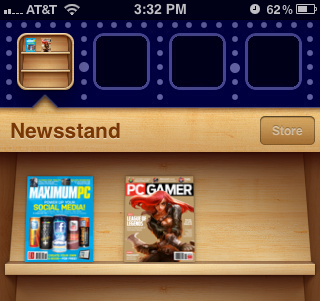
Newsstand is not really an app. It looks and functions exactly like a folder, but with an iBooks-style wooden background that looks like a newsstand. Popular subscription-based apps like Wired have already been upgraded to show up in Newsstand, and other updates will likely come in the next few weeks. While its not exactly a tremendously useful or groundbreaking feature, it will still help in keeping things organized.
Originally published at https://www.anandtech.com/show/4956/apple-ios-5-review (Wayback Machine).