
Back To School Technology Buyer's Guide
External hard drives, flash drives, optical media, and cloud storage
“My hard drive crashed” is the 21st century equivalent of “The dog ate my homework.” That excuse might buy you a few days’ extension on a due date, but you do not want to spend hours—or days or weeks—on a paper or project only to have your hard work disappear because a hard drive crashed or you spilled water on your laptop. You need a backup plan. There are a variety of useful devices that are affordable and can potentially save you a lot of grief.
The least expensive backup solution is blank optical media. CD-Rs and DVD-Rs are sometimes on sale for less than a dime apiece. A blank CD can store up to about 700MB while a blank DVD maxes out around 4.5GB. Even 700MB is more than enough to store hundreds of smaller office documents or a handful of larger, image-heavy presentations. They tend to be durable (CD-Rs I burned as a first year undergraduate still read just fine while my first laptop's hard drive stopped working years ago). If you happen to lose one, you’re out less than a buck and the few minutes it takes to write a replacement. Accumulating many optical discs can be aggravating, though, and if you don’t keep them organized, you’ll end up wasting discs and time making duplicates. I like blank optical media for long-term archival storage, but for shorter-term storage, I prefer flash drives, external hard drives, and cloud storage.
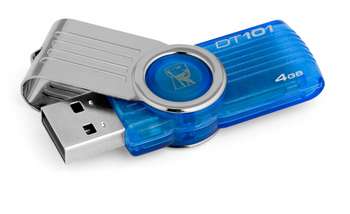
Flash drives are portable, can be written and re-written extensively, and don’t take up much space. Even the smallest commercially available flash drives (usually 2GB or 4GB models) are capacious enough to store lots of work, and typically cost less than $10. AnandTech recently reviewed a number of newer USB 3.0 flash drives, if you’re interested in larger capacities and higher performance rather than the budget offerings that even grocery stores sometimes stock in checkout lanes with gum and magazines. I prefer capless designs, simply because you won’t lose the USB plug’s cover. Flash drives are more durable than external hard drives—for example, you can (usually) get them wet without worrying about data loss. But for backing up more than papers and presentations, like your music, video, and picture collections, you’ll want more space.
External hard drives typically take three forms, 3.5” desktop hard drives, 2.5” laptop hard drives, and hard drive docks. 3.5” hard drives require the use of an A/C adapter, which can be an inconvenience when you’re packing a dorm room that has maybe six or eight electrical outlets with all of today’s myriad electronics. They’re also larger, and not particularly portable. However, you usually get more capacity for your money with the 3.5” drives than 2.5” drives. 2.5” external hard drives do not require an extra A/C adapter, and are easier to carry around.
| Seagate ST310005EXA101-RK | $80 |
| Western Digital Elements WDBAAU0010BK-NESN | $70 |

Most hard drive docks accommodate both 3.5” and 2.5” hard drives and use an external power adapter. Hard drive docks with multiple interfaces (e.g. USB 2.0, USB 3.0, eSATA, and/or Firewire) are usually much less expensive than their retail counterparts. They’re particularly useful if you have multiple external hard drives, as swapping hard drives in the dock is quicker than unhooking the entire enclosure device from your computer. Further, they’re not as common, and fewer people recognize a bare hard drive than an external hard drive—meaning they’re less likely to be targeted by thieves. Hard drive docks are about as easy as DIY devices get!
You can also buy your own bare drives and empty enclosures for a cost-effective and customizable DIY solution. Bare drives are usually less expensive than retail-packaged external hard drives, have longer warranties, and are less expensive to upgrade when the need arises. Though many enclosures are very inexpensive, consider spending a few more dollars on an enclosure that’s better-made.
| Samsung EcoGreen F2 HD103SI | $55 |
| Rosewill RX35-AT-SU SLV | $20 |
| Total: | $75 |
In this case, spending $5 more on the DIY solution gets you 3 years of warranty on the hard drive instead of 1 year of warranty compared to the least expensive retail product.
Cloud storage is increasingly accessible. Most colleges give their students space on school servers, though often that space is very modest (for example, UW-Madison provides a tiny but functional 1GB by default). Dropbox is one of the more popular cloud storage companies, and the base 2GB capacity is totally free. Its interface is especially easy to use. Amazon recently unveiled its own cloud storage service, and the base plan that provides 5GB of remote storage is free. It also features an easy-to-use interface. (Speaking of Amazon—don't forget to sign up for Amazon Student—it includes a free year of Prime Shipping!)
Now that your papers are safe from hard drive crashes, you might want to print them out—nothing earns a lower grade than an assignment that isn't turned in at all! We cover printers on the next page.
Originally published at https://www.anandtech.com/show/4556/back-to-school-technology-buyers-guide (Wayback Machine).