
Back To School Technology Buyer's Guide
Laptops
Much like the retail desktops we highlighted on page three of this article, you should expect to be able to find certain specifications in laptops at four price points that are of particular relevance to college students with generalized computing needs. At over $1,000, the laptop market starts to become increasingly niche-specific, and those are not covered here.
Less than $400
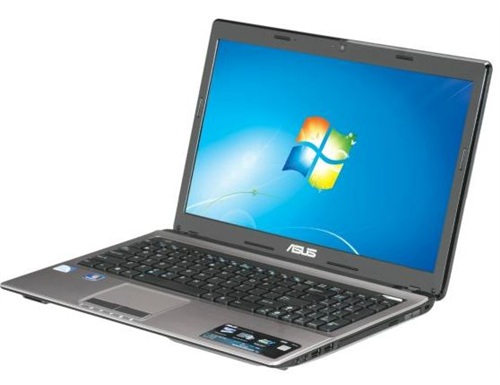
Extremely inexpensive laptops are usually not particularly well-built, and often do not feature current-generation processors. Usually, the screens and keyboards are usable but nothing special, and battery life is at best average. However, you can sometimes find the lower end of current-gen CPUs in these budget machines, as is the case with ASUS' A53E-NX1. This 15.6" laptop has an Intel Pentium B940 CPU which operates at 2.0GHz. It does not have Hyper-Threading, so it is a two core, two thread processor. However, it is based on the same Sandy Bridge architecture as the far more powerful Core i3/5/7 CPUs, so even though it's near the bottom of the Sandy Bridge ladder, it's still a very capable productivity processor that yields good battery life. It's a better option than any previous generation AMD or Intel solution you're likely to find at this price range. The laptop's other specifications are unremarkable, though it is nice to see 4GB rather than 2GB of memory. I've seen it as cheap as $350, and at that price, it's a very good value. The comparable 15.6" Toshiba C655-S5235 features a larger hard drive and weighs about 1/3 pound less, so it's another good option at this price point. I recommend these ultra-budget laptops only if you can't afford to spend another $100 or so more...
Less than $500
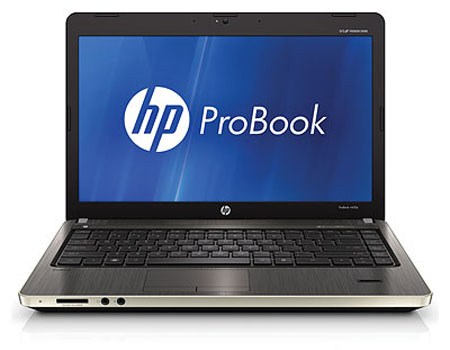
...Because at $500 or less you can get laptops with Intel Core i3 CPUs in them. Compared to the mobile Sandy Bridge-based Pentiums like the B940 in the above, the Core i3s offer higher clockspeeds, Hyper-Threading, more CPU cache, and better on-die graphics. Stepping up to a Core i3 CPU from a Sandy Bridge Pentium is well worth the $100 or so dollar price increase, even for the most basic computing tasks. Plus, at this price point, you'll usually get better build quality as well. Lenovo's IdeaPad Z560, a 15.6" system, is a good value at $450, and when it's on sale, it becomes a great value. HP's ProBook 4530s (also 15.6") is a nicer machine than the Lenovo, but it's a bit more expensive and comes with only 2GB RAM stock—however, considering how cheap DDR3 is, upgrading to 4GB will cost about $20, and RAM upgrades are the easiest type of upgrade to perform on a laptop.
Approaching $700
As the price tag nears $700, you can start reasonably expecting your laptop to be powerful today and good for more than just productivity even if you don't graduate until spring 2016. Laptops closer to $700 will have large hard drives, more than 4GB memory, and Intel Core i5 CPUs—or AMD A-series APUs. Unlike the less expensive laptops where AMD simply doesn't offer compelling alternatives to the Intel CPUs, AMD's new Llano Fusion APUs are very competitive. To sum things up, the A-series APUs and Core i5 CPUs both yield excellent battery life, the Intel CPUs offer more powerful processing (though the AMD APUs are still more than capable of productivity tasks, and are no slouches when it comes to compute-intense applications like video encoding and photo rendering), and the AMD APUs are far superior in terms of graphics capabilities.
Whether to go Intel or AMD is simple. Which one comes in a better package (i.e. in terms of the machine's other specifications and price), and are you interested in gaming? The answer to the first question is highly variable given how many choices and configurations are available from manufacturers, and is also dependent on pricing. The second question has a definite, invariant answer—if you want to game, get an AMD Llano APU-based system (or look for a laptop with an Intel CPU and NVIDIA Optimus switchable graphics). If you're interested in titles like Battlefield: Bad Company 2, Civilization V, Left 4 Dead 2, Mass Effect 2, Metro 2033, Starcraft 2, etc., then the A8 and A6-series APUs handily best Intel's Core i5 with HD 3000 graphics. Don't be dissuaded by the low clockspeeds of the AMD APUs—there's more to performance than processor frequency!
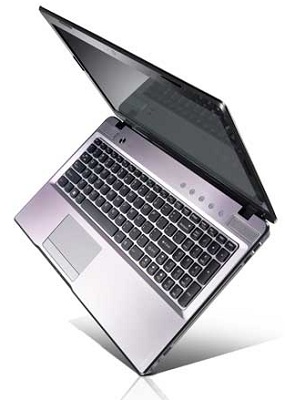
Lenovo's IdeaPad Z575, Dell's Inspiron 14R, and Samsung's RF711 are good representatives of this price range. The Lenovo features an AMD A6-3400M and the Dell has an Intel Core i5-2410M. Both come with 6GB system memory, large hard drives, and 1333x768 displays. The Dell, however, is a 14" model that weighs almost a pound less than the 15.6" Lenovo. It also features USB 3.0 ports. The Lenovo's hard drive is a bit more capacious. Samsung meanwhile packs an i5-2410M with Optimus GT 540M, which delivers the best of both worlds by giving you the CPU and GPU performance for just about any task, without killing battery life and with a Blu-ray drive; for that, you pay a $20-$30 premium. Deciding between the platforms boils down to personal preferences on support from the manufacturer, aesthetics, and build quality. If you want to game, Samsung will offer the fastest solution followed by the Lenovo, and the Dell is basically only good for very basic titles or older (non-OpenGL) games.
$1,000 or less
Spec-wise, $1,000 laptops rarely offer substantially better day-to-day performance than their $700 or less counterparts. At this price range, most computer users start to encounter diminishing performance returns for increased investment. Rather than offering more capable hardware, manufacturers often turn instead toward improving build quality, and/or offering discrete graphics.
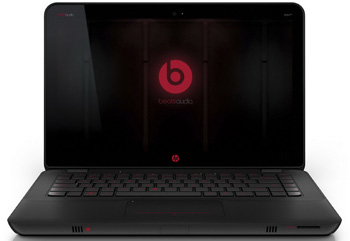
If you are interested in gaming, Lenovo's IdeaPad Y570 and HP's ENVY 14-2050SE are compelling options. The Lenovo's NVIDIA GeForce GT 555M is more powerful than the HP's Radeon HD 6630M, and the Lenovo features an Intel Core i7 quad-core, Hyper-Threading CPU compared to the HP's dual core, Hyper-Threading Intel Core i5. However, the HP is a bit lighter because of its smaller chassis (14" vs 15.6"), and offers substantially better battery life (about an hour or two more of real-world usage)—so it's more mobile.
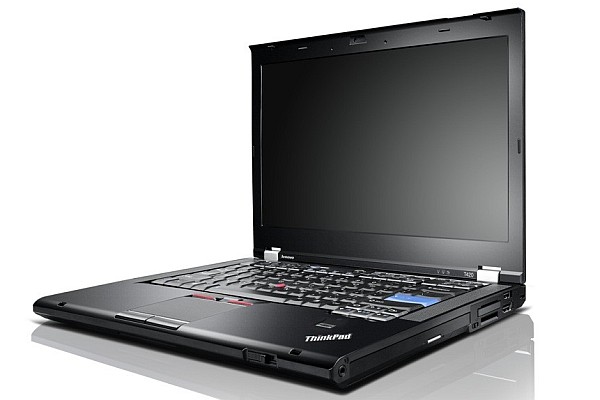
If you are not interested in gaming, it's difficult to beat the build quality of Lenovo's ThinkPad T-series laptops. The T420 in particular is a favorite amongst the graduate students in my department—an archeologist friend of mine even takes his to the field, where it's subjected to serious punishment and keeps working without issue. ThinkPads have a well-deserved reputation for being about as durable as consumer-grade notebooks come. HP's EliteBook line is also professional-grade, and the 8460p is comparable in most considerations to the Lenovo T420.
Apple's MacBook Pro line of laptops is priced above $1,000, but its least expensive MacBook Air is worth considering at this price range. Anand recently reviewed both current-generation Airs. The 11" model is an ultraportable laptop that's incredibly thin and light, so it's especially appealing to college students who will be walking a lot. Its performance is also more than sufficient for productivity work, and will remain adequate for basic tasks for years. Because it uses an SSD rather than a mechanical hard drive, it's especially snappy. One glaring negative, though, is its small internal storage capacity.
That said, regardless of whether your laptop has a massive 750GB hard drive or 64GB SSD, you don't want all of your files on one disk. The next page covers external storage options.
Originally published at https://www.anandtech.com/show/4556/back-to-school-technology-buyers-guide (Wayback Machine).