
HP w2408: A "New" Twist on 24" LCDs
- Posted in
- Displays
Calibrated
Results
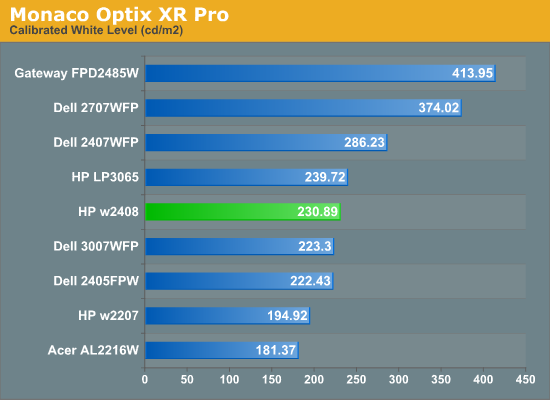
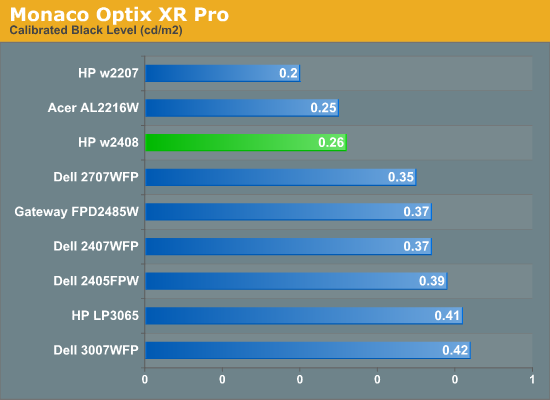
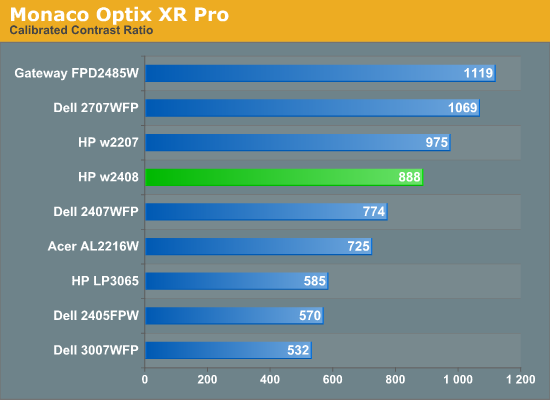
Brightness and Contrast Ratio
For those that need accurate colors, you really need hardware color calibration. Here, we report scores for the same areas as we did on the previous page, only this time we gather the results after we calibrate the display with Monaco Optix XR Pro.
Color Accuracy
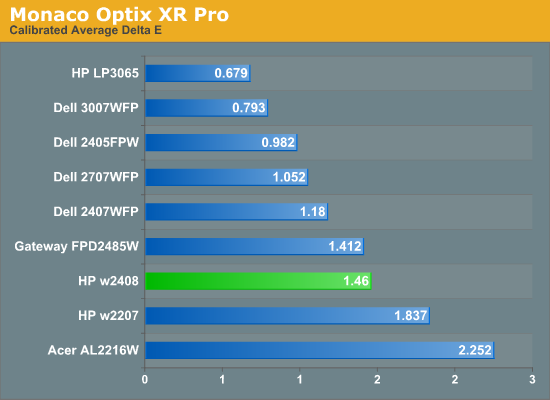
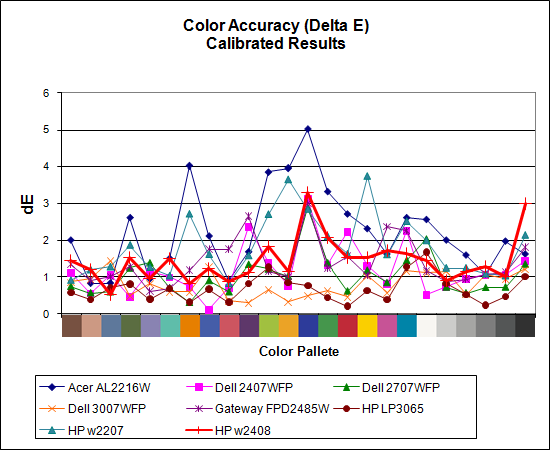
Calibration is usually best at decreased brightness levels, and we found dropping the w2408 from its default settings down to 34% brightness/80% contrast with RGB settings of 255/245/251 resulted in the best scores. (66/91 brightness/contrast with 255 on all RGB channels resulted in a score of 2.106 for reference.) We test indoors with a moderate amount of lighting, and adjust the displays according to directions. The HP w2408 ends up placing in the bottom half of the LCDs we've tested in terms of color accuracy, but overall result is still quite good at 1.46.
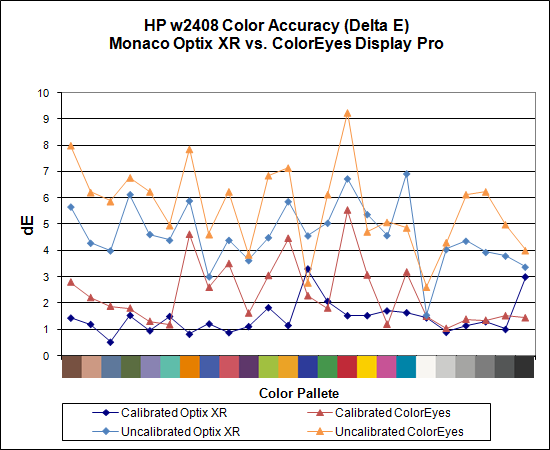
We also tested with ColorEyes Display Pro to see if we could achieve better results. So far, we have yet to encounter a desktop LCD that scores better using ColorEyes Display Pro, which is actually surprising to us - it seems more robust in many areas and generates newer ICCv4 profiles, but the final reported scores continue to be lower on desktop displays.
While we cannot make any sort of guarantee that the color profiles we created are anywhere near representative of all w2408 panels, we frequently get requests from readers for these color profiles. If you want truly accurate colors, your best bet is to go out and invest $300 in a colorimeter and software calibration package. If you're still interested in trying out our profiles, however, we are happy to make them available. Again, your mileage may (re: will!) vary.
Originally published at https://www.anandtech.com/show/2408 (Wayback Machine).