
Alienware Area-51 m9750: Power Gaming on the Go
- Posted in
- Laptops
Design and Appearance (Cont'd)
Opening up the laptop, the black motif is continued throughout the design. The black coating has a slightly tacky/rubberized texture that we found to be pretty cool and unique. It can still hold a fingerprint, but it wipes clean pretty easily. A typical 1.3 MP webcam sits above the display; the webcam isn't particularly noteworthy but it does meet that feature requirement. As with most integrated web cams, however, the microphone pickup could be a lot better.
We commented in our PC Club ENP660 review that we personally liked having the number keypad on the right side, even if it did result in shifting the rest of the keyboard to the left slightly. With a larger chassis, Alienware is able to include the number keypad and still keep the rest of the keyboard more or less centered. The keys are also full-size, except for the function keys and cursor keys which are slightly smaller. In order to keep the number keypad as narrow as possible - and avoid pushing the keyboard to the left - the arrangement is slightly different than what you would find on a regular desktop keyboard. Specifically, the period key is shifted up to the top left and the plus and minus keys are placed next to it. The large enter key gets moved down to the bottom next to the zero. Unfortunately, for any 10-key typists this arrangement will definitely require some time spent adapting, and we never could get used to the positioning of the decimal point, plus, and minus keys.
The rest of the keyboard is all generally pleasing to use, and the control key is in the preferred bottom left location, with the Fn key next to it. A row of touch sensitive buttons just above the function keys provides quick access to Internet, email, and multimedia functions. Unfortunately, we're big fans of having dedicated home, end, page up, and page down keys, but in order to access those you will need to use the Fn key in combination with the cursor keys. If there were a way to include these four keys without changing anything else, i.e. by having an extra column in between the keyboard and the numpad, that would be better. Another option would be to use the blank spots just above the cursor keys and relegate the print screen and pause buttons to Fn access.
The bottom of the notebook has one large compartment secured by four screws that gives access to the memory slots and other internals. The hard drives are on separate sleds that can be inserted into the side of the notebook; each is secured by a screw on the bottom of the notebook.
Removing the bottom cover, you can quickly see how much effort was spent in providing adequate cooling for all of the components. Heatpipes are used to help convey heat over to the radiators and fans, with the radiator on the left being slightly larger in order to deal with the extra components. The main silver blocks cover the two 7950 GTX graphics chips as well as the 512MB of memory for each chip. In the top center is the 945PM chipset, and below the left fan is the ICH7-M Southbridge. The right fan has a heatpipe leading from the second GPU and across the Core 2 Duo processor. It's almost a bit surprising that a single small fan and heatpipe are capable of cooling the GPU and CPU, but the right exhaust actually tended to be about 5°C cooler than the center exhaust.
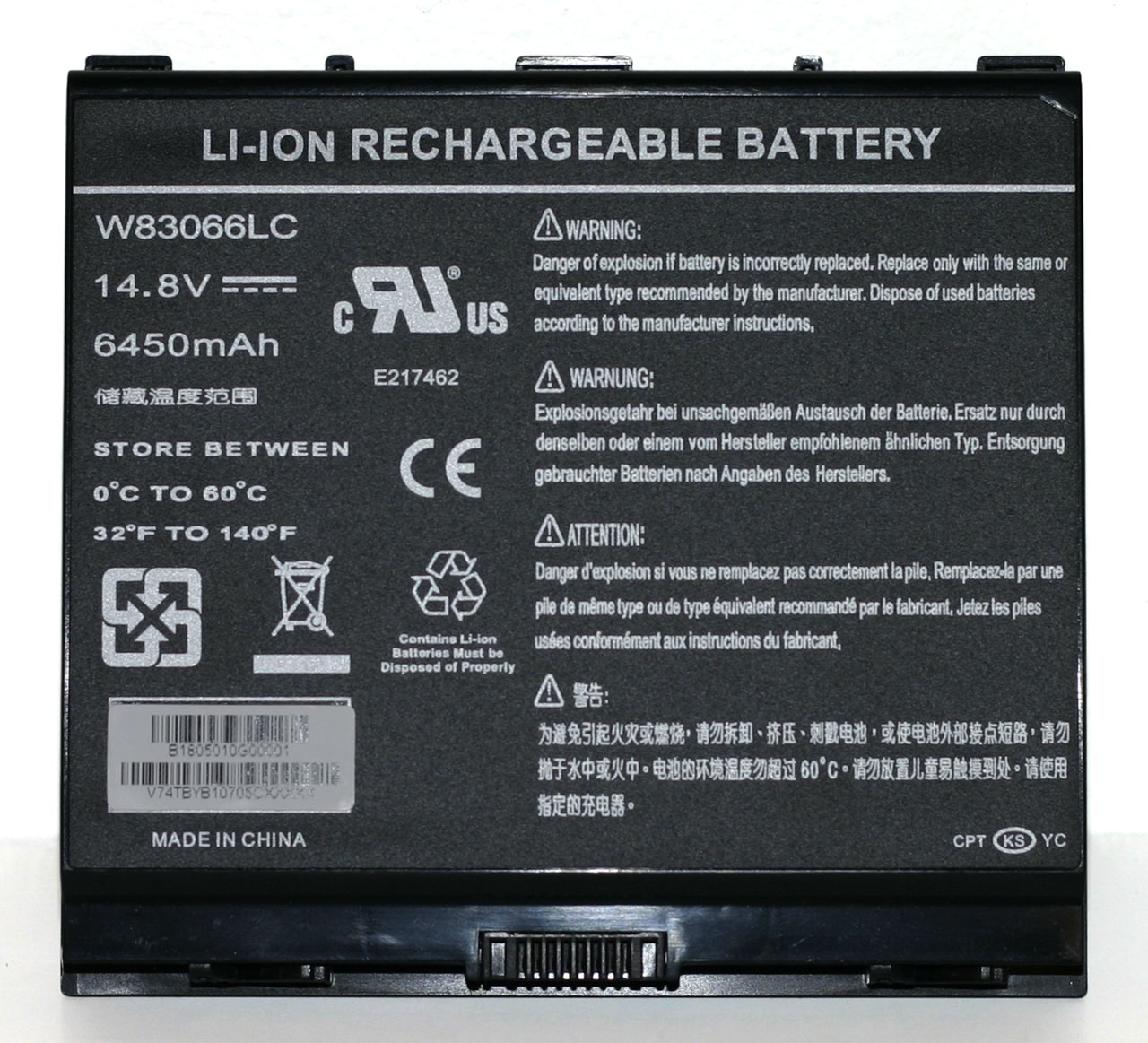
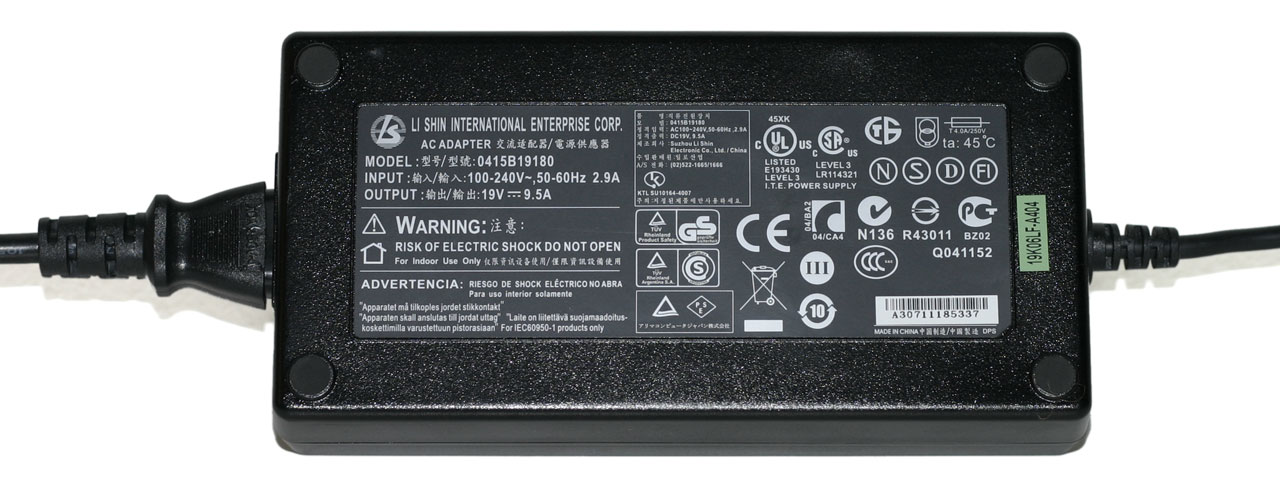
Given all of the power-hungry components that are present, it's no surprise that the laptop comes with a rather large 95 WHr battery. Even with a battery that's twice as large in terms of capacity as many other notebooks, don't expect a lot of battery life from the m9750. Also note the size of the power brick; it's capable of delivering a whopping 180W of power, twice as much as many 17" notebook power bricks. It's also very large and heavy - below it is a Gateway power brick that's more typical of what you would find with a midrange Santa Rosa notebook; not only is it much smaller, but it can only deliver 65W of power. Just in case you're wondering, we can say without doubt that the large power brick is necessary. When running games, power draw routinely spiked at over 180W (not counting for power adapter inefficiencies).
Taking a look at the big picture, the Area-51 m9750 is really an elegant design considering all of the engineering obstacles that had to be overcome. All of the major components are easily accessed, and the system manages to run stable even while dissipating over 150W of power. The notebook also comes with Alienware's unique appearance that is certain to turn heads and draw stares of envy. This is definitely a luxury notebook - we can't think of many people that would actuallyneed a gaming notebook - but if you can afford the price of entry you will definitely be pleased with the design and features it offers. Gaming performance however is a bit of a mixed bag that we'll explore more in a moment.
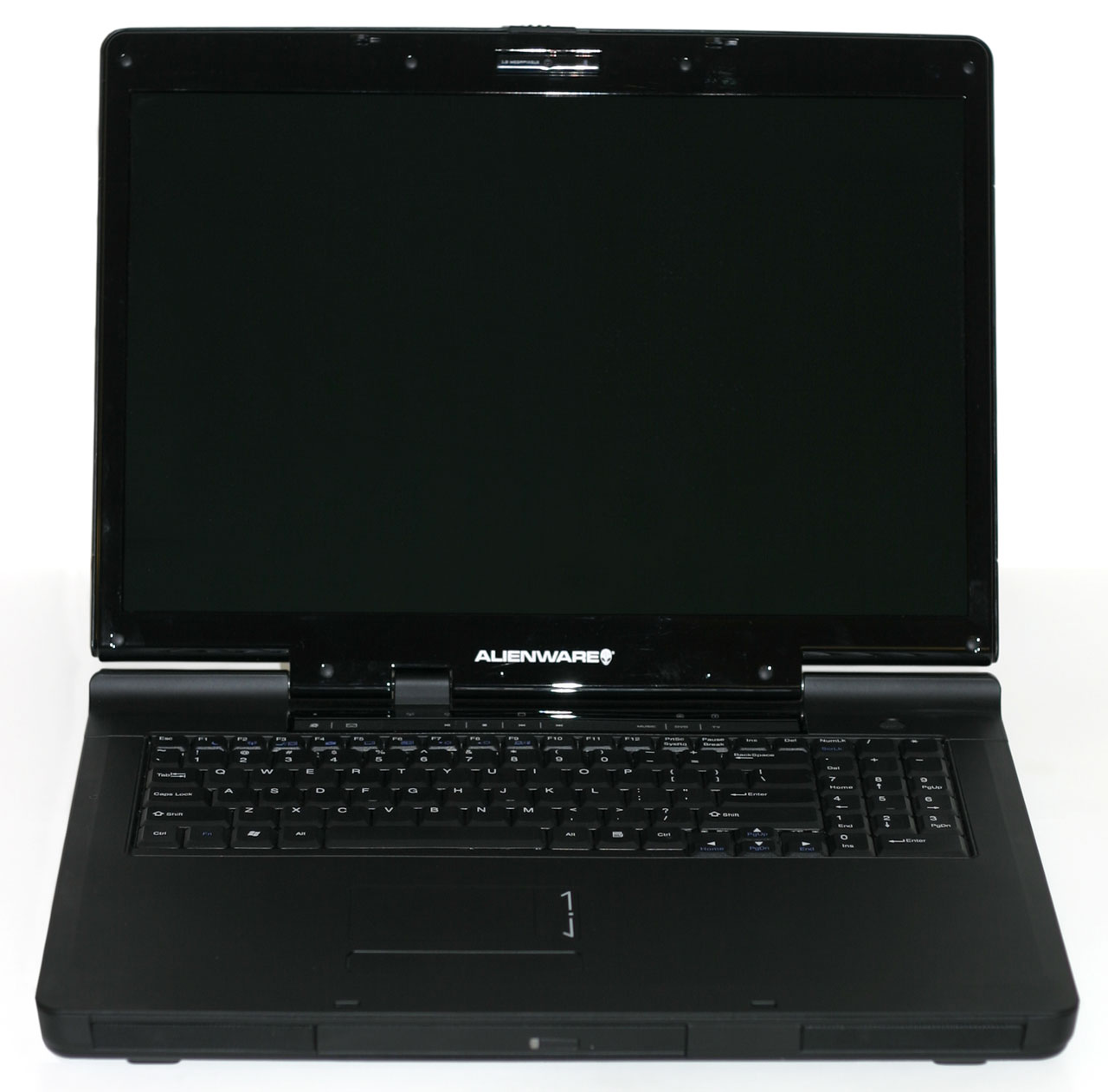 |
Opening up the laptop, the black motif is continued throughout the design. The black coating has a slightly tacky/rubberized texture that we found to be pretty cool and unique. It can still hold a fingerprint, but it wipes clean pretty easily. A typical 1.3 MP webcam sits above the display; the webcam isn't particularly noteworthy but it does meet that feature requirement. As with most integrated web cams, however, the microphone pickup could be a lot better.
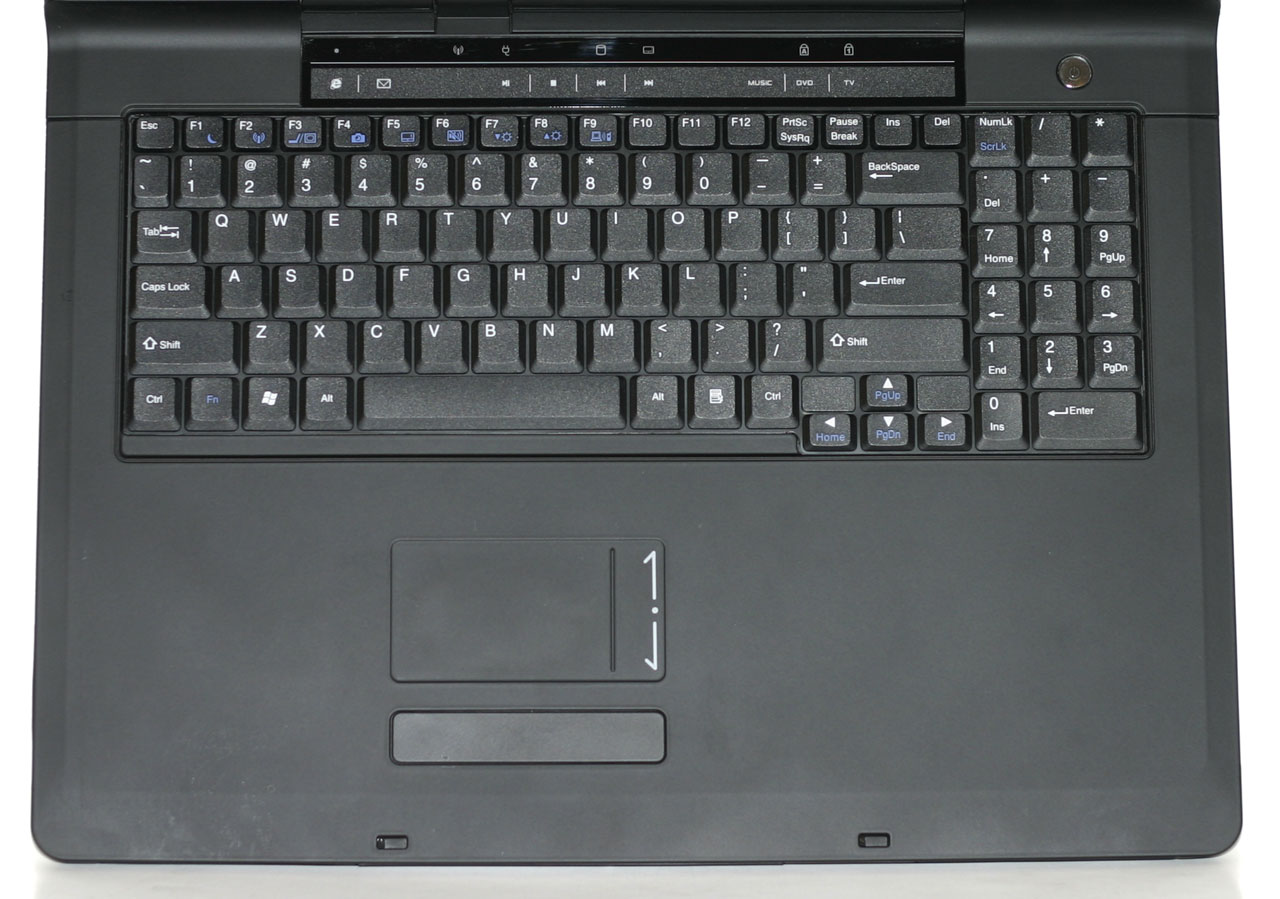 |
We commented in our PC Club ENP660 review that we personally liked having the number keypad on the right side, even if it did result in shifting the rest of the keyboard to the left slightly. With a larger chassis, Alienware is able to include the number keypad and still keep the rest of the keyboard more or less centered. The keys are also full-size, except for the function keys and cursor keys which are slightly smaller. In order to keep the number keypad as narrow as possible - and avoid pushing the keyboard to the left - the arrangement is slightly different than what you would find on a regular desktop keyboard. Specifically, the period key is shifted up to the top left and the plus and minus keys are placed next to it. The large enter key gets moved down to the bottom next to the zero. Unfortunately, for any 10-key typists this arrangement will definitely require some time spent adapting, and we never could get used to the positioning of the decimal point, plus, and minus keys.
The rest of the keyboard is all generally pleasing to use, and the control key is in the preferred bottom left location, with the Fn key next to it. A row of touch sensitive buttons just above the function keys provides quick access to Internet, email, and multimedia functions. Unfortunately, we're big fans of having dedicated home, end, page up, and page down keys, but in order to access those you will need to use the Fn key in combination with the cursor keys. If there were a way to include these four keys without changing anything else, i.e. by having an extra column in between the keyboard and the numpad, that would be better. Another option would be to use the blank spots just above the cursor keys and relegate the print screen and pause buttons to Fn access.
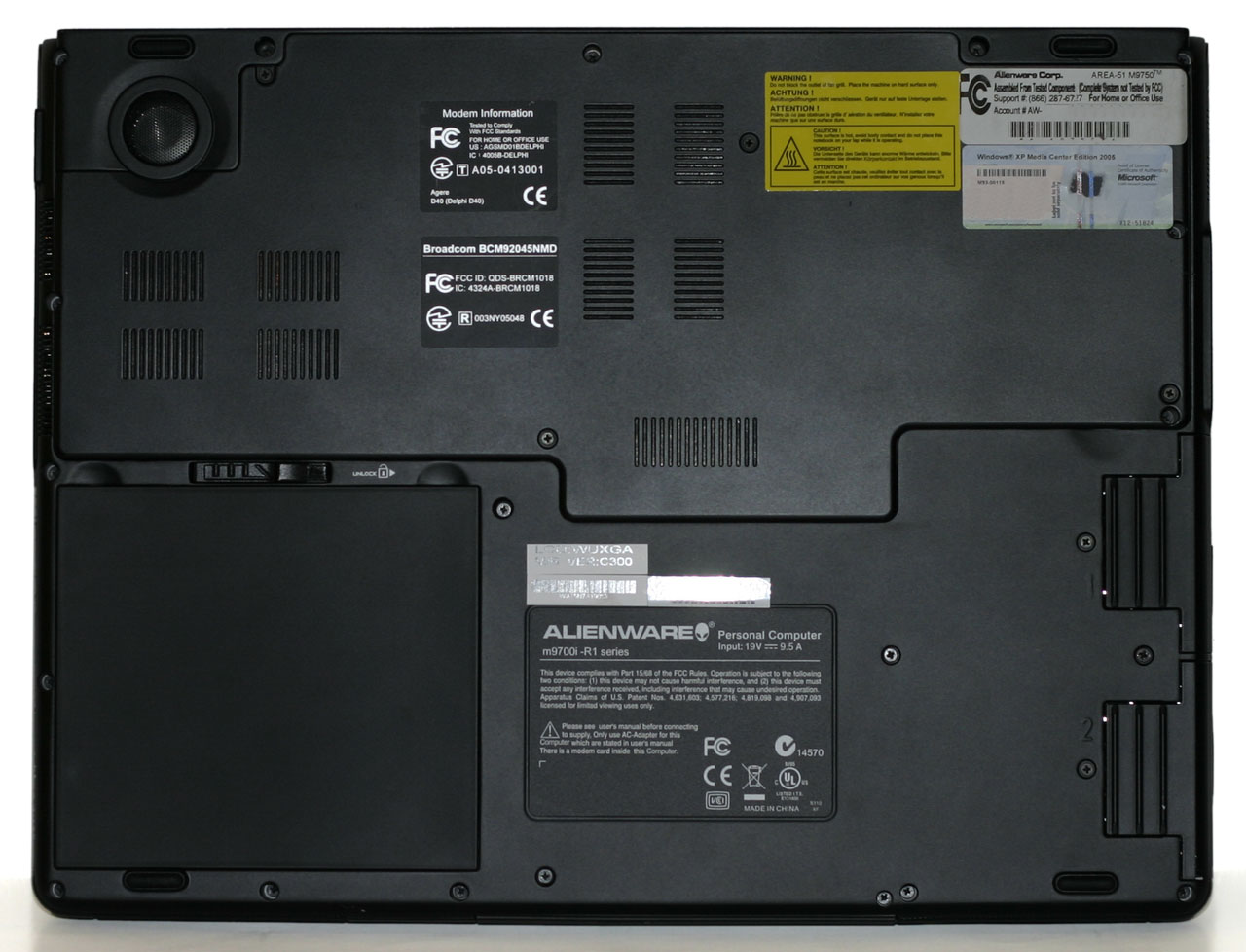 |
The bottom of the notebook has one large compartment secured by four screws that gives access to the memory slots and other internals. The hard drives are on separate sleds that can be inserted into the side of the notebook; each is secured by a screw on the bottom of the notebook.
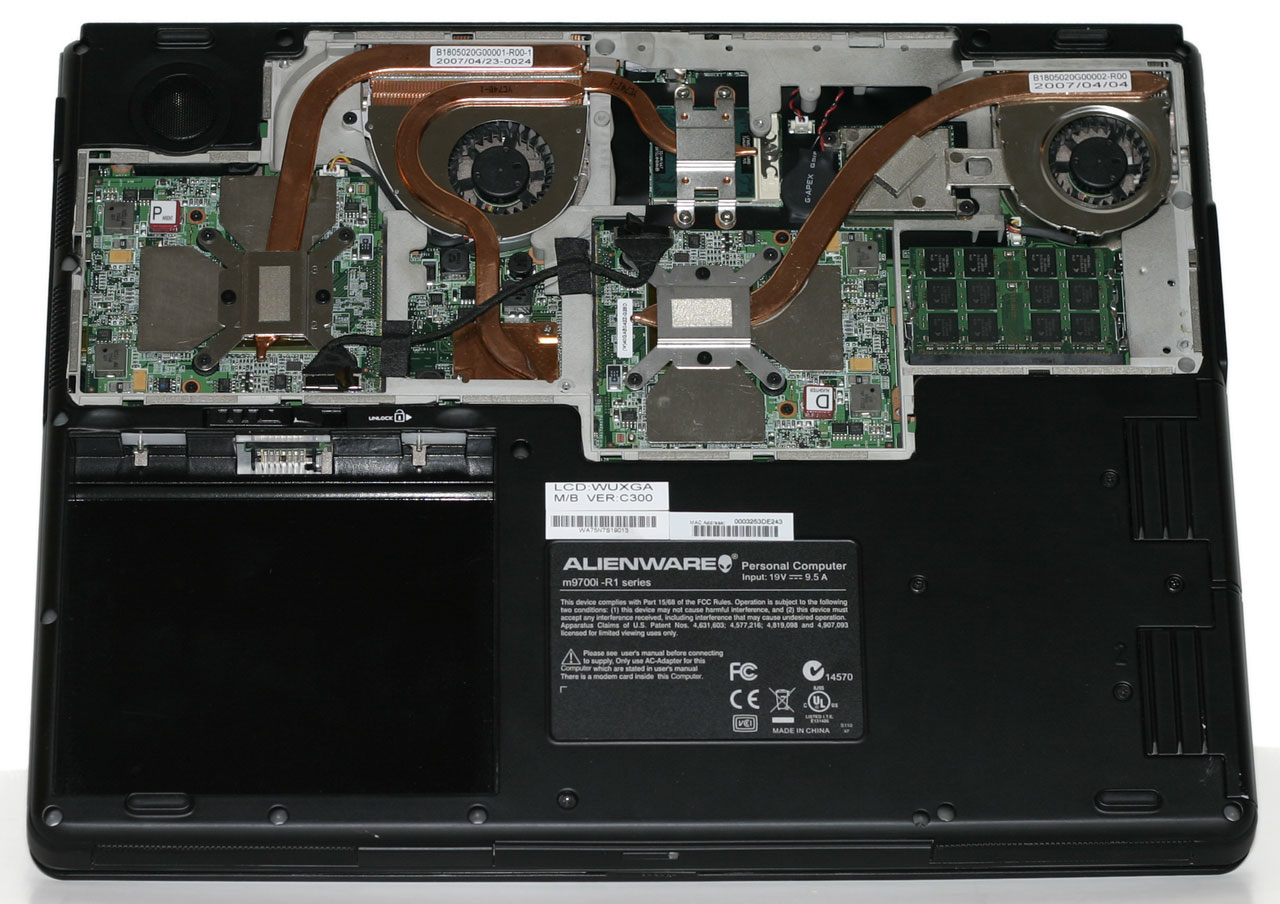 |
Removing the bottom cover, you can quickly see how much effort was spent in providing adequate cooling for all of the components. Heatpipes are used to help convey heat over to the radiators and fans, with the radiator on the left being slightly larger in order to deal with the extra components. The main silver blocks cover the two 7950 GTX graphics chips as well as the 512MB of memory for each chip. In the top center is the 945PM chipset, and below the left fan is the ICH7-M Southbridge. The right fan has a heatpipe leading from the second GPU and across the Core 2 Duo processor. It's almost a bit surprising that a single small fan and heatpipe are capable of cooling the GPU and CPU, but the right exhaust actually tended to be about 5°C cooler than the center exhaust.
 |
 |
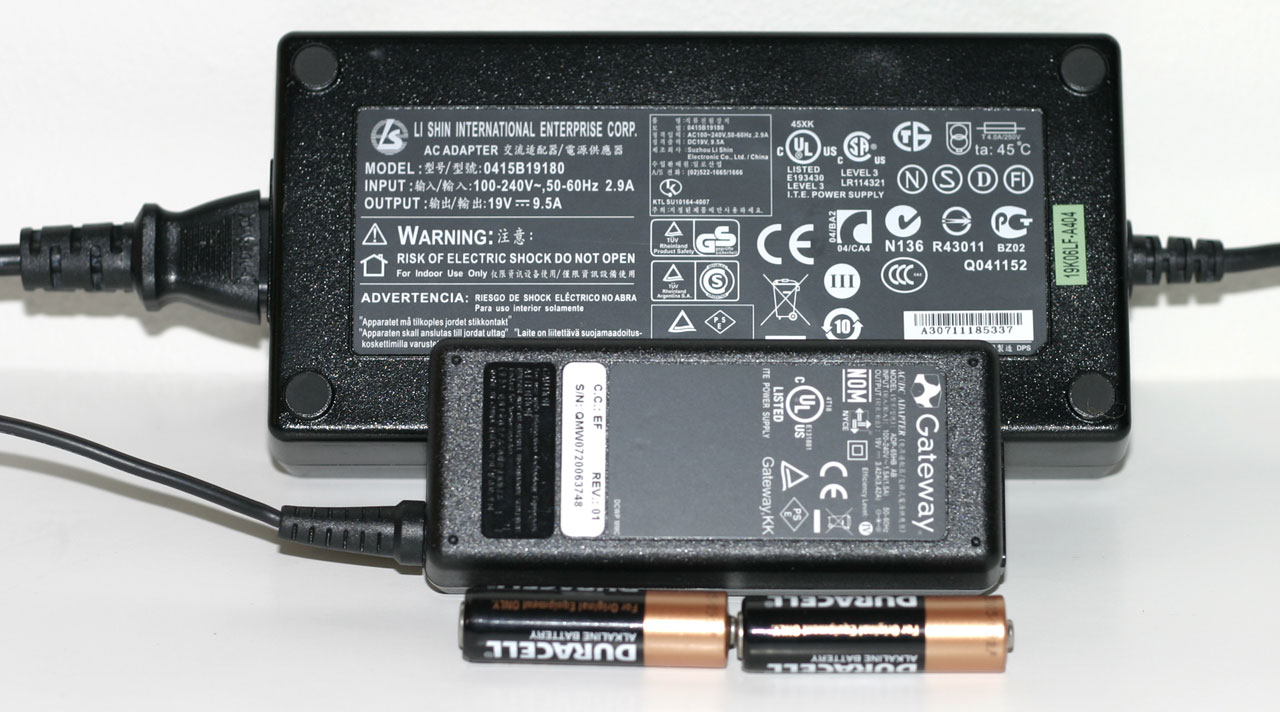 |
Given all of the power-hungry components that are present, it's no surprise that the laptop comes with a rather large 95 WHr battery. Even with a battery that's twice as large in terms of capacity as many other notebooks, don't expect a lot of battery life from the m9750. Also note the size of the power brick; it's capable of delivering a whopping 180W of power, twice as much as many 17" notebook power bricks. It's also very large and heavy - below it is a Gateway power brick that's more typical of what you would find with a midrange Santa Rosa notebook; not only is it much smaller, but it can only deliver 65W of power. Just in case you're wondering, we can say without doubt that the large power brick is necessary. When running games, power draw routinely spiked at over 180W (not counting for power adapter inefficiencies).
Taking a look at the big picture, the Area-51 m9750 is really an elegant design considering all of the engineering obstacles that had to be overcome. All of the major components are easily accessed, and the system manages to run stable even while dissipating over 150W of power. The notebook also comes with Alienware's unique appearance that is certain to turn heads and draw stares of envy. This is definitely a luxury notebook - we can't think of many people that would actuallyneed a gaming notebook - but if you can afford the price of entry you will definitely be pleased with the design and features it offers. Gaming performance however is a bit of a mixed bag that we'll explore more in a moment.
Originally published at https://www.anandtech.com/show/2307 (Wayback Machine).