
Getting the Most Out Of Your Hardware: Video Card Utility Roundup
- Posted in
- GPUs
ATI Tray Tools
Given some of the weaknesses with the Catalyst Control Center we previously mentioned, third-party tools have come in to fill the void. The most popular of these is ATI Tray Tools, a taskbar-only application that's best described as the opposite of the Catalyst Control Center. It's light (the installer fits on a floppy disk) and features practically every tweak option that an advanced user would need, including those much needed features that the Catalyst Control Center is lacking. In practice, its greatest weakness is that it's not meant for basic users; it's an advanced utility that comes with a somewhat steep learning curve.
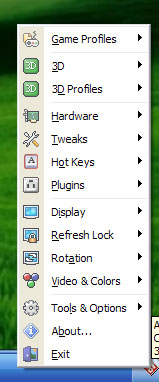
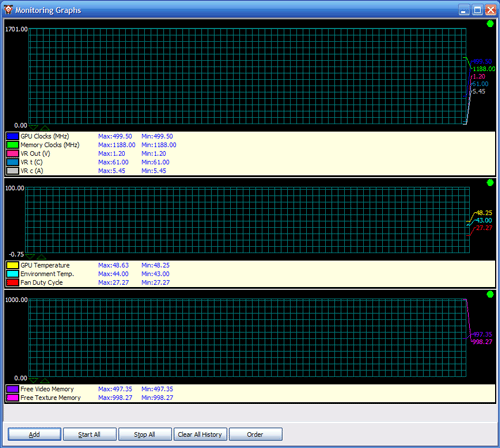
The most notable feature of ATI Tray Tools is a full suite of overclocking controls and hardware monitoring tools. Overclocking support follows the fairly new trend of offering both hardware level and driver level overclocking. The former offers more specific control over voltages, cooling, and artifact testing; the latter offers the promise of greater stability by letting the overdrive feature of the Catalyst drivers do the hard work. Coupled with this are the previously mentioned hardware monitoring abilities, which allow monitoring of everything from card voltages and temperatures to memory usage to even some motherboard-level data.
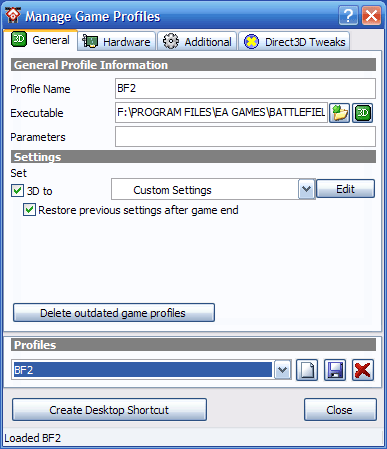
The other highly notable feature is that it's the only major ATI utility (first-party or otherwise) that supports profiles. This includes a full control of all 3D settings, along with overclocking controls for each profile. Other features include a refresh rate lock for problematic games, global hotkeys, an interface to normally hidden registry tweaks, and an on-screen display for use in games.
Because of the small footprint and large feature set, ATI Tray Tools is often used as the de facto replacement for the Catalyst Control Center. Most of this popularity comes from the handful of highlighted features that it has that the Catalyst Control Center lacks. While it's not without its flaws, many as a result of its third-party status limiting access to documentation and compatibility testing, it's the closest to perfection out of any of the multi-feature utilities we're looking at today. It does however lack the Catalyst Control Center's more intuitive monitor controls, so ATI users will likely want to keep the Catalyst Control Center installed to handle those adjustments.
Originally published at https://www.anandtech.com/show/2257 (Wayback Machine).