
Getting the Most Out Of Your Hardware: Video Card Utility Roundup
- Posted in
- GPUs
ATITool
Not to be confused with ATI Tray Tools, and not to be confused as an ATI-only product, we have ATITool. Rather than trying to be a multi-feature utility, ATITool is solely designed as an overclocking utility that started out supporting ATI cards and has since expanded to support NVIDIA cards nearly as well. Generally it competes with ATI Tray Tools on the ATI side, and RivaTuner on the NVIDIA side, both of which support similar overclocking abilities.
As a more limited utility than any of the multi-feature tools we've looked at, ATITool only has to do a few things well and not surprisingly it does so. Like other hardware-level overclocking tools, it is able to completely manipulate clock speeds without driver interference or protection. It also offers fan speed controls, voltage controls, and overclocking profiles which can be applied via detection or hotkeys.
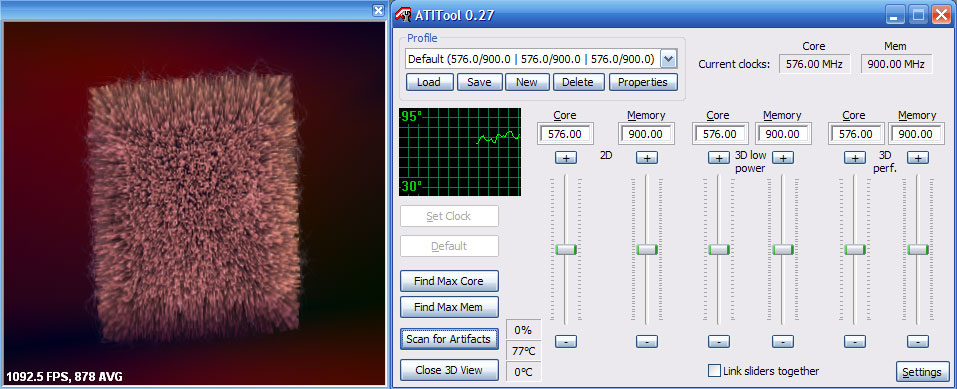
However, it's most notable feature - which has since been implemented in other utilities - is a highly aggressive artifact scanner for testing overclocked video cards. By generating a 3D image in order to bring the card to load while providing a reference image, ATITool can identify overclocking errors that aren't severe enough to crash a system but can cause graphical corruption. ATITool also offers an auto-overclocking feature using this scanner to try to find the highest possible overclock for a card by incrementing and decrementing clocks until the system crashes or artifacts are found. Even though other tools have similar features now, it's still the most aggressive testing utility of its kind that we've seen.
As the first tool we're discussing that supports overclocking NVIDIA cards, it's worth noting the limitations of such overclocking at this point. As we've discussed in our G80 architecture articles, the 8000-series cards clock the shader units separately from the rest of the core, with the shaders running roughly twice as fast. While the shaders can be clocked independently from the main core clocks, it's not possible to do this from software. Utilities such as ATITool can only adjust the core clock which in turn influences the shader clock, but not the shader clock itself. Until this is changed, the most precise overclocking on the 8000 series will require BIOS modifications, which we'll get into later.
Originally published at https://www.anandtech.com/show/2257 (Wayback Machine).