
Getting the Most Out Of Your Hardware: Video Card Utility Roundup
- Posted in
- GPUs
ATI Catalyst Control Center
We'll begin with utilities for ATI video cards. ATI was the first to take significant flak for their utilities, as the Catalyst Control Center replaced the absolutely dainty ATI Control Panel. Running off of the heavier .Net framework, ATI introduced several new features that weren't previously possible in their control panel, at a cost of memory usage and load times an order of magnitude over the older control panel. Since its initial release ATI has worked on lightening the Catalyst Control Center, including a significant revision with the recent 7.3 Catalyst driver set that saw its performance improve a good deal. While still not in any way a dainty utility (it weighs in at 12MB on our test system when inactive, 46MB while active) it's not nearly the hulk it once was, but it will always be the textbook example of how to not go about building a video card utility.
As we previously mentioned, because the Catalyst Control Center is a first-party application it has been tuned both for basic users and advanced users, going so far as having two separate UI configurations based on user selection. The advanced UI is very straightforward, and the feature set is fairly standard with controls for monitors, 3D settings, overclocking, and others.
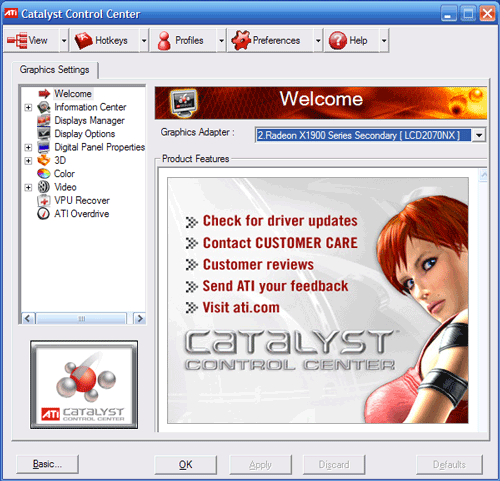
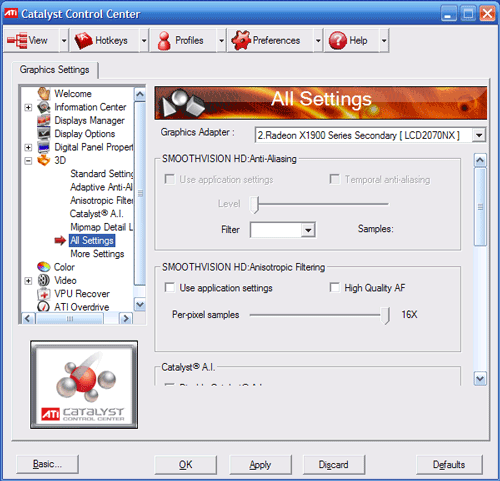
On the whole however, the Catalyst Control Center is fairly mediocre when trying to do anything beyond the basics; and we'll use this to lay out the criteria for the rest of the article for what we consider important features in a video card utility. It's best at making single-time changes such as changes to monitor settings, where it offers excellent controls for monitor alignment and overscan control, or adjusting AVIVO color & quality settings. In the middle is the 3D settings controls; the example graphic offered does a good job showing the effects of various settings and the optional taskbar menu makes adjusting settings fast, but it's still missing a few tweaks even in advanced mode that would be useful to have such as triple buffering for Direct3D games (oddly enough it supports triple buffering for OpenGL, but not the more popular D3D).
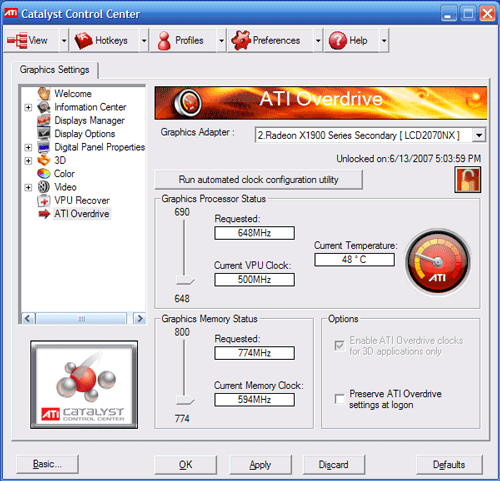
Where the Catalyst Control Center falters is in hardware monitoring, 3D settings profiles, and overclocking, all of which get picked up by third utilities. For hardware monitoring, the only degree of monitoring offered is a gauge showing the current core temperature, which is woefully inadequate, the lack of a chart or some other record of even just the temperature makes it hard to diagnose how the card is performing when it's running a game.
Of course such simple hardware monitoring is coupled with simple overclocking; while the Catalyst Control Center doesn't offer a ton of features and we wouldn't expect it given the potential for damage, even what it does offer is too conservative. When used with an X1900 XTX, we can only take the card from the stock of 650/1550 to 690/1600, a 6%/3% overclock respectively. This is so low that it's below what the card is factory-tested for: 700/1700 and as a result we'd have to use a third-party utility just to hit its rated speeds. We understand ATI's need to keep people from damaging their cards with the Catalyst Control Center, but a 3% limit to memory overclocking in particular is so low that any difference it would make would be negligible in the first place.
Last, 3D settings profiles - the ability to save settings profiles for specific games/applications and have the card switch to it when the associated application is launched - is a feature that has been in other utilities for years now. Although we'll cut ATI some slack in that the need for such a feature is less important these days as most games support direct settings adjustments, the number of games new and old where this isn't the case makes a good case for this feature.
With all of that said, we aren't painting the Catalyst Control Center as a bad application, but it's mediocre. As a multi-function utility, it could do things better, and both third-party utilities and NVIDIA fare better in this regard. As a utility that offers and is intended to be used for advanced video card configuration, it could be more advanced itself; most enthusiasts will likely find themselves using another utility at some point.
Originally published at https://www.anandtech.com/show/2257 (Wayback Machine).