
Budget Buyer's Guide - October 2006
- Posted in
- Guides
Baseline Intel Budget Platform
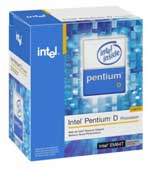
Putting together a true budget Intel-based system is difficult right now. Sure, it's possible, but as much as we like Core 2 Duo it simply can't fit into a budget price range. As there are no cheaper single-core Core 2 processors available yet, we wind up back in a familiar place: NetBurst. There are three options available for NetBurst configurations, none of which are particularly attractive. At the bottom of the price range, we have the Celeron D processors. These can compete with AMD in terms of price, but when it comes to performance the Celeron chips are absolutely outclassed by the single core Athlon 64 and Sempron offerings. Pentium 4 isn't much better, as the performance improves but the price quickly reaches Core 2 levels. The Pentium 4 531 (3.0GHz 1MB cache) and 541 (3.2GHz 1MB cache) can now be had for just under $100, and they are the most reasonable options in the Pentium 4 line. If you want to cut prices as much as possible, Celeron D 346 (3.06GHz 256K cache) costs $63 or you could drop to the Celeron D 331 (2.66GHz 256K cache) for just under $50. The final option and our choice is the Pentium D line.
Pentium D offers all of the benefits of dual core processing: better multitasking, improved performance in multithreaded applications, and overall snappier responsiveness from your system. The big problem with Pentium D is something that has existed since its inception: the Achilles' heel of NetBurst, heat output and power consumption. Given that it's now coming on winter in the northern hemisphere, some people might not mind the extra heat, but even the lowest end Pentium D will use 30W to 100W (idle versus load) more power than an equivalently configured Athlon 64 system. Depending on how frequently your computer is running, the extra power requirements could amount to $25-$90 per year. (Those figures are for 24/7 operation and a cost of $0.10 per kWHr.) You are much better off just saving up for a few more weeks (or months if that's how long it takes to save $100) and purchasing a Core 2 Duo E6300 if you can. Nevertheless, as the cheapest dual core processor currently available, the Pentium D 805 (2.66GHz 533FSB 2x1MB cache) still offers a reasonable amount of performance. If you plan on using it as a space heater, you can even overclock it 35% or more.
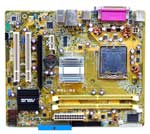
Other than our concerns with the processor selection, all of the components in our baseline Intel budget system are reasonable choices. We have once again gone with integrated graphics, but in order to keep costs down we have selected a motherboard that uses the 945G chipset instead of the newer G965. G965 is definitely superior in overall performance and features, but unfortunately it adds quite a bit to the cost. In fact, it would be cheaper to get a motherboard without integrated graphics and then add a discrete GPU like the GeForce 6200TC or Radeon X1300HM. Neither of those are graphics powerhouses, but both are faster than any integrated graphics solution currently available. If you don't need a lot of graphics performance, however, the GMA950 chipset in the 945G is still sufficient, and if it ever becomes too slow you can always add a discrete graphics card. The motherboard still supports Core 2 Duo, and you should even be able to do a moderate amount of overclocking (more with Pentium D and less with Core 2 Duo).
Unlike the AM2 solution, we could not find any integrated graphics solutions for socket 775 Core 2 with a DVI port. The ASUS P5L-MX also only has two memory slots, so you should seriously consider purchasing a single 1GB DIMM as that will enable you to upgrade to 2GB in the future. The price of DDR2 memory is just as painful with Intel systems as it is with AMD configurations, although with Core 2 you could even consider going for DDR2-800 memory. We're not going to go that far for the base configuration, but it is at least something to keep in mind. The A-DATA memory will still work very well with this system but if you can find something with similar specs for less money, don't hesitate to switch. Most DDR2-667 memory performs about the same, and especially for people who aren't interested in overclocking memory in a budget system should focus on price first and bandwidth and timings second. If you want improved performance on a budget system, there are far better ways to spend money than on faster memory.
For the storage subsystem, we have a standard SATA hard drive and a DVD+/-RW drive. Starting with the latter, similar to the choice of memory, picking out an optical drive these days is usually more a matter of finding the cheapest deal available rather than worrying about minor differences in performance or media compatibility. We have selected a LiteOn burner with DVD-RAM support this time, and it should work well for just about everyone. If you have a favorite DVD brand or can find a similar model from another manufacturer for a lower price, go for it. Choosing a hard drive isn't much different, only this time the primary factor is price as well as price/GB. You also have to take into account whether or not the particular model is using last year's technology, which could mean lower platter densities and slightly lower performance. Without spending too much money, the Hitachi 160GB hard drive strikes a good balance between performance, features, and capacity. It is based off the newest 160GB platters and supports SATA 3.0Gbps and Native Command Queuing.
You can get a better price/GB by moving up to a slightly larger hard drive, but 160GB of storage is already more than many people will ever use during the life of the computer. If you are more interested in saving money, you could drop down to an 80GB Western Digital hard drive. You will get a hard drive with last year's technology, but that's still good enough for a budget system. Unfortunately, you only save $12, so whether or not that it's worthwhile is up to you. Most of the manufacturers - Hitachi, Maxtor, Seagate, Samsung, and Western Digital - offer similar performance and features, and if you are concerned with performance you would be better off spending more money elsewhere rather than worrying about a fractionally faster hard drive.
| Budget Intel Pentium D System | ||
| Hardware | Component | Price |
| Processor | Intel Pentium D 805 - 2.66GHz 533FSB 2x1MB | $95 |
| Motherboard | ASUS P5L-MX - Intel 945G 775 | $82 |
| Memory | A-DATA Vitesta 1GB (2 x 512MB) DDR2-667 5-5-5-15 |
$120 |
| Hard Drive | Hitachi Deskstar 7K160 160GB SATA3.0Gbs 160GB 8MB 7200RPM |
$61 |
| Optical Drive | LiteOn SHW160P6S05 16X DVD+/-RW | $29 |
| System Total | $387 | |
| Complete Package | $673 - $945 | |
Putting together a true budget Intel-based system is difficult right now. Sure, it's possible, but as much as we like Core 2 Duo it simply can't fit into a budget price range. As there are no cheaper single-core Core 2 processors available yet, we wind up back in a familiar place: NetBurst. There are three options available for NetBurst configurations, none of which are particularly attractive. At the bottom of the price range, we have the Celeron D processors. These can compete with AMD in terms of price, but when it comes to performance the Celeron chips are absolutely outclassed by the single core Athlon 64 and Sempron offerings. Pentium 4 isn't much better, as the performance improves but the price quickly reaches Core 2 levels. The Pentium 4 531 (3.0GHz 1MB cache) and 541 (3.2GHz 1MB cache) can now be had for just under $100, and they are the most reasonable options in the Pentium 4 line. If you want to cut prices as much as possible, Celeron D 346 (3.06GHz 256K cache) costs $63 or you could drop to the Celeron D 331 (2.66GHz 256K cache) for just under $50. The final option and our choice is the Pentium D line.
 |
 |
Unlike the AM2 solution, we could not find any integrated graphics solutions for socket 775 Core 2 with a DVI port. The ASUS P5L-MX also only has two memory slots, so you should seriously consider purchasing a single 1GB DIMM as that will enable you to upgrade to 2GB in the future. The price of DDR2 memory is just as painful with Intel systems as it is with AMD configurations, although with Core 2 you could even consider going for DDR2-800 memory. We're not going to go that far for the base configuration, but it is at least something to keep in mind. The A-DATA memory will still work very well with this system but if you can find something with similar specs for less money, don't hesitate to switch. Most DDR2-667 memory performs about the same, and especially for people who aren't interested in overclocking memory in a budget system should focus on price first and bandwidth and timings second. If you want improved performance on a budget system, there are far better ways to spend money than on faster memory.
For the storage subsystem, we have a standard SATA hard drive and a DVD+/-RW drive. Starting with the latter, similar to the choice of memory, picking out an optical drive these days is usually more a matter of finding the cheapest deal available rather than worrying about minor differences in performance or media compatibility. We have selected a LiteOn burner with DVD-RAM support this time, and it should work well for just about everyone. If you have a favorite DVD brand or can find a similar model from another manufacturer for a lower price, go for it. Choosing a hard drive isn't much different, only this time the primary factor is price as well as price/GB. You also have to take into account whether or not the particular model is using last year's technology, which could mean lower platter densities and slightly lower performance. Without spending too much money, the Hitachi 160GB hard drive strikes a good balance between performance, features, and capacity. It is based off the newest 160GB platters and supports SATA 3.0Gbps and Native Command Queuing.
You can get a better price/GB by moving up to a slightly larger hard drive, but 160GB of storage is already more than many people will ever use during the life of the computer. If you are more interested in saving money, you could drop down to an 80GB Western Digital hard drive. You will get a hard drive with last year's technology, but that's still good enough for a budget system. Unfortunately, you only save $12, so whether or not that it's worthwhile is up to you. Most of the manufacturers - Hitachi, Maxtor, Seagate, Samsung, and Western Digital - offer similar performance and features, and if you are concerned with performance you would be better off spending more money elsewhere rather than worrying about a fractionally faster hard drive.
Originally published at https://www.anandtech.com/show/2107 (Wayback Machine).