
Budget Buyer's Guide - October 2006
- Posted in
- Guides
Baseline AMD Budget Platform
It shouldn't come as too much of a surprise that we had to go with a single core processor and integrated graphics in order to come anywhere near our $500 price target. We still overshot the budget by $150, but we certainly haven't eliminated every potential downgrade. Here's the basic AMD configuration that we are actually comfortable recommending.
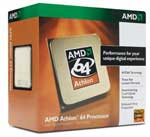
Our processor choice goes to the AMD Athlon 64 3000+, which is currently priced at $74. The Athlon 64 3000+ has been a favorite of overclockers ever since it first came onto the scene just over two years ago. In terms of performance, not much has really changed with the move from socket 939 to socket AM2. It still comes with a 1.8GHz clock speed and 512K of cache, and with the right overclocking equipment you should be able to reach at least 2.6GHz and often more. Both platforms are at a mature state, even though socket AM2 is only a few months old. AM2 should also support quite a few future processor upgrades if that's important to you, and it will typically perform slightly better than an equivalent socket 939 configuration. If you already have a socket 939 system, there really isn't any need to upgrade to socket AM2 right now, but we definitely wouldn't recommend purchasing a new socket 939 system unless you can get it for less money than the equivalent AM2 setup.
We could have chosen to downgrade the CPU to a Sempron model, although it's important to keep in mind the fact that model numbers do not represent identical clock speeds between the Athlon and Sempron families. The Athlon 64 3000+ has a 1.8GHz clock speed, while the Sempron 3400+ has the same clock speed and half the L2 cache. The Sempron 3400+ is about $10 cheaper, but our experience is that it usually won't overclock as far as the Athlon 64 and the L2 cache is important enough that we felt the extra $10 was warranted. If you are really interested in saving money, the best bet would be to downgrade to the Sempron 2800+, which comes with a 1.6GHz clock speed and 128K of cache. If all you are looking for is a system capable of surfing the web and doing office work, such a computer would still be sufficient and you could even get down to the $500 price point with a bit of work. On the other hand, multiple processing cores are the talk of the town these days, so if you'd like more performance than the single core Athlon 64 offers, take a look at our upgraded configurations.
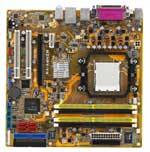
Moving to the motherboard, there are definitely cheaper alternatives available, but we have had far better luck with ATI and NVIDIA integrated graphics than the solutions offered from VIA or SiS. The nForce 6100 chipset supports the full DirectX 9 feature set, although performance will still be less than just about any DX9 discrete graphics adapter. The nForce 6150 sports higher clock speeds that help to improve performance slightly, but that's not the reason we went with the upgrade. The primary factor in our choice of the ASUS 6150 motherboard over something like the Biostar TForce 6100 is ASUS' inclusion of a DVI output. As we have stated many times in the past, we're done recommending CRTs, and if we're going to recommend an LCD it is going to include a DVI port. That's one less digital to analog conversion that has to take place, resulting in a slightly better image. The ASUS M2NPV-VM offers limited overclocking support, and while it should be enough to get you a ~10% overclock, that's certainly not the focus of the board. With true budget platforms, overclocking isn't high on our list of priorities either. If you're willing to spend a bit more money for overclocking capabilities, the Abit NF-M2 is very similar in features (including the DVI port) and costs about $10 more, but in general overclockers will be better served by fullsize ATX boards with discrete graphics.
ATI Xpress 1100 might have been a reasonable alternative, but we were unable to find any motherboards using that chipset that included a DVI port. If you don't care at all about overclocking, DVI, or integrated graphics performance, you should be able to get just about any of the current AM2 motherboards using an ATI or NVIDIA chipset. You should also be able to shave up to $30 off the price of the motherboard. However, motherboards are such a critical component that we have to strongly caution against trying to cut costs too much, as often that will result in a somewhat flaky system and/or component incompatibilities.
The one area of our base configuration that is likely to cause the most debate is our choice of memory. DDR2 memory is anything but cheap these days - and DDR memory is no better - with prices that have gone up sometimes 100% over the past several months. The current prices are likely to last at least another month or two, although thankfully they are no longer on the rise. The shortage appears to have been caused by the impending holiday season with many of the major OEMs purchasing large quantities of memory in advance. Whatever the cause, however, the end result remains the same: high prices that we are none too happy with. If you're trying to keep costs down, it might be tempting to consider purchasing only 512MB of memory, and it is definitely an option. Depending on how you intend to use your computer, 512MB of memory may be sufficient. For most of us, it has quickly become the bare minimum we are willing to install on a new system, and looking towards the future it is going to be woefully inadequate for anyone planning on running Windows Vista next year. You can save about $60 by going with a single 512MB DIMM, but we're not going to recommend it.
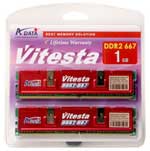
Instead, we will grudgingly recommend spending more money on a 2x512MB configuration. We have selected the A-DATA Vitesta DDR2-667 memory, which we have found to be highly compatible in our testing, and it is also capable of overclocking a fair amount. Overclocking headroom isn't nearly as important on AM2, as the way memory speeds are derived from the CPU core speed means you can use "ratios" without degrading performance much. As with most DDR2-667 memory, increasing voltage up to around 2.1V should allow you to reach the maximum timings and bandwidth the modules are capable of. Given the various bottlenecks that are likely to exist elsewhere within our base AMD configuration, it's probably best not to worry about it too much and just stick with the default or slightly tweaked performance.
One final memory option worth considering is getting a single 1GB DIMM instead of 2x512MB. Single channel performance might be up to 5% or even 10% slower depending on what task you're doing (typically it's around 2-3% slower), but going with a single 1GB DIMM allows you to add more memory in the future if/when it becomes necessary. This particular ASUS motherboards still has four DIMM slots, so it's not as big of a concern, but if you get one of the other motherboards that only includes two DIMM slots we would strongly recommend going with 1GB memory modules.
We will take a closer look at the remaining components on the budget Intel platform.
It shouldn't come as too much of a surprise that we had to go with a single core processor and integrated graphics in order to come anywhere near our $500 price target. We still overshot the budget by $150, but we certainly haven't eliminated every potential downgrade. Here's the basic AMD configuration that we are actually comfortable recommending.
| Budget AMD Athlon 64 AM2 System | ||
| Hardware | Component | Price |
| Processor | AMD Athlon 64 (AM2) 3000+ - 1.8GHz 512KB | $74 |
| Motherboard | ASUS M2NPV-VM - NVIDIA GeForce 6150 AM2 | $84 |
| Memory | A-DATA Vitesta 1GB (2 x 512MB) DDR2-667 5-5-5-15 |
$120 |
| Hard Drive | Hitachi Deskstar 7K160 160GB SATA3.0Gbs 160GB 8MB 7200RPM |
$61 |
| Optical Drive | LiteOn SHW160P6S05 16X DVD+/-RW | $29 |
| System Total | $368 | |
| Complete Package | $654 - $926 | |
 |
We could have chosen to downgrade the CPU to a Sempron model, although it's important to keep in mind the fact that model numbers do not represent identical clock speeds between the Athlon and Sempron families. The Athlon 64 3000+ has a 1.8GHz clock speed, while the Sempron 3400+ has the same clock speed and half the L2 cache. The Sempron 3400+ is about $10 cheaper, but our experience is that it usually won't overclock as far as the Athlon 64 and the L2 cache is important enough that we felt the extra $10 was warranted. If you are really interested in saving money, the best bet would be to downgrade to the Sempron 2800+, which comes with a 1.6GHz clock speed and 128K of cache. If all you are looking for is a system capable of surfing the web and doing office work, such a computer would still be sufficient and you could even get down to the $500 price point with a bit of work. On the other hand, multiple processing cores are the talk of the town these days, so if you'd like more performance than the single core Athlon 64 offers, take a look at our upgraded configurations.
 |
ATI Xpress 1100 might have been a reasonable alternative, but we were unable to find any motherboards using that chipset that included a DVI port. If you don't care at all about overclocking, DVI, or integrated graphics performance, you should be able to get just about any of the current AM2 motherboards using an ATI or NVIDIA chipset. You should also be able to shave up to $30 off the price of the motherboard. However, motherboards are such a critical component that we have to strongly caution against trying to cut costs too much, as often that will result in a somewhat flaky system and/or component incompatibilities.
 |
Instead, we will grudgingly recommend spending more money on a 2x512MB configuration. We have selected the A-DATA Vitesta DDR2-667 memory, which we have found to be highly compatible in our testing, and it is also capable of overclocking a fair amount. Overclocking headroom isn't nearly as important on AM2, as the way memory speeds are derived from the CPU core speed means you can use "ratios" without degrading performance much. As with most DDR2-667 memory, increasing voltage up to around 2.1V should allow you to reach the maximum timings and bandwidth the modules are capable of. Given the various bottlenecks that are likely to exist elsewhere within our base AMD configuration, it's probably best not to worry about it too much and just stick with the default or slightly tweaked performance.
One final memory option worth considering is getting a single 1GB DIMM instead of 2x512MB. Single channel performance might be up to 5% or even 10% slower depending on what task you're doing (typically it's around 2-3% slower), but going with a single 1GB DIMM allows you to add more memory in the future if/when it becomes necessary. This particular ASUS motherboards still has four DIMM slots, so it's not as big of a concern, but if you get one of the other motherboards that only includes two DIMM slots we would strongly recommend going with 1GB memory modules.
We will take a closer look at the remaining components on the budget Intel platform.
Originally published at https://www.anandtech.com/show/2107 (Wayback Machine).