Upgraded AMD Budget Platform
Moving on to our upgraded AMD budget system, our preferences are reversed. Whereas we give AMD the advantage in the true budget sector, if you are willing to spend a bit more money in order to upgrade performance the advantage moves over to Intel. The upgraded budget systems can cost quite a bit more, although you can certainly choose a few the upgrades and stick with other baseline recommendations. You can also refer to our last
Midrange Buyer's Guide for additional component alternatives. We have upgraded every core component, and the end result is definitely closer to midrange rather than budget. As we said in the beginning, current memory prices as well as the added performance available make it difficult for us to recommend a true budget configuration right now.
| Upgraded Budget AMD Athlon X2 AM2 System |
| Hardware |
Component |
Price |
| Processor |
AMD Athlon X2 (AM2) 3800+ - 2.0GHz 2x512KB |
$160 |
| Motherboard |
DFI Infinity ULTRAII-M2 - nForce4 Ultra AM2 |
$96 |
| Memory |
PQI POWER Series 2GB (2 x 1GB)
DDR2-533 4-4-4-12 |
$195 |
| Video Card |
XFX PVT73GUGF3 - GeForce 7600GT 256MB |
$146 |
| Hard Drive |
Samsung SpinPoint P 250GB
SATA3.0Gbps 250GB 8MB 7200RPM |
$76 |
| Optical Drive |
LG GSA-H10N 16X DVD+/-RW (12X DVD-RAM) |
$36 |
| System Total |
$709 |
| Complete Package |
$995 - $1267 |
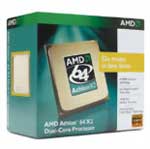 |
Starting with the processor, the logical choice once again falls to one of the cheapest Athlon X2 CPUs. We could have gone for the X2 3600+ (2.0GHz 2x256K cache), but we don't feel the reduction in L2 cache per core to 256K is worth the $12 saved. (Feel free to disagree, however, as it isn't a terrible choice either.) About the only advantage that AMD currently holds over Intel is price, both for their CPUs as well as their motherboards. The net difference amounts to roughly $30, and for that price we would definitely encourage you to purchase a Core 2 Duo system instead. If you're averse to purchasing Intel hardware for whatever reason, you'll still get great performance from an Athlon X2 setup. Depending on what you plan on doing, you might not ever see the faster performance Core 2 offers anyway; many tasks are going to be bottlenecked by something other than the CPU, in which case saving the money is a fine alternative. Having higher performance potential is nice, but if you never use it than it really doesn't matter.
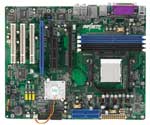 |
For the upgraded AM2 motherboard, we decided to choose something that was still inexpensive but that would offer a lot of overclocking potential. The DFI Infinity ULTRAII-M2 uses the older nForce4 Ultra chipset, which still works with socket AM2. DFI also offers pseudo-SLI support, with the second PCI-E X16 slot running at X2 bandwidth. We aren't too concerned with SLI support, but we aren't going to complain about getting a second X16 PEG slot either. Despite using an older chipset, this DFI motherboard offers one of the most stable, painless overclocking experiences that we have encountered in recent history, and a 50% or higher overclock (depending on CPU) is not at all difficult to achieve.
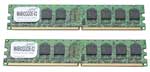 |
On the memory front, once again we had a debate on our hands. Getting 1GB of memory into the baseline recommendation was already difficult, but for the upgraded systems did we want to stick with that or did we want to move up to 2GB of RAM? If you plan on running Windows Vista during the life of your computer, having more memory is definitely going to be useful. Many of us also already run into memory constraints even without the added bloat of Vista, and while the price is high we really feel the upgrade to 2GB of RAM is worthwhile. Modern dual core systems allow you to run more programs concurrently than ever before without experiencing a slowdown, but only if you have enough memory. A bunch of web browser windows/tabs, several office applications, various chat programs, perhaps a firewall and antivirus software, maybe a BitTorrent client, and if you're like me speech recognition software... throw all that together (something many of us at AnandTech do on a daily basis) and 2GB isn't just recommended, it's required. The PQI Power memory kit has a lower rated bandwidth than the 512MB DIMMs we listed earlier (DDR2-533), but it also comes with better timings (4-4-4-12). It should still be good for moderate overclocking as well, provided you give it a bit more voltage and relax the timings. Memory like this used to cost closer to $140, and prices are slowly beginning to come down again. There's currently a $25 mail-in rebate available on this PQI memory, although even without the rebate the price is still better than most competing offerings.
If you can find similar quality memory from one of the major manufacturers (A-DATA, Corsair, Crucial, Kingston, Mushkin, OCZ, Patriot, etc.) for less money, that was our primary criteria in finding reasonable memory. You can also look at upgrading to DDR2-667 or even DDR2-800 memory, although you will definitely pay more for the latter right now. DDR2-800 memory will guarantee you that level of memory performance (assuming the RAM is compatible with your motherboard, which is thankfully becoming less of the concern now), and overclocking enthusiasts will definitely want to give serious consideration toward spending a bit more money on memory, especially for the Core 2 Duo platform.
Just about any upper-budget or midrange system is going to do away with integrated graphics, and this is no exception. We were faced with several options for discrete graphics, ranging from the low-end X1300 and 7300 up through more expensive solutions like the X1900 GT. While the latter definitely sounds like it has no place in a budget guide, we do have to point out that there are very few graphics cards in the $120 price range that currently include HDCP support. Moving up to the $200 price range, you begin to find quite a few more HDCP solutions. If you care about gaming performance or you want HDCP, a Radeon X1900 or GeForce 7900 series card isn't a bad idea (the GeCube GC-H1900GTD-VID3 is one such option). If you don't care much about gaming or HDCP, but you want a better motherboard than our base recommendation (i.e., for overclocking), just about any discrete graphics card will be acceptable.
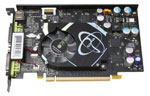 |
We eventually settled on the GeForce 7600 GT as our upgrade pick, but even then there were several considerations we still had to make. Many vendors are offering factory overclocked cards, although the minor differences in clock speed usually aren't worth losing sleep over. We also saw some short-term sales, for example a BFG 7600 GT was going for $120 earlier this week, but once the sale is over we are back to looking at prices and features. You can still find a cheaper 7600 GT card, or you could downgrade to the 7600 GS. We chose to go with the XFX 7600 GT at a slightly higher price, not because of the factory overclock (which it has), but rather because it includes two DVI ports instead of a VGA port and a DVI port. We prefer LCDs these days, and we prefer to use LCDs with a DVI connection. DVI ports can also be useful for connecting your computer to many HDTVs. For these reasons, we were willing to spend an extra $15. If you disagree with us, EVGA, BFG, and many others offer competing graphics cards that may or may not be cheaper.
