Archive 1997–2024

Ricoh EncryptEase: CD-R Password Protection Made Easy

EncryptEase Complete Software - Create a New Session

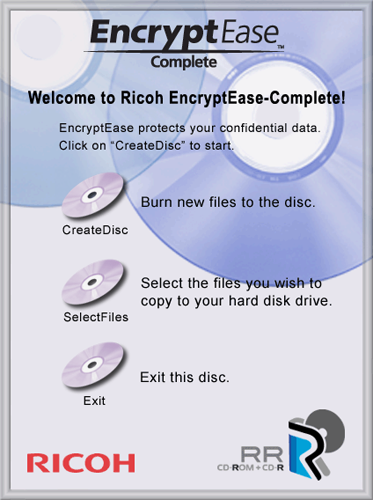
After the system reboot, the EncryptEase software will restart, bringing us to the main menu. We have three options here: CreateDisc, SelectFiles, and Exit. There are also descriptions of each task if the simple names seem a bit vague as they may.
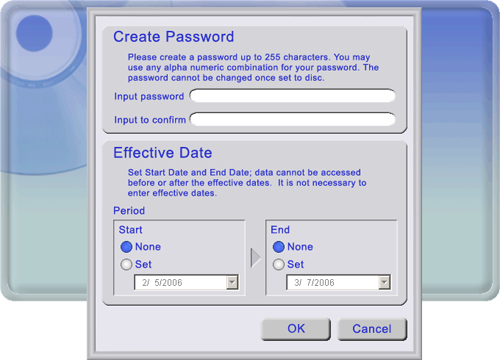
Clicking on "CreatDisc" brings up a "Create Password" dialog box, which allows us to enter and confirm a password of up to 255 alpha-numeric characters long. There is also a warning displayed that let's us know that passwords written to this CD-R media cannot be changed.

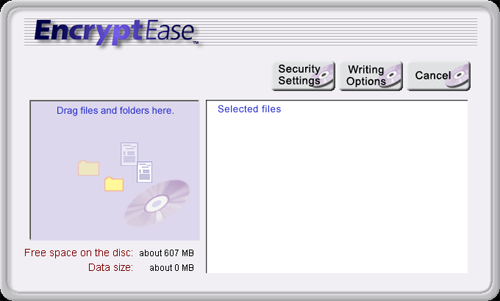
The bottom section of this dialog box lets us choose a time period in which the particular session can be accessible; otherwise, selecting "None" allows for access to the session without any date restrictions. Once we click on "OK", a new window is shown, which allows us to drag and drop files and folders that we want to add to the new session.

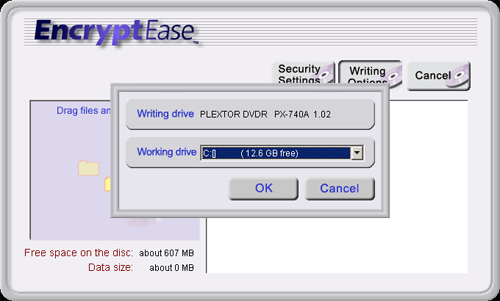
We see here that the free space shows 607MB as well as a "Data size" gauge, which helps us monitor the amount of data that we are including in this particular session. Once we have the files that we want to add in the window, we have a couple of different options. Clicking on the "Security Settings" button will bring up the password box again, which will allow us to change the password and date restrictions of the session one last time. Clicking on "Writing options" will take us to the following dialog box, which allows us to select the HDD drive to work with.

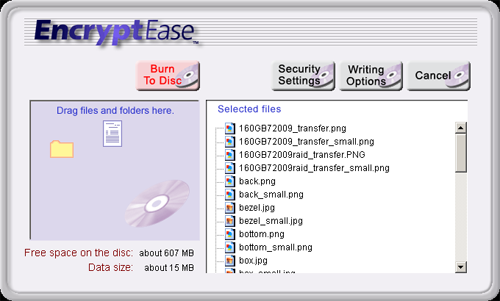
After the drive has been selected, we will see the list of files to be added with an additional "Burn To Disc" button, which will do what it says.

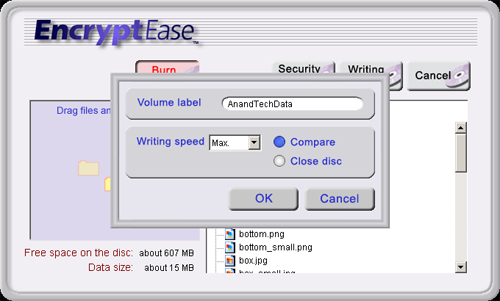
Finally, after clicking on the "Burn to Disc" button, a dialog box will appear, allowing us to enter a volume label as well as the write speed of the disc. We are also presented with the options to compare the data after it has been written as well as to close the disc. After making the changes, clicking "OK" will begin the compression/encryption/write process.


Originally published at https://www.anandtech.com/show/1940 (Wayback Machine).