
Socket 940 Roundup: Motherboards for the Athlon64 FX
- Posted in
- Motherboards
Asus SK8V: BIOS and Overclocking
BIOS
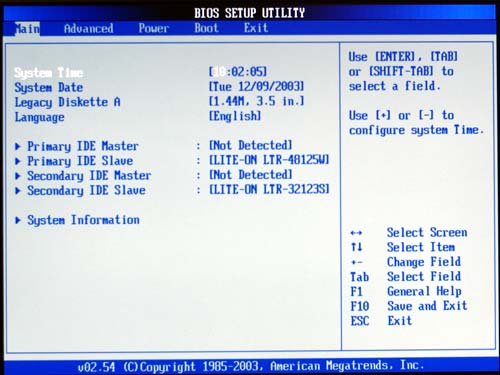
The SK8V uses AMI BIOS, which is seen on most current Asus boards. While the layout of the AMI is quite different from the familiar Award layout, it is really easy to use once you get the hang of the logic. Major categories are across the top and each category has many submenus.
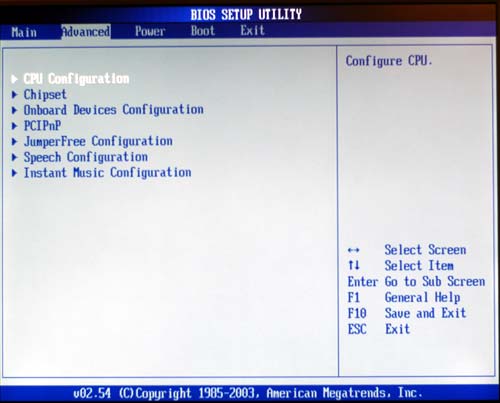
With the 1002.012 and 1002.018 BIOS used for benchmarking, Asus has redesigned the SK8V BIOS so that it will be easier to use. The Advanced section now includes a “JumperFree Configuration” submenu with many of the adjustments that Enthusiasts will be using.
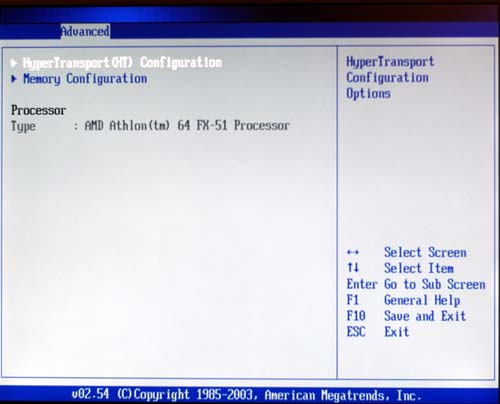
The “Advanced”, “CPU Configuration” sub-menu contains adjustments for HyperTransport and Memory.
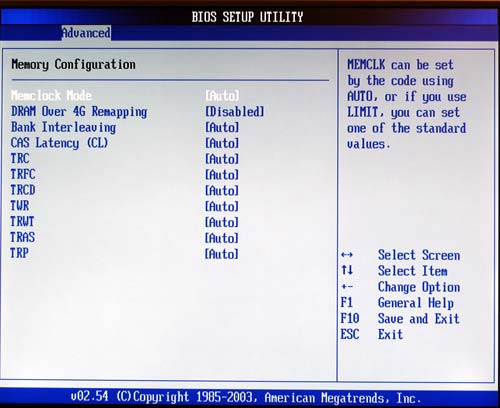
Memory Configuration allows adjustment of a complete range of memory timings, as well as the ability to force memory timings.
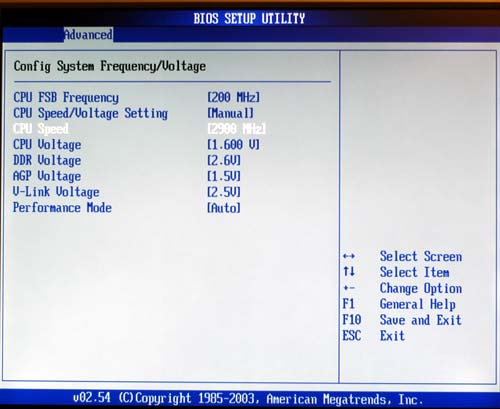
“Jumperfree Configuration” has settings for CPU and Memory Frequencies and Voltages. Instead of the obscure Hammer FID and Hammer VID names, Asus is using more familiar descriptions like “CPU Speed” and “CPU Voltage”.
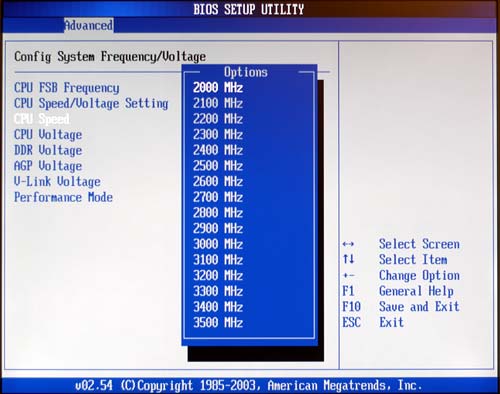
Beginning with 1002.012, Asus has added a full range of multipliers to the SK8V, which now includes half multipliers. On the 1002.018 BIOS, you can set speeds form 800MHz to 4000MHz in 100MHz increments.
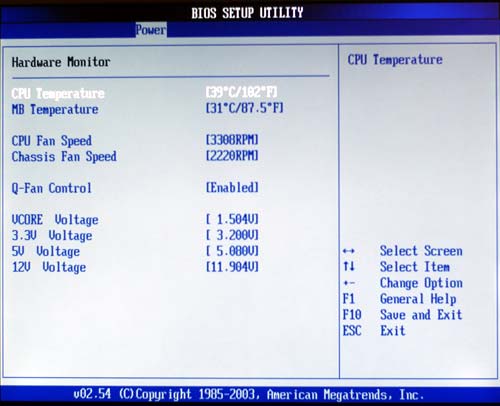
PC Health information is in the standard Asus location for AMI BIOS. It can be found under the Power Menu, “Hardware Monitor” sub-menu. There, you will find system temperatures, fan speeds, voltages, and the controls for the Asus Q-fan utility, which allows fan speeds to be controlled by temperature.
FSB Overclocking Results
As mentioned in the SK8N section, the latest BIOS' from Asus are restoring our faith in the overclocking abilities of the Athlon64 FX. This is even more true with the recent BIOS' and new options available for the Asus SK8V.| Front Side Bus Overclocking Testbed | ||
| Default Voltage | Maximum Overclock | |
| Processor: | Athlon64 FX51 2.2GHz |
Athlon64 FX51 2.2Ghz |
| CPU Voltage: | 1.5V (default) | 1.625V |
| Cooling: | Cooler Master Silent K8 Heatsink/Fan | Cooler Master Silent K8 Heatsink/Fan |
| Power Supply: | Enermax 465W | Enermax 465W |
| Maximum OC: | 2346MHz (+6.6%) 11x213 |
2475MHz (+12.5%) 11x225 or 12x206 |
The above overclocking setup at default voltage allowed us to reach the highest stable setting of 213 (852 HT). The highest MHz speed achieved was at 11x225/12x206 or 2475MHz at 1.625V. Higher overclocks may be possible at higher voltages, but we were not comfortable running greater than 10% voltage increase with air cooling. These were the highest overclocks that we could achieve up to 1.65V.
Higher overclocks may also be possible using a future BIOS from Asus. We did have some difficulties with random Multiplier/FSB resets on the 018 Beta BIOS. We had no such problem with the 012 BIOS, but the voltage range is not as wide in the 012 BIOS. Asus Engineers are looking at the issues that we found and updates will be incorporated in the release 1002 BIOS.
The range of overclocking options available on the SK8V from BIOS 1002.012 up is truly outstanding. The options also are effective, yielding the highest overclock that we have seen with modest air cooling on this Athlon64 FX. The voltage ranges in the most recent BIOS' are even better than the SK8N and Gigabyte K8NNXP-940, which have been praised for their wide voltage ranges. Asus seems to have found ways to unlock the VIA K8T800 chipset by providing even half multipliers. It had been widely speculated that only the nF3 chipset could do half multipliers, but Asus has proven that this is not the case.
Originally published at https://www.anandtech.com/show/1210 (Wayback Machine).