
Windows XP Media Center Edition: Exposed
- Posted in
- Systems
Watching TV (continued)
As we explained in the "How a PVR Works" section, whenever you're watching TV through MCE you are recording what you're watching; this is how you can "pause" what you're watching and resume viewing later or rewind to catch something you've missed.
There are some limitations to what you can do that are imposed by MCE; by far the biggest issue is that if you've been watching something and at the end of your viewing decide that you want to save it, you can't. Unless you hit the record button or have told MCE to record the show before hand, you can't go back and save your buffer for viewing later. Even if you hit the record button halfway through watching a show you will only be able to save everything after the point when you hit the record button, you won't be able to retain what you've watched previously. This is a feature that shouldn't have been that difficult to implement, especially considering that ATI lets you do it using their multimedia center software bundled with their All-in-Wonder cards.
Another issue, albeit understandable, occurs when you're not recording a show and leave the TV in paused mode; in this case, MCE will automatically un-pause itself after 30 minutes, which can be a bit startling if you forget to mute your speakers. Also don't forget to close MCE before putting the system into standby, if you don't the system will wake itself up with the TV running loud and clear in order to check to see if it has anything to record. To be on the safe side you'll want to leave the Media Center application closed; don't worry, it will still record your shows and let you know it is doing so by putting a record icon in the systray. The beauty of this silent record mode is that you can use your Media Center PC for just about anything while it is recording a show in the background; be warned though, you don't want to do anything that's too intensive as it could cause your recording to stutter.
If for whatever reason you want to record a block of time, you can do so using the manual record feature of MCE:
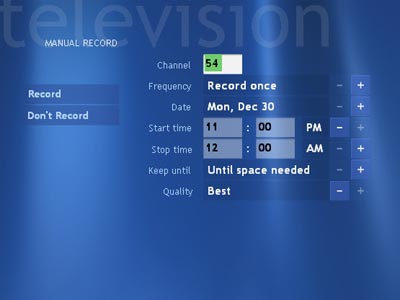
The options are fairly self explanatory and are very similar to the advanced record options when recording using the program guide.
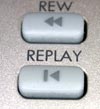
Microsoft was very careful not to cross any sensitive lines with MCE and thus did not include an auto commercial skip feature, which is something that is included in the latest ReplayTV PVRs. With MCE you can skip ahead 30 seconds at a time by hitting a button on the remote, but you cannot automatically skip all commercials. Hitting another button will rewind 7 seconds and the combination of the two buttons helps make flipping through commercials in your recorded shows quite easy.
 |
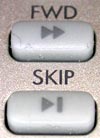 |
The replay and skip buttons are pictured above.

This overlay is what you'll see when pausing, fast forwarding or rewinding while
watching anything in MCE; it goes into hiding after a short amount of inactivity.
Originally published at https://www.anandtech.com/show/1051 (Wayback Machine).