
Windows XP Media Center Edition: Exposed
- Posted in
- Systems
With all of this talk about recording, what happens if you try and record two things at once? Remember that a Media Center PC will only use one TV tuner card and thus can only be "watching" one TV stream at a given time.
MCE will not let you schedule two recordings that conflict, if you try to you'll be greeted with this screen:
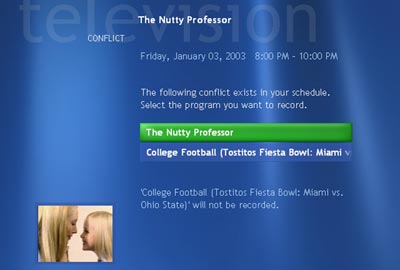
...and you'll be forced to choose between the two. If you can't bring yourself to pick the one you really want, the conflict will be denoted by an exclamation mark in the guide:
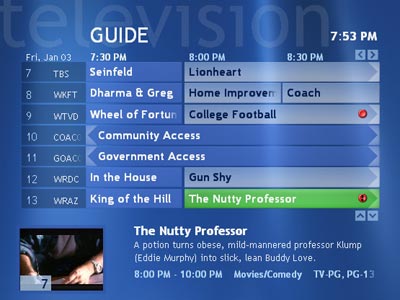
In this case, MCE will choose to record the first show that it was asked to record - College Football and the Nutty Professor will just be listed as a conflict.
Conflict resolution is a fairly important aspect of any PVR and the way MCE handles it is decent. Firstly, MCE will not let you purposefully create a conflict as we just illustrated with the above screenshots. Should a conflict arise because a show got moved, MCE will end up recording the first show you selected - there is no ability to control priorities of shows, which is somewhat disappointing.
In the event that a show isn't recorded for a reason other than you deliberately making a conflict the show will appear in MCE's list of recording errors. The fact that MCE keeps a log of all errors is quite handy, just so you know what shows you've missed and for what reason.
Originally published at https://www.anandtech.com/show/1051 (Wayback Machine).