
Windows XP Media Center Edition: Exposed
- Posted in
- Systems
Watching Recorded TV
If you use MCE enough you'll end up having a nice collection of recorded shows, which Microsoft was kind enough to organize for you:
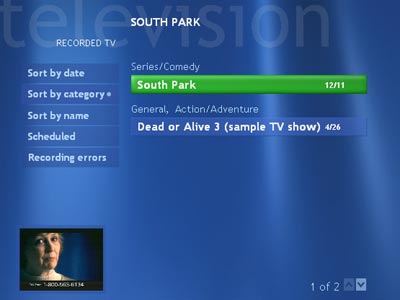
After you're done watching something you've recorded, MCE will ask you if you want to keep the recording, delete it or what else you would like to do with it. By default MCE will place all recorded shows in the C:\Documents and Settings\All Users\Shared Documents\Recorded TV\ directory so you can share shows all over your network with ease.
As you can see from the menu on the left, this is also how you get to the recording errors screen that has a listing of all of the shows that weren't recorded and MCE's explanation for why they weren't.
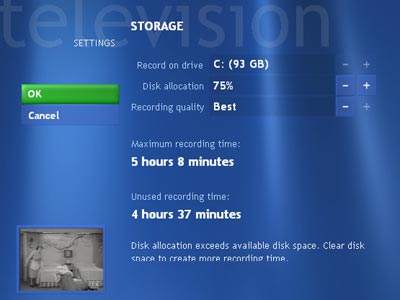
One unofficial requirement for a good Media Center PC is a fast and powerful hard drive; in the storage settings menu you can configure how much of the disk you want to use for your recorded shows and what default quality you'd like to use.
Originally published at https://www.anandtech.com/show/1051 (Wayback Machine).