
Intel's E7205: Granite Bay Hits the Streets
- Posted in
- Motherboards
ASUS P4G8X Deluxe: Board Layout
There weren't too many layout issues to report with this particular E7205-based motherboard. We had only a few minor complaints.
Looking at the positioning of the ATX (20-pin) connector, we see that ASUS placed it on the right-hand side of the motherboard. This is the best place to position an ATX connector, as the thick wires won't obstruct the installation/uninstallation of the HSF or passive North Bridge heatsink, as well as any other components that you may decide to modify or uninstall. Unfortunately, the ATX connector isn't located high enough; the ideal position would be at the very top, right-hand corner of the motherboard, perhaps directly over the silk-screened CPU multiplier options.
All three onboard fan headers are placed well. The chassis and power fan headers are placed at the very edge of the right-hand portion of the motherboard. This way, fan wires won't have to travel far to their destination. The third fan header however (the CPU fan header) was placed a bit too close to the CPU clamps and DIMM connectors. This makes it somewhat difficult to sneak your fingers in this area to unplug the CPU fan line, but it shouldn't be too much of an issue unless you have large fingers.
As is now common with almost all P4 motherboards, the ATX12V connector is located on the left-hand side of the motherboard. This isn't the best location for the ATX12V connector though (especially since it's located towards the midsection of the motherboard), as this connector ends up in your path of uninstalling the HSF. The ATX12V connector should be placed at the very top of the motherboard, somewhere on the right-hand portion of the board preferably.
We're glad that ASUS places the Primary/Secondary IDE connectors to the right of the DIMM slots and just above the midsection of the motherboard. We've experienced what a hassle it can be to have the Primary/Secondary IDE connectors placed on the lower portion of the motherboard. It makes it more difficult for the IDE cables to reach to the uppermost bays of a large-sized ATX case, and might have even get tangled up with our video card.
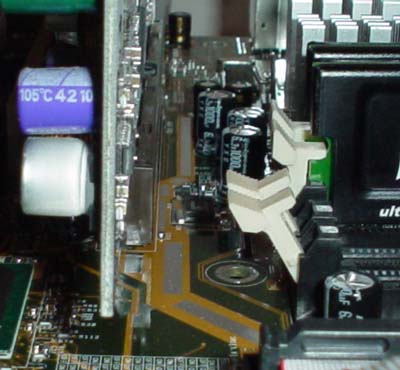
There are a lot of motherboard makers that place their DIMM connectors too close to where the video card is installed. However, ASUS doesn't make this mistake, and places their DIMM connectors far enough away from our GeForce4 Ti4600 and with a little room to spare, as is apparent in the picture below. We always like it when mainboard manufacturers do this because we're not forced to uninstall the video card if we want to uninstall memory.
Some of the other onboard features that ASUS includes on the P4G8X Deluxe (but that have nothing to do with performance) is ASUS's patented EZ Plug technology. EZ Plug is made possible by a standard 4-pin AUX connector, which all modern-day ATX power supplies carry. EZ Plug functions as a replacement for the ATX12V connector that the vast majority of P4 motherboards contain, and that ASUS includes anyway. While not incredibly useful, it's a nice feature to have nonetheless.
The USB and FireWire headers are positioned fairly well. There is a single USB header on this motherboard, located at the bottom of the board below the blue PCI slot (more on this PCI slot shortly). This is the best place to position the USB header, as it has little chance of getting tangled up with any other wires or hardware components. The two red FireWire headers are located nicely as well, nearly at the bottom of the motherboard. They might be a bit too high, especially if you were to make use of the onboard Serial ATA connectors, as the FireWire and Serial ATA cables would cross over each other, resulting in potential clutter. This isn't too much of an issue however.
Finally, we have the blue PCI slot. Here's how ASUS describes this technology, dubbed "Blue Magic":
Besides supporting all the conventional PCI applications, the Blue Magic Slot also supports wireless LAN cards. The great thing about the feature is that it supports 802.11a, 802.11b and Bluetooth standards, making the A7V8X the first motherboard with all three standards. ASUS is planning to introduce a wireless LAN card later this year equipped to handle the three standards.
Originally published at https://www.anandtech.com/show/1033 (Wayback Machine).