
The Streacom F12C Aluminum Desktop Case Review
Test Setup
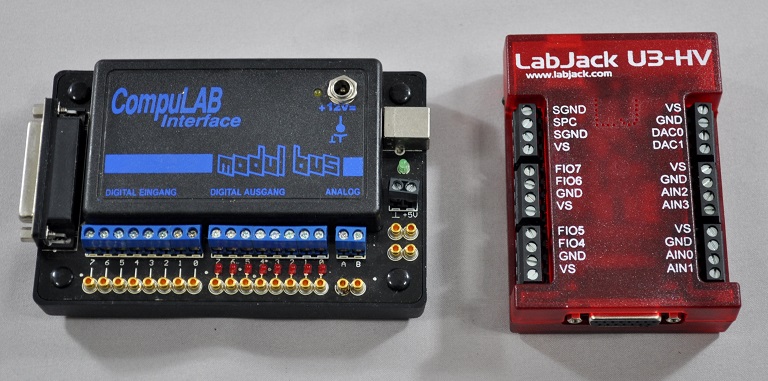
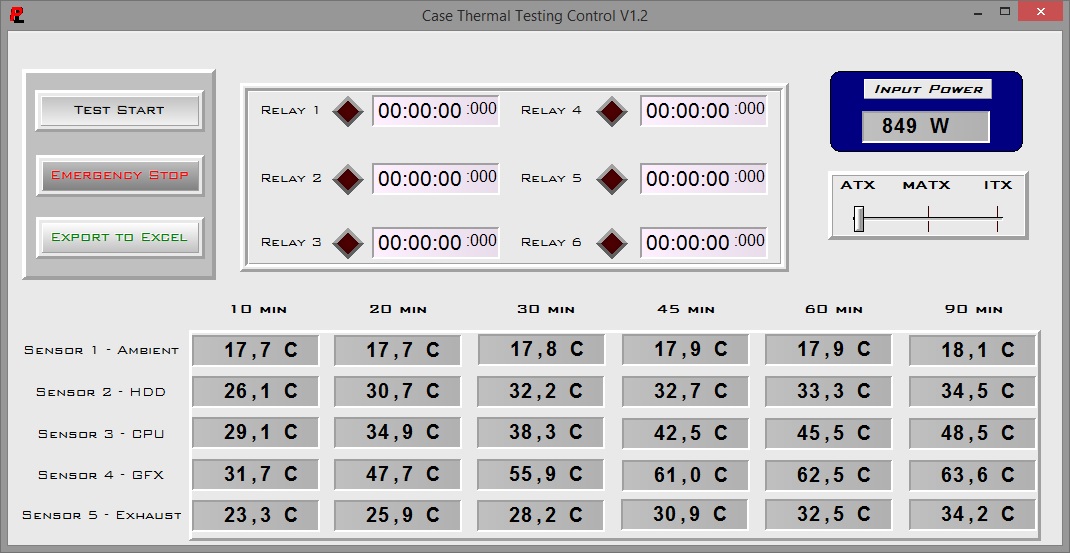
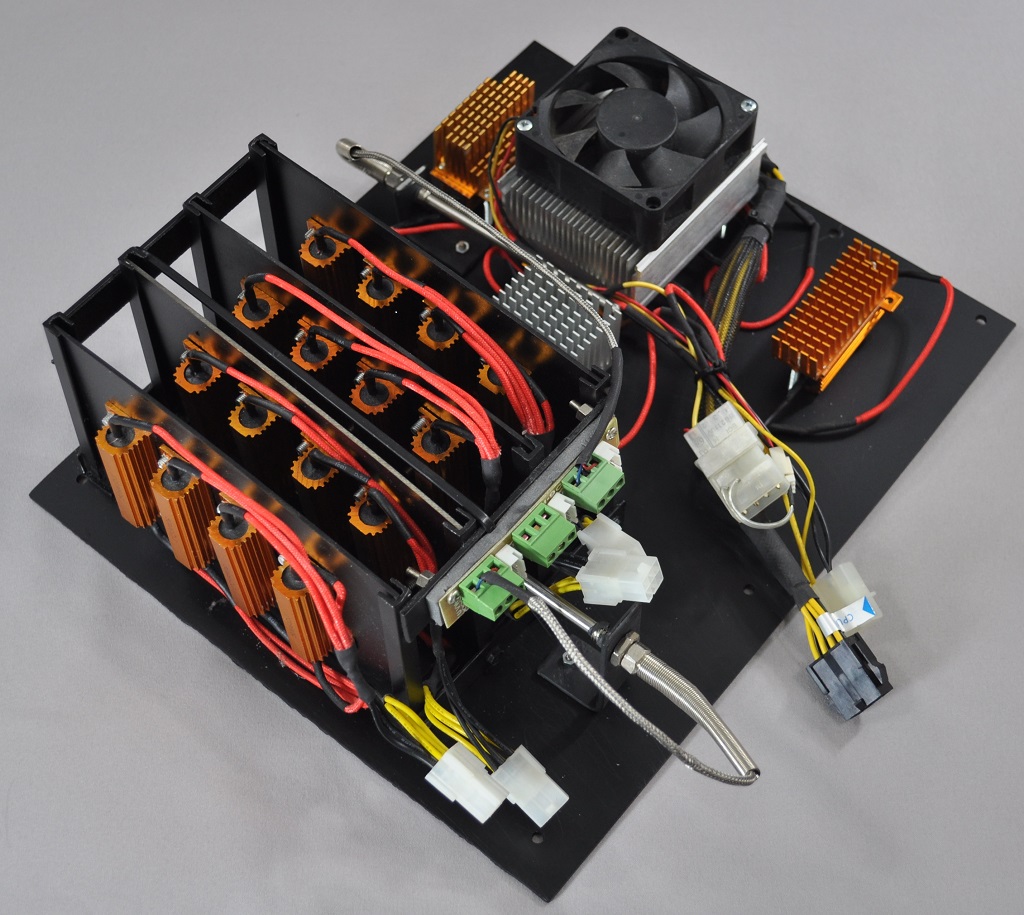
Professional testing requires the emulation of real-world situations but with repeatable results; thus, a perfectly controllable test setup and environment are required, especially for comparable results. Testing the thermal performance of any case with a typical real-world setup technically limits the comparability of the results to this setup alone, as an active system interacts with its environment and the change of a single component would alter myriads of variables. As such, we developed synthetic loads that emulate the thermal output of real systems, which however are passive, steady and quantifiable. As such, the thermal testing now displays the thermal capabilities of the case alone, as if it would have to deal with the entire thermal load by itself, regardless of the system that would be installed inside it. Laboratory data loggers are being used to monitor the PT100 sensors and control the safety relays, which are fully accessible via our custom software. Three such loads have been developed; the ATX version simulates a 200W CPU, 50W VRM, 30W RAM and 4 × 120W GPU card thermal load. Finally, three 3.5" HDD dummy loads have also been created, with each of them converting 30 W of electrical power to thermal, bringing the total thermal load of the ATX test setup up to 850 Watts. As such, the thermal load is immense and only the best of cases will be able to handle it for more than a few minutes, we are also performing a test with a thermal load of 400W, with all of the aforementioned components except the HDD drives at about 42% power, which is more suitable for the majority of cases.
Noise testing has been performed with a background noise level of 30.4dB(A). Advanced noise testing is also being performed, in order to assess the ability of the case to dampen the noise of the components installed inside it. This includes the installation of two noise-generating sources (strong fans) inside the case, one positioned approximately over the first expansion slot and one over the CPU area, which generate ≈ 44.2 dB(A) when unobstructed. During the advanced noise test, all stock cooling options of the case are entirely disabled.
Note: Due to the nature of the Streacom case's design, the three 3.5" dummy thermal loads were installed to the right of the case, near the front panel, vertically.
Results & Discussion
Thermal testing is usually performed with the stock fans of the case operating at maximum speed. However, the Streacom F12C does not have a single fan installed from the factory. This creates a small impasse, as our thermal load is passive and completely depends on the thermal dissipation capabilities of the case itself. Without any fans, the Streacom F12C depends on just natural air convection. However, a thermal load of 850 Watts cannot be effectively dissipated without any active cooling from the case.

400 Watt Test - No fans installed
As we always test cases with just their stock cooling solutions, we tested the Streacom F12C without any fans installed. The case, as displayed in the graph above, could only handle the reduced thermal load of 400 Watts. If compared to a typical case with active airflow, the F12C would appear far worse. It actually is inferior to a basic Midi-ATX tower case, such as the BitFenix Neos. Still, considering that there was no active airflow, that the F12C could handle a thermal load of 400 Watts is an impressive result.
However, since the F12C is a very advanced (and expensive) case designed to hold very powerful ATX system, we felt that we should also test it considering the presence of fair airflow. As such, we installed three Corsair AF120 fans for a second series of tests. We installed two fans to the left side of the case, as an intake, and one at the middle of the top mounting braces, as an exhaust.


The inclusion of the three cooling fans worked miracles for the thermal performance of the Streacom F12C, which can now compete and even surpass good tower cases. The positive pressure created by the two intake fans pushes the warm air out from the many openings of the case, while the top exhaust fan extracts hot air from the core of the thermal load. With the added airflow, the F12C competes with large tower cases, such as the XFX Type 01, and faces even the SilverStone Fortress FT05, a case with massive stock fans.


As the Streacom F12C has no stock cooling at all, we obviously could not perform any stock acoustics testing either, since there is no noise source. The noise of a finalized system will solely depend on the parts chosen by the user. We had to skip directly to our advanced noise testing, exploring the noise dampening capabilities of the case. Simply put, the Streacom F12C has no such capability at all. Our instruments measured almost the same sound pressure generated by the dummy noise source with it inside the case, i.e. 43.5 dB(A). That is a mere 0.7 dB(A) reduction, an entirely imperceptible difference for any human ear.
Originally published at https://www.anandtech.com/show/9618/the-streacom-f12c-aluminum-desktop-case-review (Wayback Machine).