
Analyzing Intel Core M Performance: How 5Y10 can beat 5Y71 & the OEMs' Dilemma
3DMark Sky Diver Results
Most of the previous benchmarks were day to day tasks. Some involved the GPU, but it was never the focus. We will now move on to benchmarks which focus on GPU performance to see what kind of an effect this can have. Remember, the TDP of Core M is 4.5 watts including the integrated graphics, so any thermal room needed for graphics is going to come at the expense of the CPU. 3DMark Sky Diver is aimed for gaming laptops and mid-range PCs, so it is a bit too much load for integrated graphics. But it does feature DirectX 11 and includes both graphics and physics tests. The benchmark is around five minutes long.
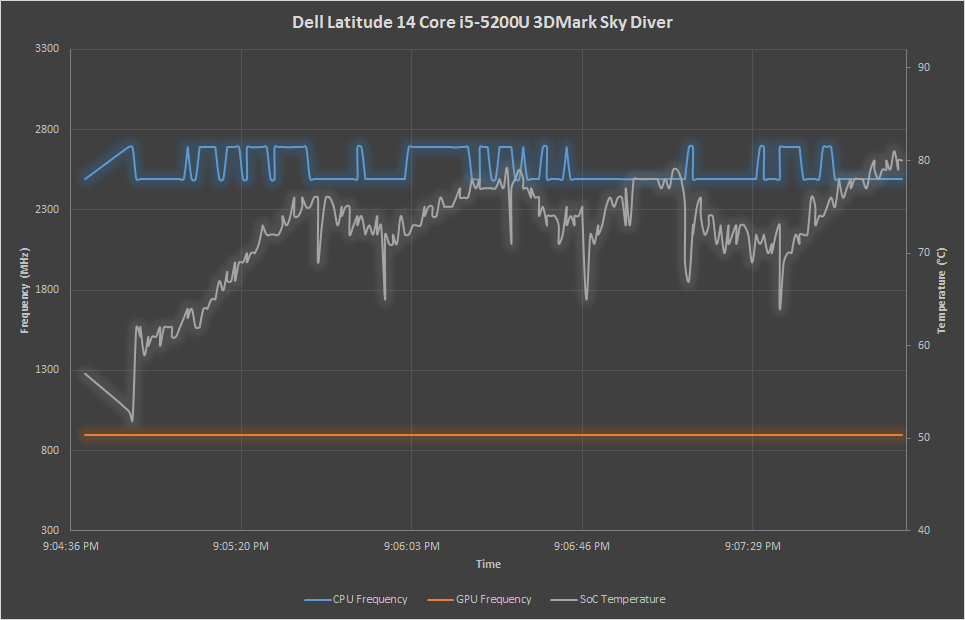
We can see that the Core i5 continues shrugging off these tests. While the SoC did heat up, the GPU frequency was flat throughout the results. This is quite a bit different than all of the Core M processors, which had to throttle both the CPU and GPU as needed. It is very interesting especially in the UX305 results to see that the GPU is throttled on high CPU workloads to give more headroom for the CPU, which you can see on the third heat spike in its graph. This would be the physics test, which relies heavily on the CPU. The Dell Venue 11 and Yoga 3 Pro had very different temperature curves, and the Yoga 3 Pro had to throttle the GPU quite a bit to stay at its target SoC temperature.
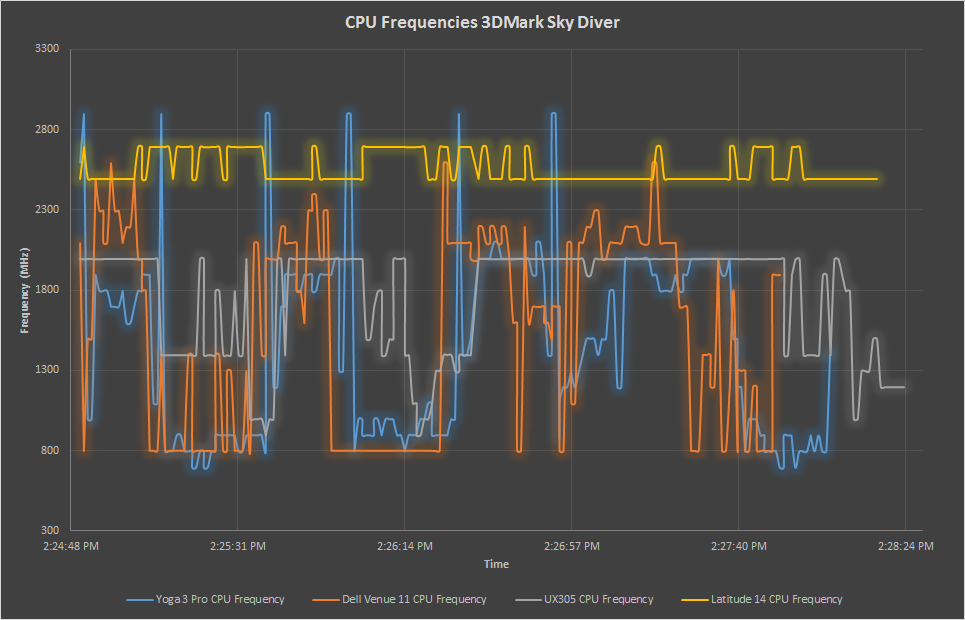
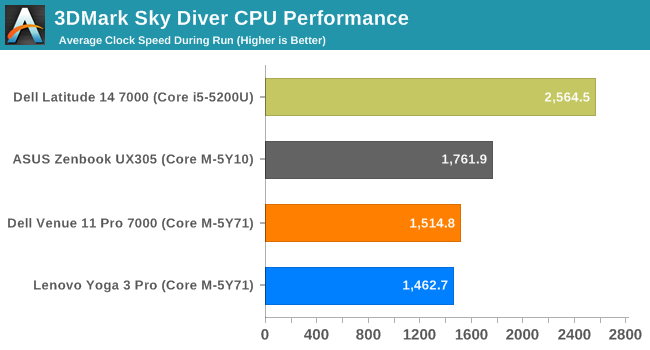
Looking at the average CPU frequencies reaffirms what we have seen in previous results. The ASUS, despite having the lowest turbo frequency, has the highest average for the Core M devices. But it is the GPU frequencies which are the most important in this test.
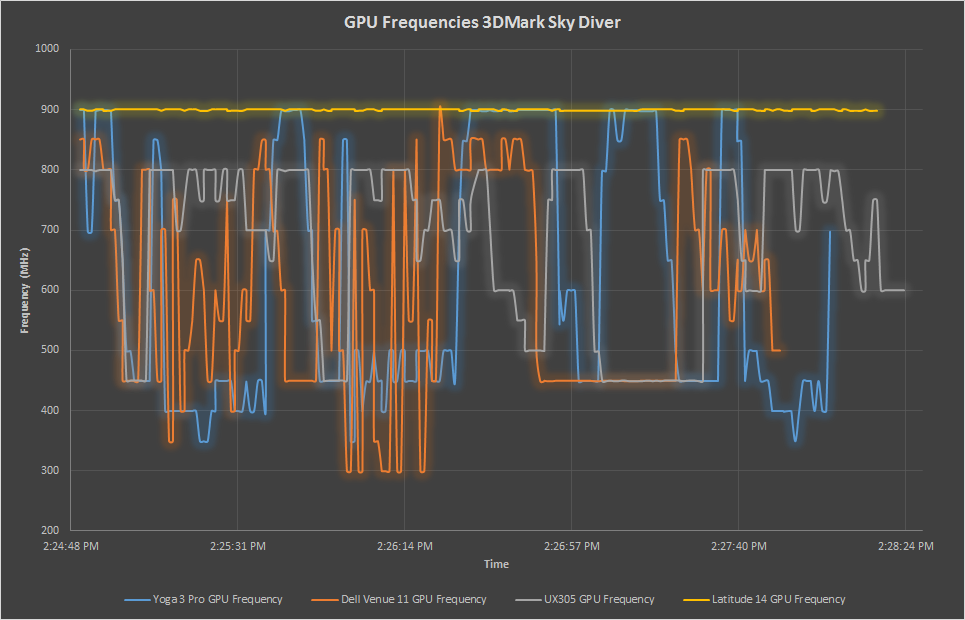
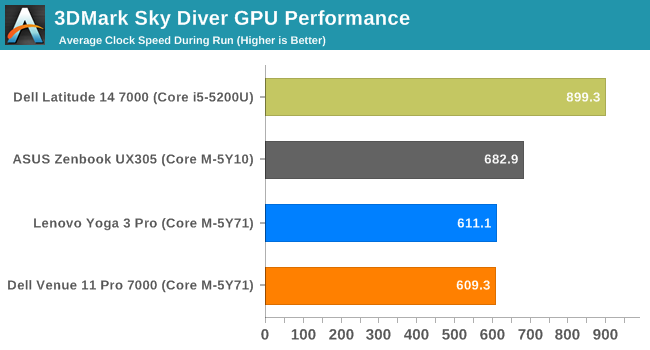
All of the Core M devices had to throttle the GPU to some extent, but the ASUS did the least. The Yoga 3 Pro and Dell Venue 11 Pro were basically tied in average GPU frequency for the duration of this test. GPU workloads can pull a lot of power into the SoC, which can raise temperatures as we will see in the next graph.
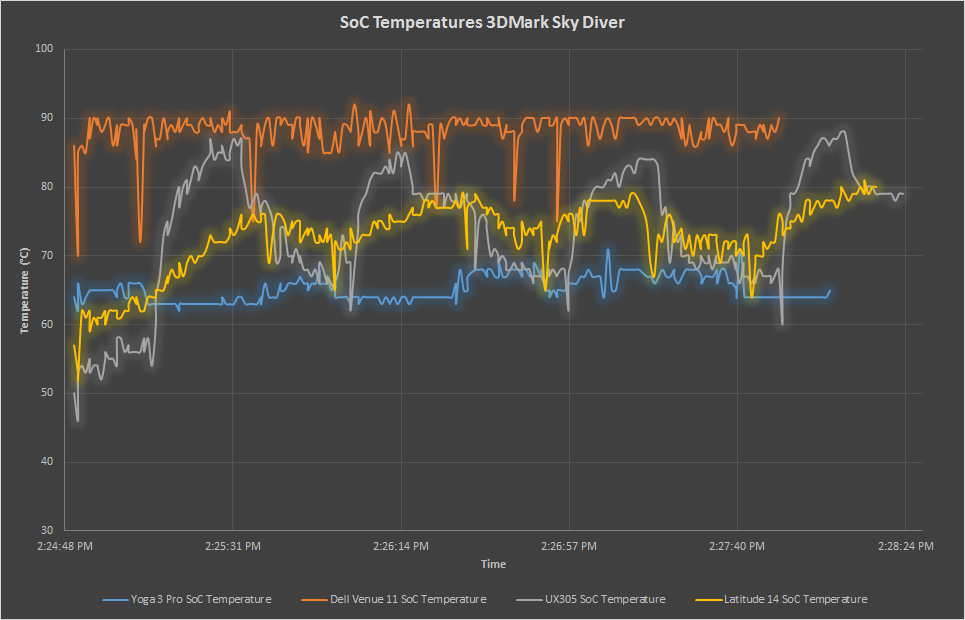
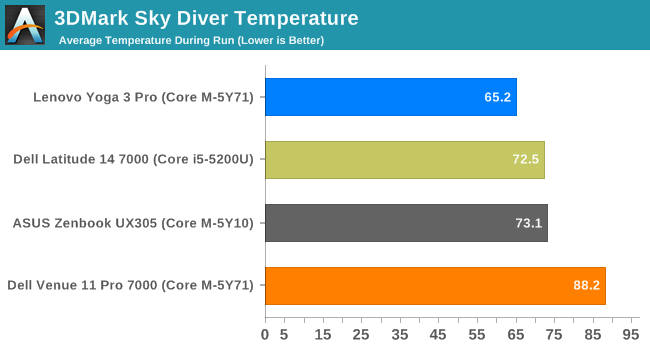
Looking at the SoC temperatures explains the results. The Yoga 3 Pro has an average of 65.2°C, which is the target temperature for the Yoga. This means it was not able to leverage the breaks in workloads to ramp up its higher turbo frequencies when needed. The Dell Venue 11 is at almost 90°C for the benchmark, and that is also its limit. The ASUS, with its better cooling, manages to basically mirror the Core i5 for SoC temperature.
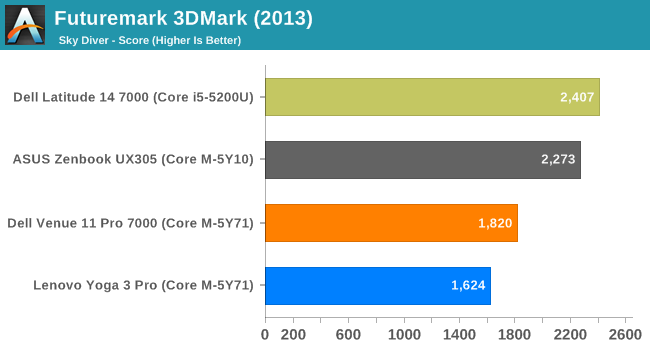
The excellent cooling of the ASUS form factor shines in the GPU tests. For the overall score, it comes very close to the Core i5. Both of the 5Y71 devices struggle under sustained GPU workloads, as the scores confirm.
Originally published at https://www.anandtech.com/show/9117/analyzing-intel-core-m-performance (Wayback Machine).