
MSI B85M ECO Review: Aiming Green at $73
- Posted in
- Motherboards
- MSI
- B85
- ECO
MSI B85M ECO Software
MSI’s big play in the software space is their ECO Center Pro software. We have come across ECO software on MSI’s products before, but this extends the idea into as many ports as possible.
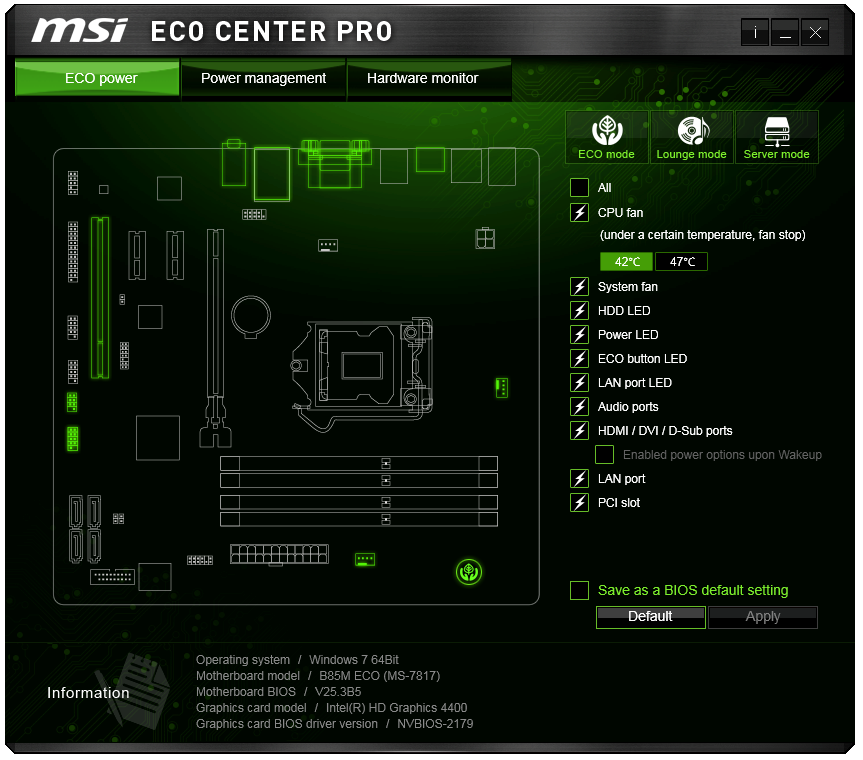
The lightning bolt shows an item that is powered, and deselecting the item then clicking apply will turn off that port or LED. Some features need a reboot to work, and it might not be advised to disable the CPU fan completely. In a similar vein, disabling the HDMI/DVI/D-Sub is a bad idea when on integrated graphics. If there is ever an issue, a user can use the ClearCMOS header on the motherboard to get back to default.
At the top right of this menu are three modes: ECO, Lounge and Server. MSI recognizes that this sort of motherboard might be used as HTPC/Server duties, and provides a series of presets. The ECO mode option is similar to that given by the onboard button or the BIOS options.

A lot of the CPU power management features are also part of ECO Center Pro, allowing users to select cores, C-states and power limits. One option here interests me – the LakeTiny feature. This is an option for a set of SSD enhancements that came with Intel's 8-series when RST is enabled.

The Hardware Monitor part of the software is similar to the BIOS fan controls, giving control over two of the fan headers as well as a series of temperature and voltage readings.

Along with ECO Center Pro, MSI gives an install option as part of the driver disk to include an ECO edition background. I really think the shade of green used in this approach works well for MSI. It seems to go with a lot of their design characteristics.

As part of the package, MSI bundles in Intel’s Extreme Tuning Utility (XTU). What intrigued me about this software is the ‘overclocking’ options.

One of my previous points in this review was the inability to reduce voltage and save power. XTU has an option relating to voltage, but you can only increase it. So close!
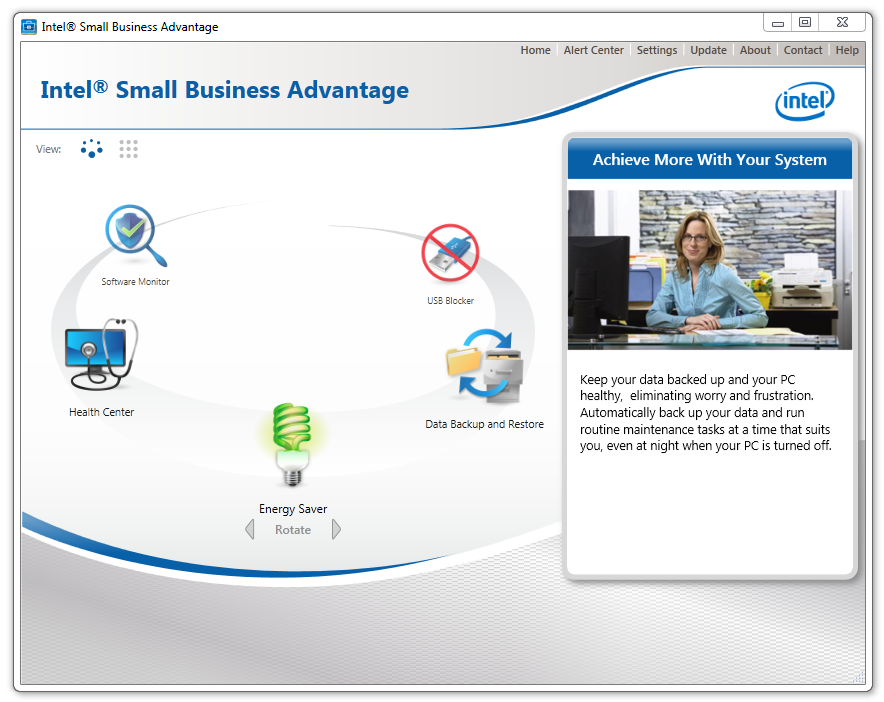
Due to B85 being part of the Intel Small Business Advantage program, this software also comes bundled on the disk to allow admins to keep track of the systems under their control.

MSI also includes fast boot options, which in our case did not seem to boost the system POST time much. The Go2BIOS function restarts the system straight into the BIOS, should anything need changing there.

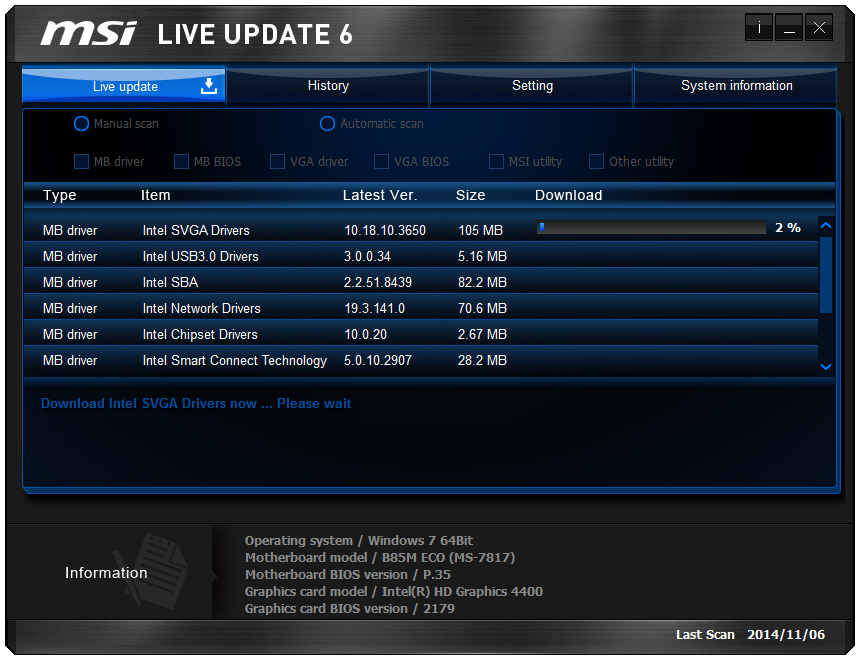
The jewel in MSI’s regular software lineup is Live Update 6 which will examine the drivers and software on your system and compare it to an online database with up-to-date versions. If different, LU6 will suggest the download and installation. MSI has worked to improve this software over recent months, such as stating the size of the download before deciding what to install. The download procedure also shows the per-software install progress, rather than putting everything together.


Originally published at https://www.anandtech.com/show/8746/msi-b85m-eco-review-aiming-green-at-73 (Wayback Machine).