
The AnandTech Guide to Video Card Overclocking Software
Final Words
Throughout our review we've been looking at the strengths and weakness of these utilities. We've seen some that are geared towards beginners and others made for experts. The basics of these utilities remain the same, as they are designed to increase the frequencies of your video card. The biggest differences lie within the features and options of each utility and how much value they add for the user. Let's do a quick recap and compare the utilities we've looked at in our round-up.
To start things off, AMD's OverDrive appears to be a rather barebones utility. As with all of the utilities in our round-up, we get the core overclocking section with some entry level monitoring. OverDrive does have a practical interface that is less intimidating for beginners that are just learning to overclock. Admittedly, I didn't like the percentage based overclocking on GCN 1.1 and newer GPUs, and the lack of overall features keeps it from being an option for advanced users.
OverDrive users looking for more should direct their attention to Sapphire's TriXX utility and the ASUS GPU Tweak utility. Both utilities have a GPU voltage adjustment feature and also include beautiful and intuitive interfaces. When comparing these two utilities, I would consider TriXX to be a very functional utility but it's a bit basic in comparison to GPU Tweak, as it doesn't have the amount of features. However, there is one feature that TriXX has over GPU Tweak and that is GPU voltage adjustment for a larger range of AMD cards. This feature alone could put it in front of GPU Tweak as being a choice for advanced AMD overclockers.
As previously noted, GPU Tweak also works for both AMD and NVIDIA based graphics cards, which can make GPU Tweak enticing for users that often change video card manufactures. This also makes GPU Tweak a good entry level utility for overclockers with NVIDIA based video cards. While it's not as entry level as AMD's OverDrive, it's certainly not as complex as MSI Afterburner’s RivaTuner based utility.
Which brings us to MSI’s Afterburner and EVGA’s Precision X. These are the most popular utilities within the overclocking community. Unsurprisingly, Precision X and Afterburner are the most feature rich utilities in our round-up as well, and because of this they're also the most complex. First time overclockers may feel a bit in over their heads when using either of these utilities at first.
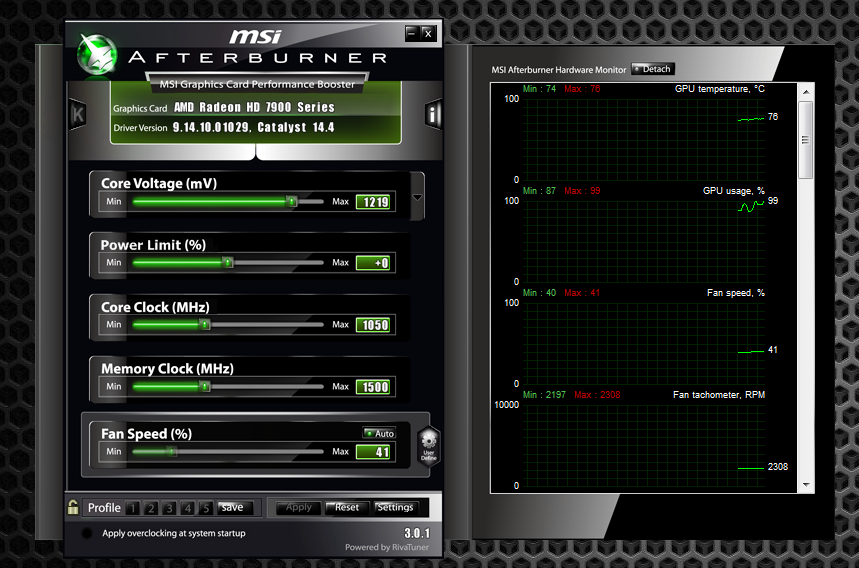
Both utilities offer features such as voltage adjustment, on screen display, in-depth monitoring, custom fan profiles, OC profiles, and more. While they both offer largely the same features, Afterburner tends to do them a bit better while offering more of them. For instance, Afterburner has a more extensive on screen display feature, a more in-depth monitoring section, video capture capabilities, and compatibility with both AMD and NVIDIA video cards. However, Precision X does offer some standout features, such as a subjectively better-looking interface, the fantastic OC Scanner X stress tester, and the Pixel Clock OC feature.
Ultimately when all is said and done, in the face of some very strong competition we feel that MSI Afterburner rises above the other overclocking utilities in our round-up. Afterburner’s long list of features certainly helps its case here, but it’s also an evolving utility that is constantly being updated and improved, more than any utility in our round-up. In addition, Afterburner’s developers have done their best to ensure that voltage control is available on a wide variety of video cards as well, making MSI’s voltage control support second to none. With such a wide feature set and backed by this type of commitment and support, for these reasons MSI Afterburner is the current gold standard among video card overclocking utilities.
Originally published at https://www.anandtech.com/show/8589/anandtech-guide-to-video-card-overclocking-software (Wayback Machine).