
GIGABYTE Server GA-7PESH3 Motherboard Review
GIGABYTE GA-7PESH3 BIOS
An important point to realize with the major motherboard manufacturers is that the motherboard server team is a wholly different business unit to the end-user motherboard team. As a result, the only overlap between these two departments (apart from purchasing hardware) is at high level management. This usually means that the design teams do not talk to each other, the development teams do not talk to each other, and the BIOS/software teams are separate. This is a bit of a shame to be honest, because while the end-user side of the company is focused on delivering a good user experience, it does not translate over to the server side of the company which is more focused on robustness and support. This means that our BIOS interface, while technically an EFI/UEFI construct, is a simple text and select affair.

The front screen contains information on the BIOS version, the CPUs installed and the memory installed, but fails to mention which motherboard is in use. With standard graphical interfaces, even if they came to server implementations, would benefit from fan speeds and CPU temperatures on this screen as well.

The Advanced menu contains most of the motherboard options, especially the CPU configuration and the fan controls.

The fan controls are dire – for six fan headers, there is only one option and the rate of increase of fan speed is determined by a single value. For a workstation oriented motherboard, I would have assumed that an adaptive system would need to be in place.
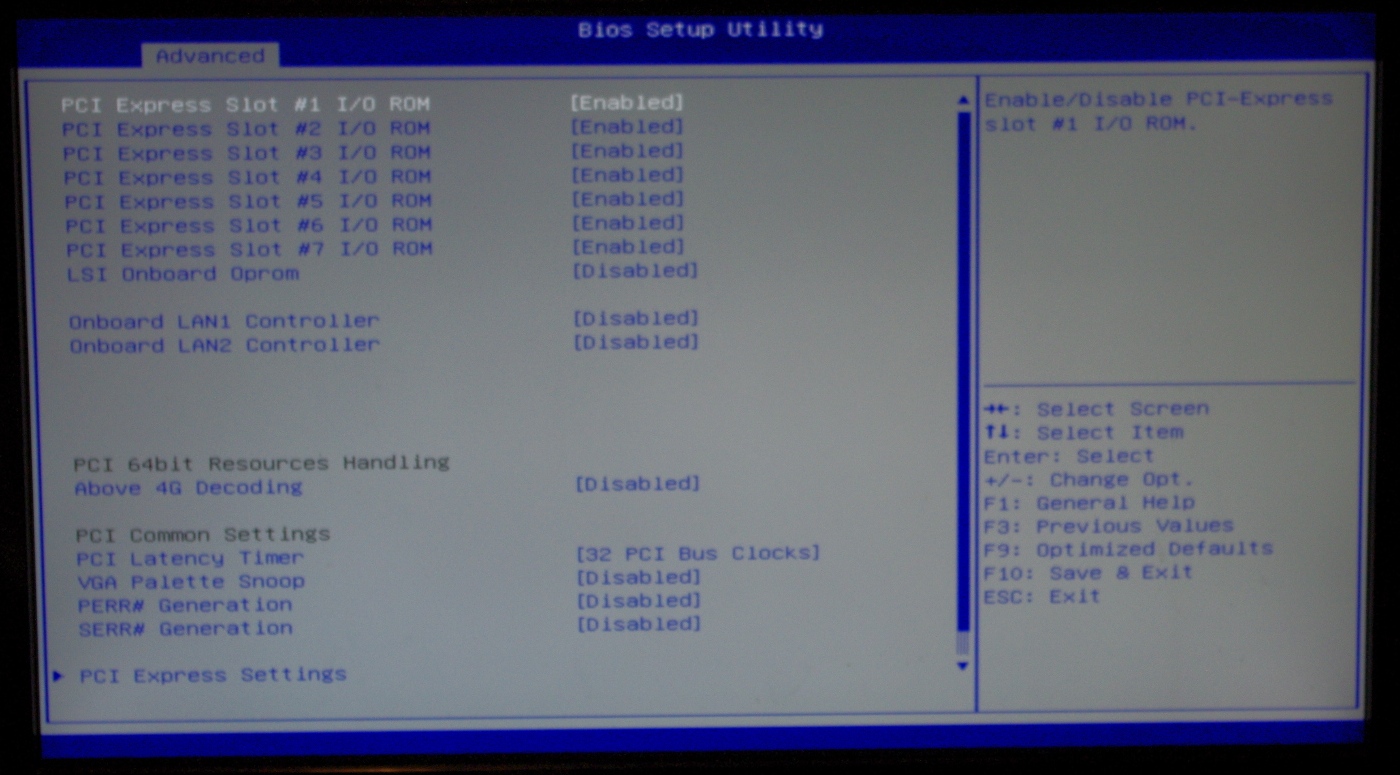
The option for Above 4G Decoding, required for certain PCIe co-processors, is found in the PCI Subsystem menu and is disabled by default.

Users who are interested in every morsel of performance should head over to the CPU Power Management menu where the Energy Performance option should be changed to full performance. This makes the turbo modes more aggressive, maintaining a higher turbo on the CPUs for longer. We ran our system at the stock default option - balanced performance.

The GA-7PESH3 does support Hot Plug on the SATA ports, but this is disabled by default. This makes more sense if this motherboard is placed in a case with hot-plug bays rather than RAID applications.

Memory control is limited, with the Chipset -> North Bridge menu offering most of the options. The user can select the DDR3 Speed here, although sub-timing control is not offered. There is a DIMM information screen so diagnosis of an errant memory module can take place:

VT-d is also present, and in our configuration was enabled by default. There was no direction mention of VT-x in the BIOS.

The rest of the BIOS supports data logging for the management interface as well as boot order, fast boot options for Windows 8 and boot override functionality.


GIGABYTE GA-7PESH3 Software
For the reasons mentioned at the start of the BIOS analysis, the software system is similarly different to the channel motherboard market. There is no software directly usable or downloadable from the product page, and thus the management interface becomes the sole ‘software’ available for use.

The system uses a MergePoint EMS interface, similar what we saw on the GIGABYTE GA-7PESH1. After a login (default settings are admin/password) the above screen is shown, and if I were a server admin I would have like to see some indication of what hardware installed in the system on the front page, and if the machine is switched on and running, if one of a list of operating systems are detected.
As with these management systems, security is a major priority, and this system gives a level of IP blocking rather than an IP whitelist:

This is combined with a list of enabled users who have access:

The system can also adjust its web server management settings for the interface, giving timeouts and port selection.


The management system is based on a Linux kernel, as shown in the LDAP Configuration Page, which can also be updated akin to a firmware update:


One of the more important uses for the management software is remote control of the system. This comes in two parts – direct control over the state (on/off) of the system and the interface to the video output. The former is located in Power -> Control:

With the direct OS control provided by a virtual KVM over a Java based implementation:

Another aspect of the management center is keeping track of voltages, fan speeds and temperatures and indicating when they are out of the normal working window.

The GA-7PESH3 uses fourteen different temperature sensors for this, each of them with limits defined in firmware. I’m sure that a custom system would prefer these to be manually adjustable.

The management engine also keeps track of the system event log, for when the machine is booted or one of the aforementioned sensors goes out of optimal functioning parameters. When the temperature gets too high, or a fan fails, the system can react by forcing a reboot, power cycle or power the system down:


Originally published at https://www.anandtech.com/show/8485/gigabyte-server-ga-7pesh3-motherboard-review-2p-or-not-2p (Wayback Machine).