
Recovering Data from a Failed Synology NAS
DS414j Status: Disk Problems or Hardware Failure?
After ensuring the safety of the data, I tried to reinitialize the NAS using the same drives, but the process conked out towards the end with a message indicating that the process was incomplete and telnet service had been enabled for support personnel to look into. Not satisfied with this situation, I rebooted the unit with the drives removed and the reset button at the back pushed in. After the reboot, I inserted two fresh drives and began the initialization process.
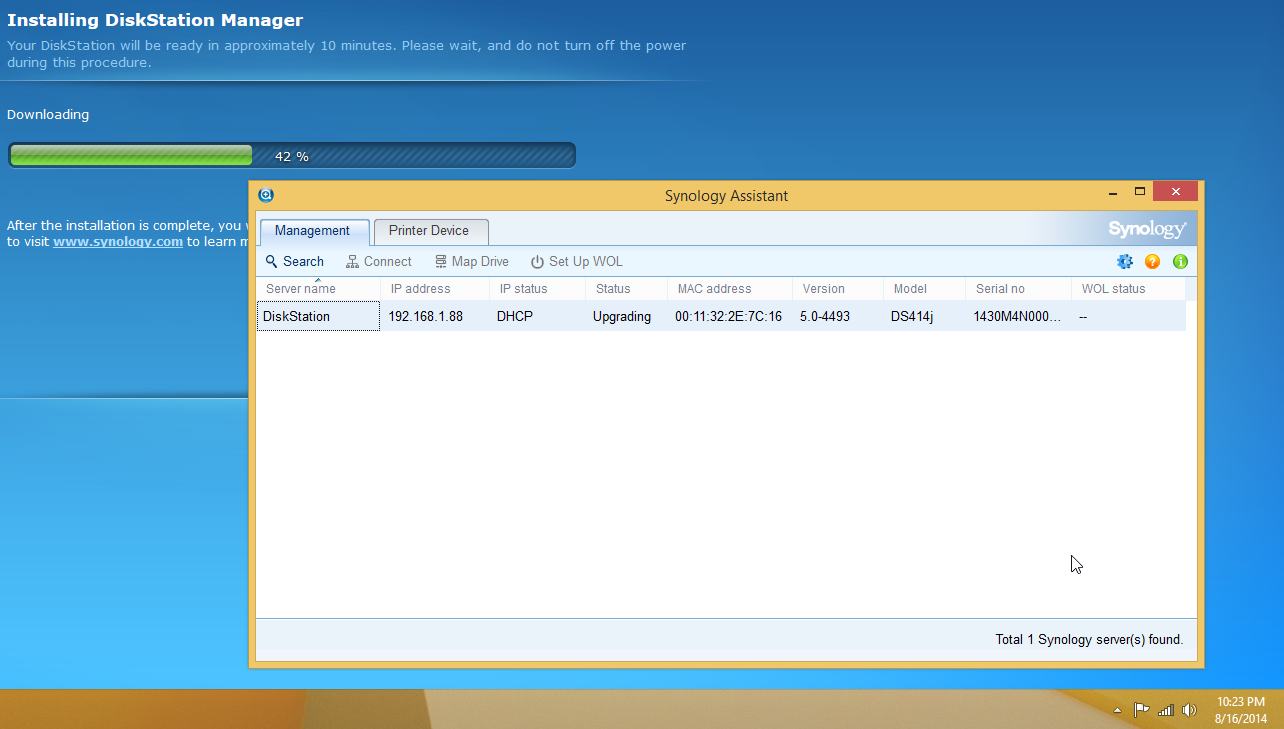
DSM Initialization Process 3 Hours After Starting

DSM Initialization Process More than 8 Hours After Starting
The completion process was stuck at 42% with the second drive's LED blinking continuously for more than 48 hours before I pulled the plug. Synology Assistant had shown the status of the unit as 'Upgrading' the whole time.
Synology support asked me to try initializing with a single drive (completely new, fresh out of the box) in another bay. This changed the failure symptom, but didn't resolve the issue.

The unit was shipped back to Synology and they found that one of the circuit board elements had simply died (no burn-out or any other marks). So, it did turn out to be an internal hardware failure in the end. A small percentage of products shipped by any vendor invariably fails in the early stages of being in the consumer's hands. It was just unfortunate for Synology that it happened to a review unit sampled to the press.
Originally published at https://www.anandtech.com/show/8399/recovering-data-from-a-failed-synology-nas (Wayback Machine).