
ASUS PQ321Q UltraHD Monitor Review: Living with a 31.5-inch 4K Desktop Display
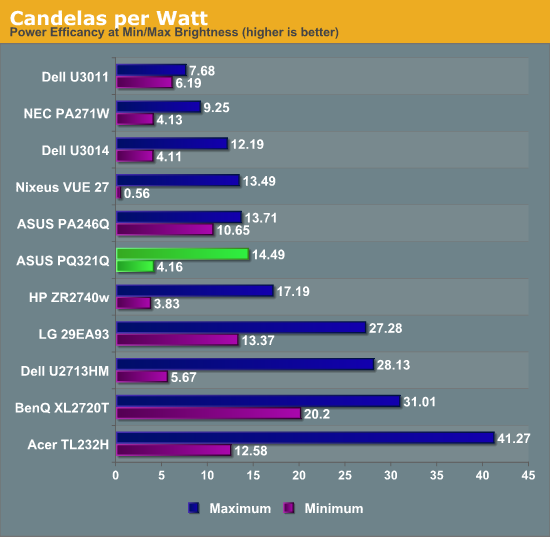
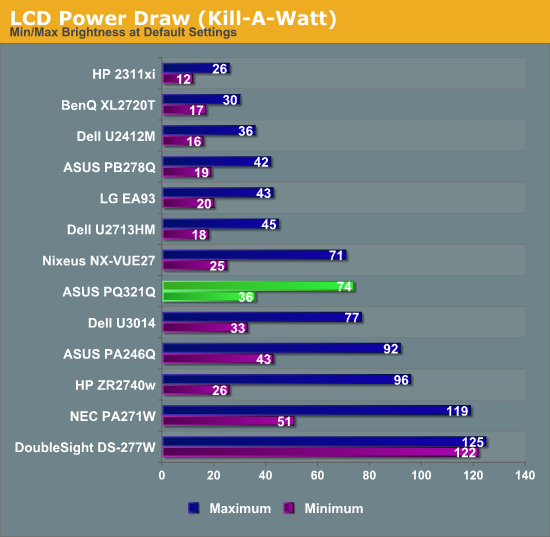
Using the updated metric for power usage, where I factor in maximum brightness and screen area and not just power usage, the ASUS PQ321Q falls right in the middle of the pack. For both maximum and minimum brightness it does OK but not incredible in comparison to other displays. With the greater transmission of IGZO I would have thought I might see better numbers from the ASUS, but I imagine power usage was very low on the list of concerns relative to other performance numbers.
Overall the ASUS PQ321Q draws a relatively average amount of power compared to other displays.
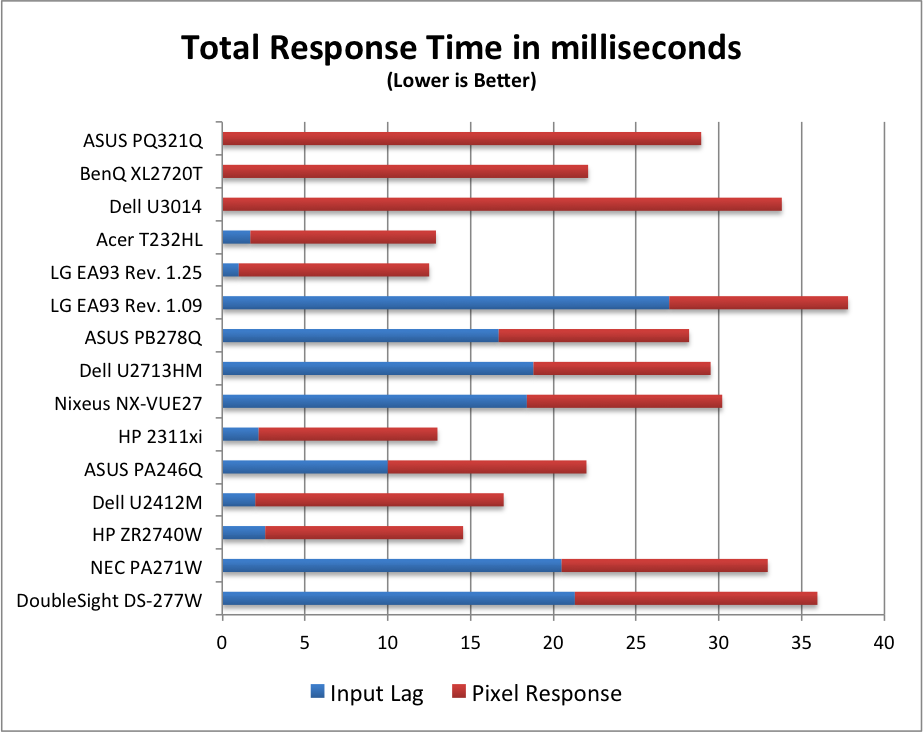
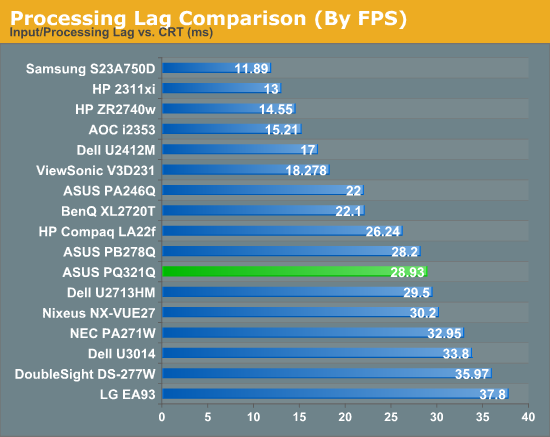
For testing input lag, I’m again reduced to using the Leo Bodnar lag tester over HDMI. This also means that the ASUS will have to scale the 1080p signal to be 2160p and fill the screen. Unlike before, I think this might be a more accurate test as many people will not be gaming at 2160p yet. Looking at the gaming numbers that our Ian Cutress found with a 4K display, you might want to run at 1080p for a little bit until setting up a 4x Titan rig becomes more affordable. Then again, if you can afford the ASUS PQ321Q, you might be buying a 4x Titan setup as well.
Back to the actual data, and the ASUS comes in at 28.93 ms of lag on average for the 3 measurement locations. This is better than the Dell U3014 monitor does, but slower than the BenQ XL2720T that is a native 1080p display. Given that you have scaling going on here, this actually is a pretty decent result I think.
Despite my GPU only being a GTX 660 Ti, I did try out a little bit of gaming on the ASUS. One question that was debated in Ian’s round-up was the necessity of MSAA at 4K resolutions. Measuring just now, I sit exactly 2’ away from the ASUS PQ321Q, with my eyes around dead center on the display. Turning on Half Life 2 (look, I’m not much of a gamer!), I can easily see the difference between no MSAA, 2x and 4x MSAA. The pixel density would need to be even higher, or I’d need to sit further away, for MSAA to not make a difference.
Without MSAA things still looked very sharp overall, but jagged lines are easy to spot if I look for them. You might be able to more easily get away with 2x or 4x instead of 8x MSAA, but you’ll want to have it enabled. Beyond that, the PQ321Q worked well for my casual gaming. Nothing recognized the display correctly at first, perhaps because of MST, but once in the game you can properly select the 3840x2160 resolution for it.
At the request of a commenter I'm adding some PixPerAn photos, trying to show best and worst case results. I've not used PixPerAn at all before, so feedback would be great. If I've done something wrong with it, I'll try to correct it ASAP.


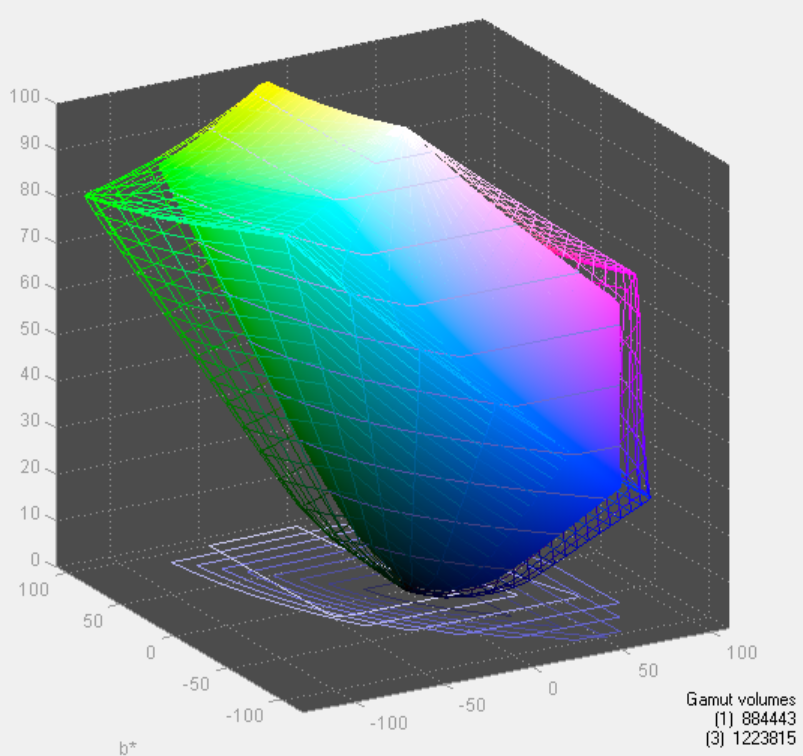
Looking at the gamut, we see a value that indicates full sRGB gamut coverage. From our earlier images of the CIE diagram we know we don’t have full coverage of red, blue and magenta. It seems the extra green/yellow/orange section is large enough that we get a value that indicates a volume equal to the sRGB space, but some of that volume is an area outside of sRGB. It is close to the sRGB area, but not quite.
Originally published at https://www.anandtech.com/show/7157/asus-pq321q-ultrahd-4k-monitor-review (Wayback Machine).