
ASUS PQ321Q UltraHD Monitor Review: Living with a 31.5-inch 4K Desktop Display
Given the lofty price tag, there is a good chance the ASUS PQ321Q is targeting graphics and print professionals, so meeting the sRGB standards of 80 cd/m2 and its custom gamma curve will be important.
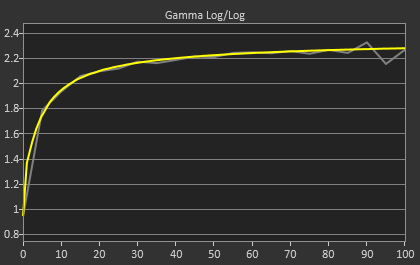
Looking at the grayscale first, sRGB is just as good as our 200 cd/m2 target is. The gamma is virtually perfect, and there is no color shift at all. The contrast ratio falls to 667:1, which I expected as the lower light output leaves less room for adjustments. Graded just on grayscale and gamma, the PQ321Q would be perfect.



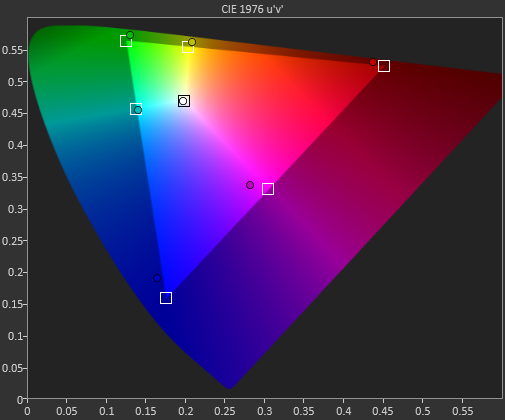
As soon as we get to the gamut, we see the same issues here as I expected to. That gamut is just a little off which gives us some noticeable dE2000 errors at 100% saturations for all colors.

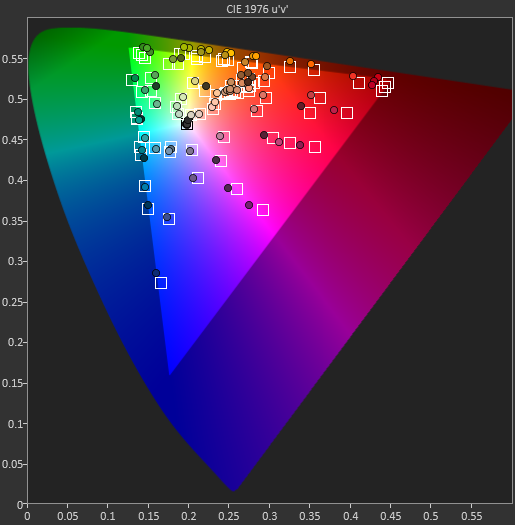
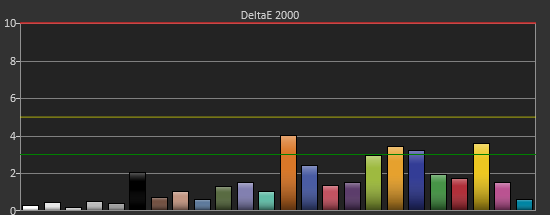
Here with the color checker charts, we see a large difference between the Gretag Macbeth results and the 96-sample results. The error rises from 1.62 to 2.05 as we are sampling more orange/yellow shades that fall outside of the gamut. Nothing really different than the last calibration, so the same issues apply.
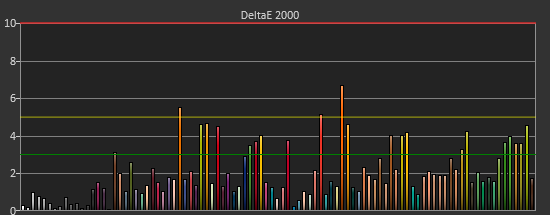

The saturations are also identical to see here. They start out with small errors but by the end, every color except for Cyan is showing a noticeable error at 100%.
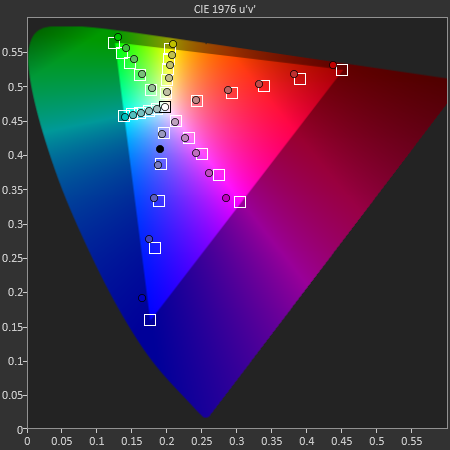
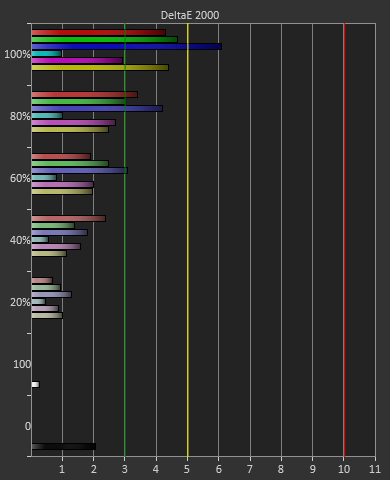
For 200 cd/m2 and a gamma of 2.2 or for 80 cd/m2 and the sRGB gamma, the ASUS PQ321Q performs almost equally. The grayscale and gamma are perfect, but the gamut has some issues. Once we start to see more displays using this same panel, but different electronics and possibly different backlights, then we can determine what is causing this shift in the gamut. With the initial target for the ASUS likely being professional designers, these errors seem a bit out-of-place.
Originally published at https://www.anandtech.com/show/7157/asus-pq321q-ultrahd-4k-monitor-review (Wayback Machine).