
AMD's A10-5750M Review, Part 2: The MSI GX60 Gaming Notebook
Display Quality
High dpi displays, even if they're TN panels, tend to perform fairly well, and the 1080p 15.6" panel on the MSI GX60 is at least a healthy one. I feel like at long last we're finally starting to come out of the dark ages of 1366x768 panels; virtually none of the notebooks I've tested recently have had bad or low-resolution panels. With tablets pushing pixel density ever higher and TN panels only showing up on the cheapest of the cheap, the notebook industry has been running out of excuses to fob crappy displays on us. You'll still see them at the lowest and most mainstream price points, but the trickle-down mercifully seems to have begun.
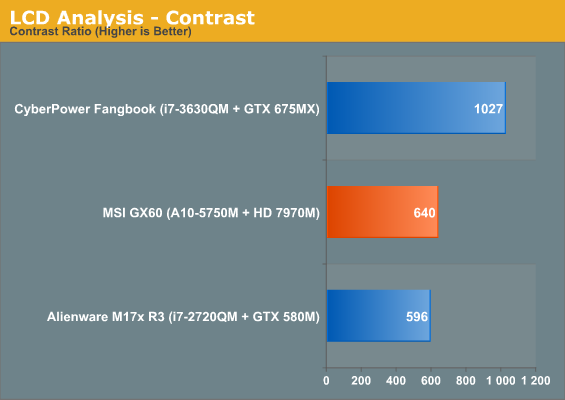
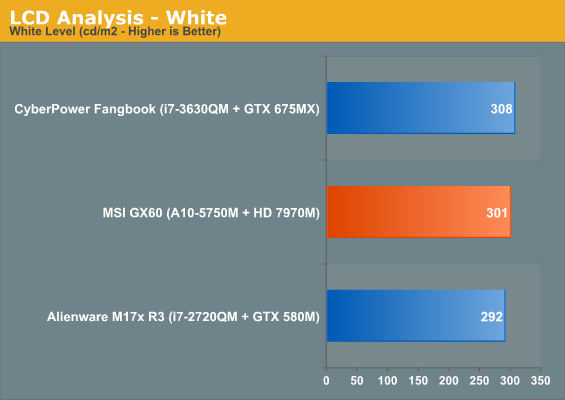
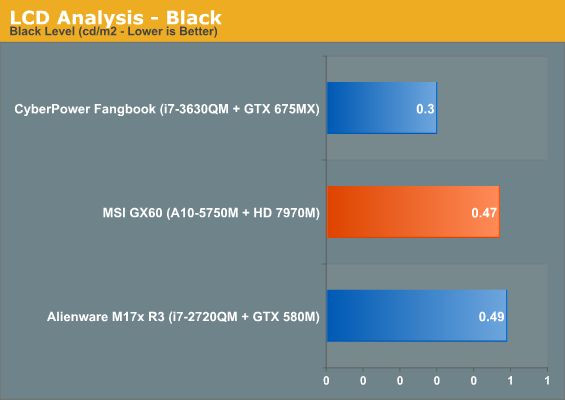
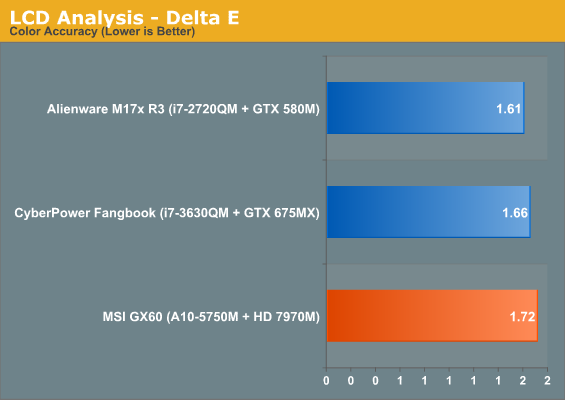
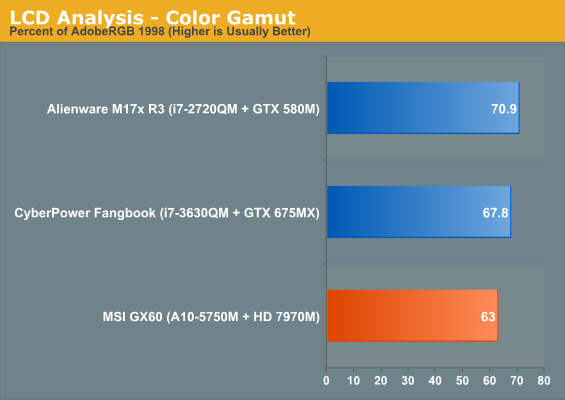
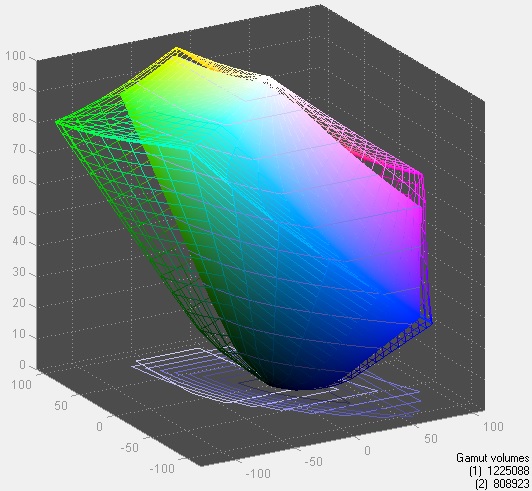
The panel MSI uses for the GX60 isn't exemplary, but the contrast ratio is a far cry from the sub-300 or even occasional sub-200 TN panels of the entry level market. If nothing else, the 1080p display is more than adequate for both gaming and any basic work, and I appreciate that MSI has stuck with the trend in the gaming notebook market of moving towards matte panels. Alienware was the last holdout, but their refreshed line of notebooks doesn't feature glossy displays either.
Battery Life
Unfortunately, perhaps frustratingly, we weren't able to get battery running time results for the original Trinity-based GX60, so MSI's new Richland-based model is stuck in the wilderness. Jarred has also reported continued issues with AMD's Enduro technology, but my experience with it on the GX60 was actually pretty painless. Enduro's interface is still miles behind NVIDIA's Optimus, but I at least have hope now that AMD will be able to compete and level the playing field. As it stands, NVIDIA hardware has been ubiquitous in the notebook space. While that's good for them, consumers need choice and competition.
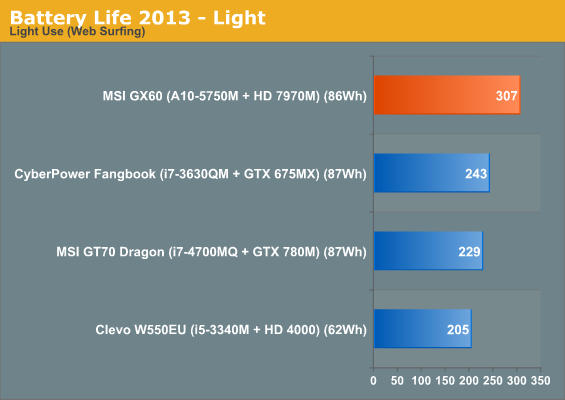
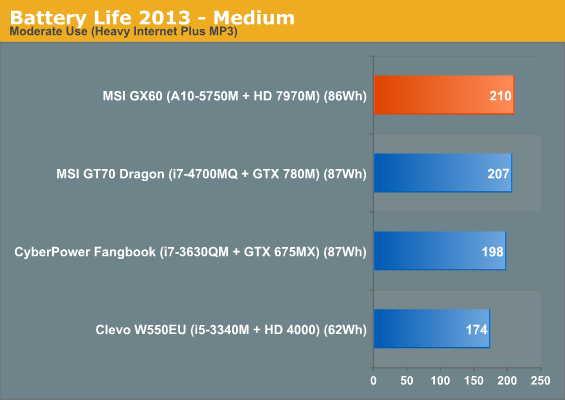
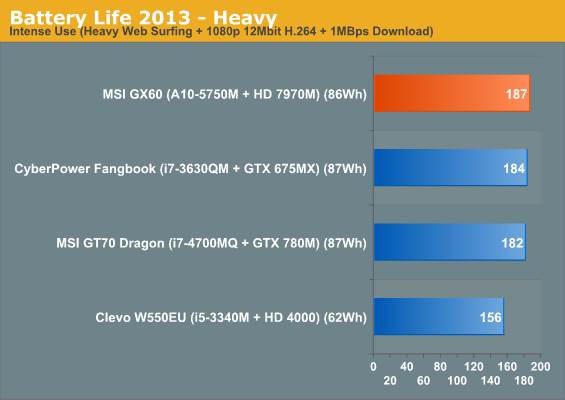
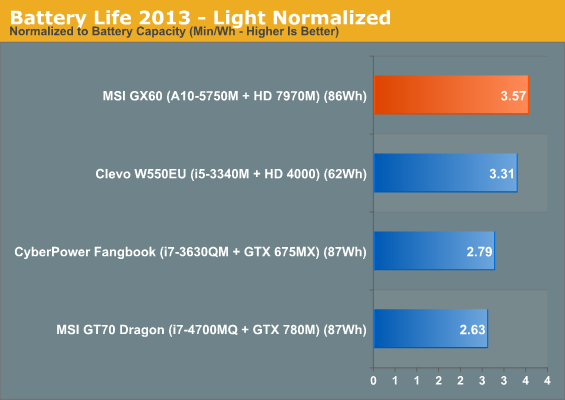
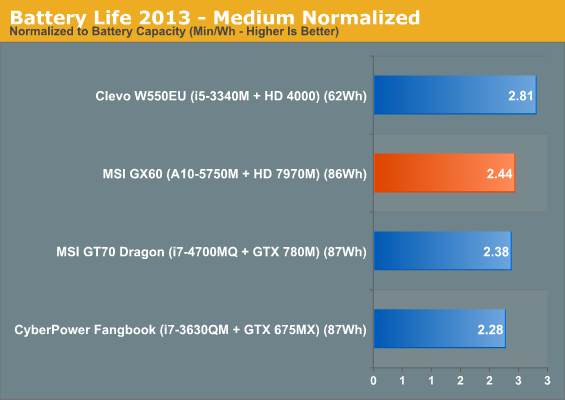
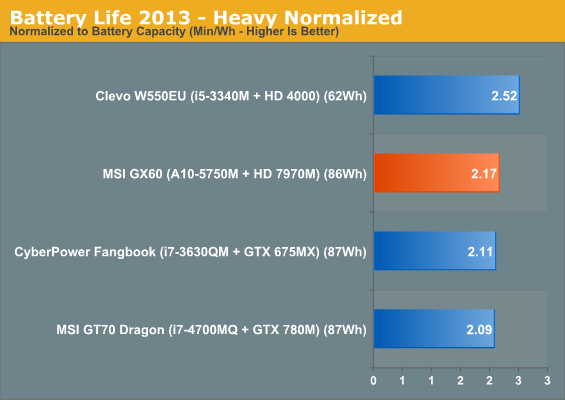
Compared to the other gaming notebooks tested and even the lone Clevo ultrabook, the MSI GX60 is able to actually produce pretty excellent battery life. If all you're doing is casually surfing the internet, the Richland-based APU powering the GX60 can give you a solid five hours of running time.
Heat
While the larger GT70 Dragon Edition had trouble managing its thermals (hopefully fixed with a BIOS update, more on this to come soon), the GX60's dealing with a much lower thermal load. The Intel Core i7-4700MQ coupled with the GeForce GTX 780M results in a peak power draw of almost 150W between the CPU and GPU, while the GX60 tops out at 110W.
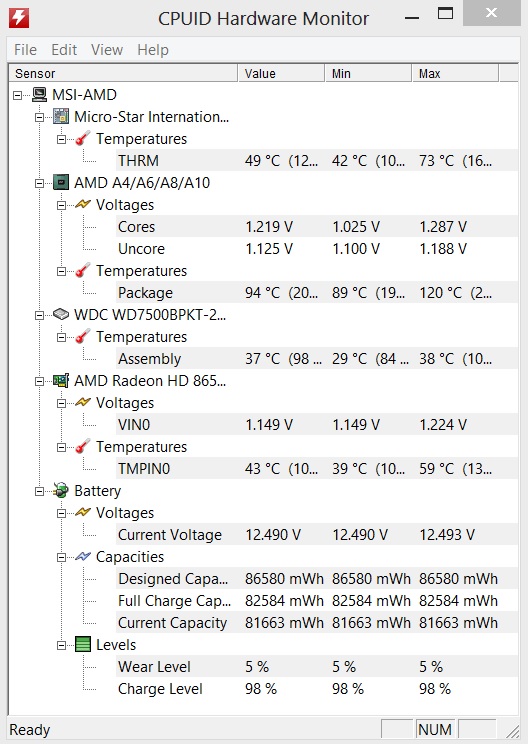
I'm not sure what HWMonitor is reading as the "package" temperature, but I can tell you that's not what the APU is running at. For a better idea of how hot the system is running, take a look at the "THRM" value and the temperature value under the Radeon. The GX60 has no trouble dissipating the heat from the A10-5750M and Radeon HD 7970M.
Originally published at https://www.anandtech.com/show/7111/amds-a105750m-review-part-2-the-msi-gx60-gaming-notebook (Wayback Machine).