
NVIDIA's GeForce GTX Titan, Part 1: Titan For Gaming, Titan For Compute
GPU Boost 2.0: Temperature Based Boosting
With the Kepler family NVIDIA introduced their GPU Boost functionality. Present on the desktop GTX 660 and above, boost allows NVIDIA’s GPUs to turbo up to frequencies above their base clock so long as there is sufficient power headroom to operate at those higher clockspeeds and the voltages they require. Boost, like turbo and other implementations, is essentially a form of performance min-maxing, allowing GPUs to offer higher clockspeeds for lighter workloads while still staying within their absolute TDP limits.
With the first iteration of GPU Boost, GPU Boost was based almost entirely around power considerations. With the exception of an automatic 1 bin (13MHz) step down in high temperatures to compensate for increased power consumption, whether GPU Boost could boost and by how much depended on how much power headroom was available. So long as there was headroom, GPU Boost could boost up to its maximum boost bin and voltage.
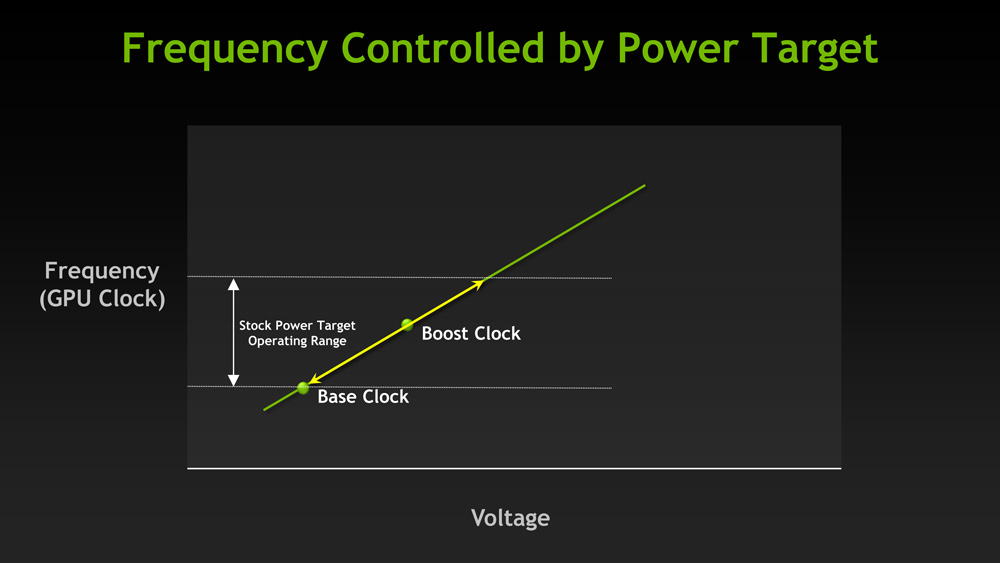
For Titan, GPU Boost has undergone a small but important change that has significant ramifications to how GPU Boost works, and how much it boosts by. And that change is that with GPU Boost 2, NVIDIA has essentially moved on from a power-based boost system to a temperature-based boost system. Or perhaps more precisely, a system that is predominantly temperature based but is also capable of taking power into account.
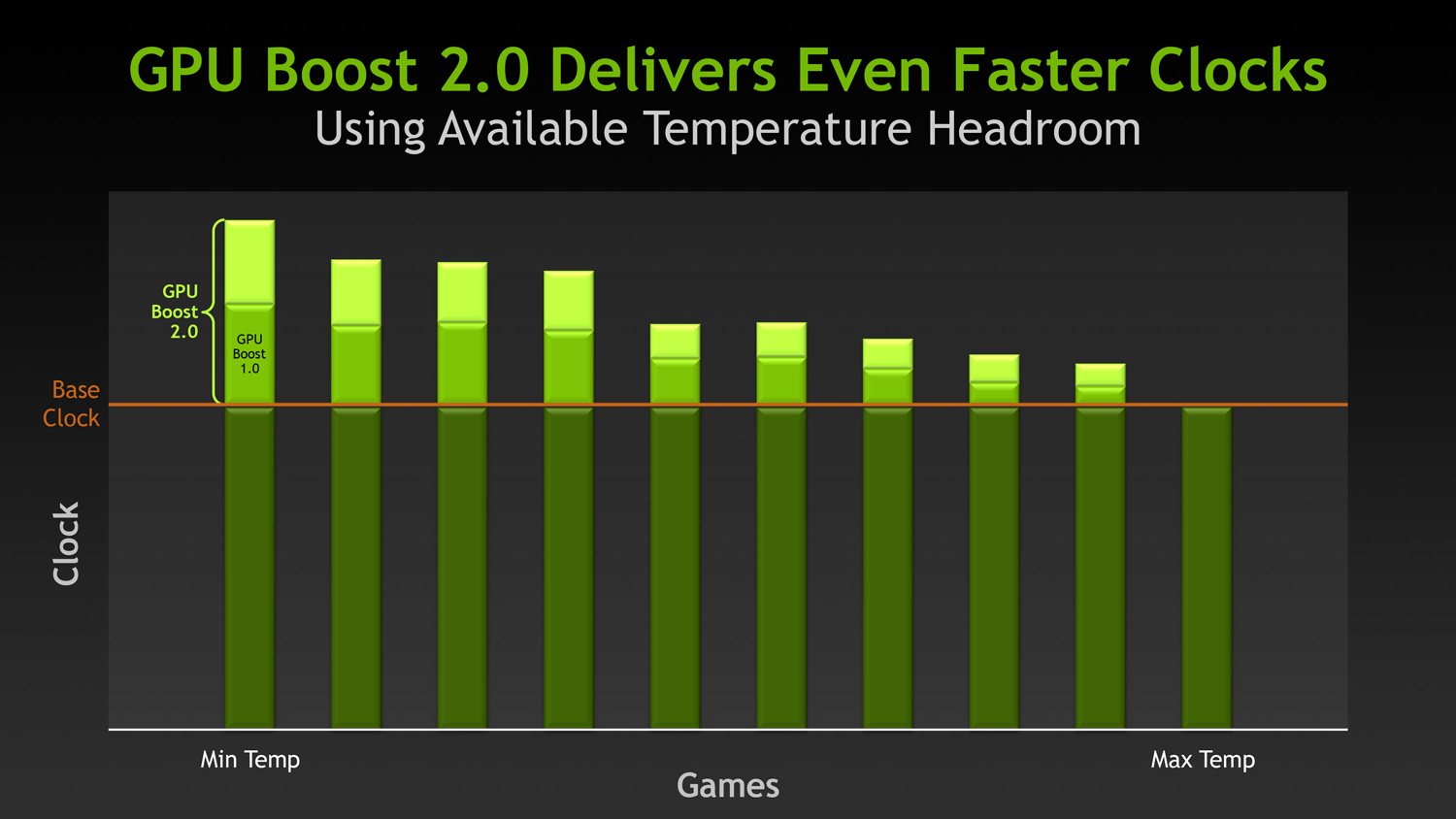
When it came to GPU Boost 1, its greatest weakness as explained by NVIDIA is that it essentially made conservative assumptions about temperatures and the interplay between high temperatures and high voltages in order keep from seriously impacting silicon longevity. The end result being that NVIDIA was picking boost bin voltages based on the worst case temperatures, which meant those conservative assumptions about temperatures translated into conservative voltages.
So how does a temperature based system fix this? By better mapping the relationship between voltage, temperature, and reliability, NVIDIA can allow for higher voltages – and hence higher clockspeeds – by being able to finely control which boost bin is hit based on temperature. As temperatures start ramping up, NVIDIA can ramp down the boost bins until an equilibrium is reached.
Of course total power consumption is still a technical concern here, though much less so. Technically NVIDIA is watching both the temperature and the power consumption and clamping down when either is hit. But since GPU Boost 2 does away with the concept of separate power targets – sticking solely with the TDP instead – in the design of Titan there’s quite a bit more room for boosting thanks to the fact that it can keep on boosting right up until the point it hits the 250W TDP limit. Our Titan sample can boost its clockspeed by up to 19% (837MHz to 992MHz), whereas our GTX 680 sample could only boost by 10% (1006MHz to 1110MHz).
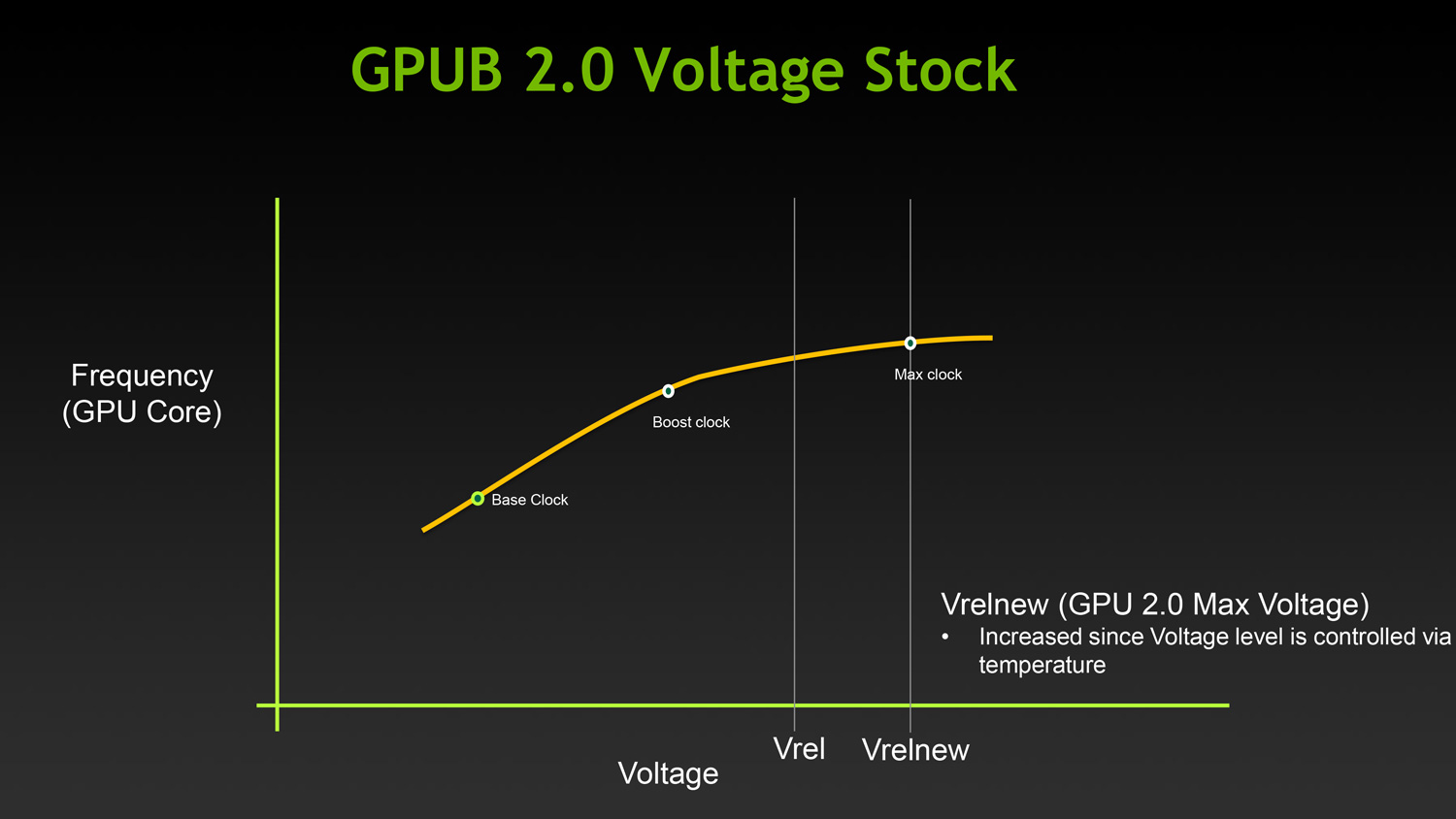
Ultimately however whether GPU Boost 2 is power sensitive is actually a control panel setting, meaning that power sensitivity can be disabled. By default GPU Boost will monitor both temperature and power, but 3rd party overclocking utilities such as EVGA Precision X can prioritize temperature over power, at which point GPU Boost 2 can actually ignore TDP to a certain extent to focus on power. So if nothing else there’s quite a bit more flexibility with GPU Boost 2 than there was with GPU Boost 1.
Unfortunately because GPU Boost 2 is only implemented in Titan it’s hard to evaluate just how much “better” this is in any quantities sense. We will be able to present specific Titan numbers on Thursday, but other than saying that our Titan maxed out at 992MHz at its highest boost bin of 1.162v, we can’t directly compare it to how the GTX 680 handled things.
Originally published at https://www.anandtech.com/show/6760/nvidias-geforce-gtx-titan-part-1 (Wayback Machine).