
Getting the Best out of an Ivy Bridge HTPC: Windows 8, madVR and More..
Network Streaming Performance - Netflix
The drivers for the Intel HD 4000 enable hardware accelerated decode and rendering for Netflix streams in Silverlight on Windows 7. The Windows 8 Netflix app has been a bit of a mystery where it is not readily evident as to whether hardware acceleration is present or not, and whether it is being really utilized. In this section, we will take a look at how Netflix behaves on Windows 7 and Windows 8. The ISP at my location is Comcast, and unfortunately, there is no access to the Netflix 5 Mbps Super HD streams yet.
Netflix on Windows 7
On Windows 7, Netflix needs the Silverlight plug-in to be installed. We played back our standard test stream using Internet Explorer.
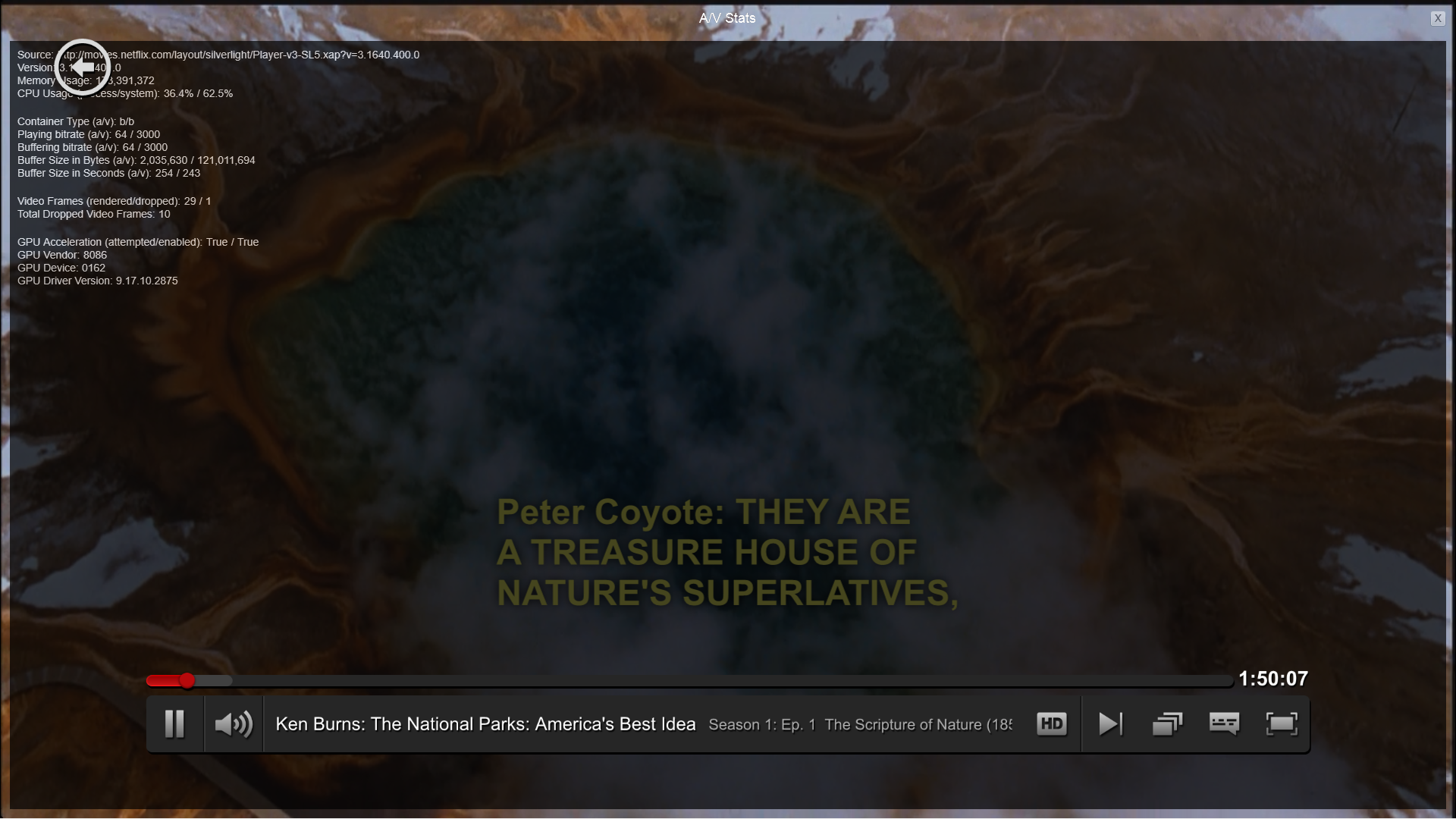
The Silverlight plug-in attempts GPU acceleration and enables it on our system. Manual stream selection is available. The maximum playback quality has a bitrate of 64 kbps for the audio and 3 Mbps for the video.

We will take a look at the efficiency of the system while playing back the stream towards the end of this section.
Netflix on Windows 8
On Windows 8, Netflix is streamed through a Metro app. Fortunately, the same debug shortcut keys used in the Silverlight version work here too. A nice add-on touch is that the manual stream selection and playback statistics OSD can be made to appear simultaneously.
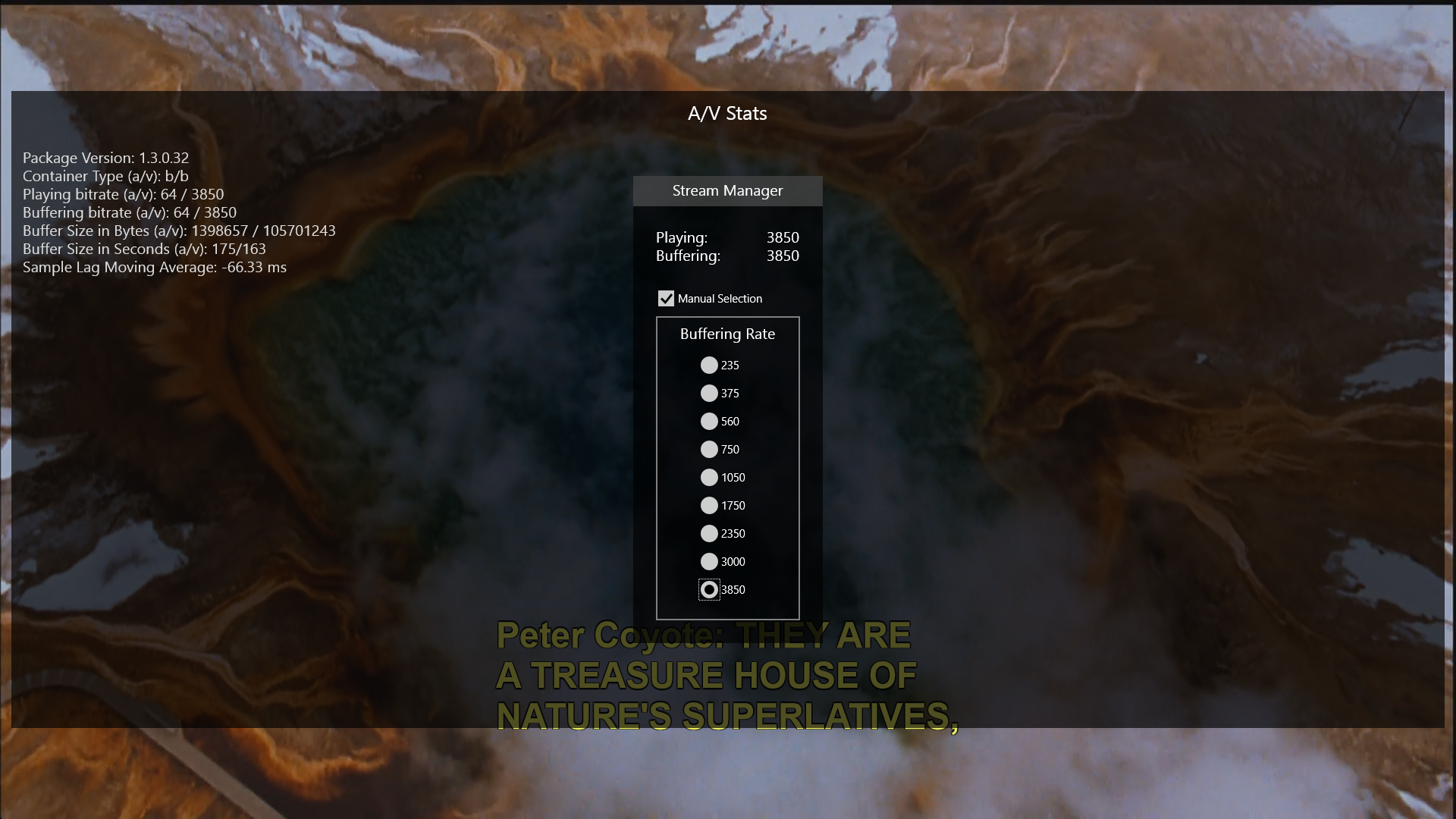
It is not immediately evident as to whether hardware acceleration is being utilized or not. However, the aspect which stands out immediately is the fact that the video playback bitrate can go as high as 3.85 Mbps. Audio still remains at a lowly 64 kbps. Hopefully, a future update to the Netflix app can provide us with the soundtracks available on specialized media streamers.
Netflix Power Consumption - Windows 7 vs Windows 8
While the Silverlight plug-in OSD helpfully reports that GPU acceleration is being taken advantage of, it doesn't indicate the efficiency in any way. On the other hand, the Windows 8 app doesn't report GPU acceleration status at all. To determine the actual efficiency of Netflix playback, we recorded power consumption at the wall for both scenarios over a 10 minute interval during the middle of the stream.
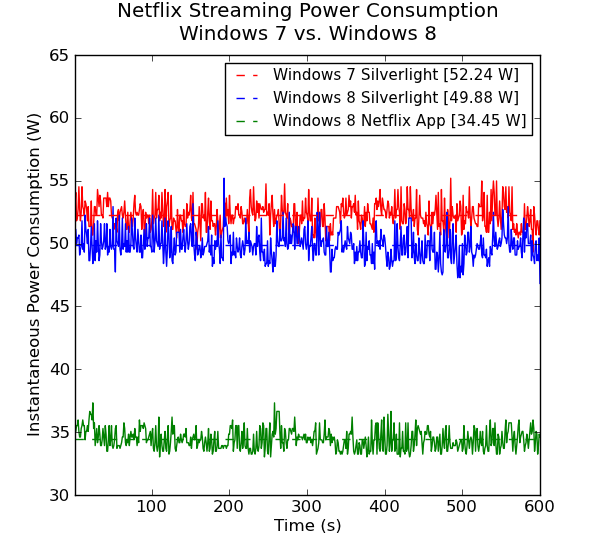
The graph presents some very interesting results. With Windows 8, the system consumes much less power and the stream is also of higher quality. GPU acceleration in the app makes the streaming more than 30% efficient when compared to the Silverlight version. Compared to Windows 7 Silverlight, the Netflix app is efficient by approximately 35%. Windows 8, by itself, seems to consume less power too. Considering these results, if Netflix forms any part of your HTPC usage scenario, it is a no-brainer to upgrade from Windows 7 to Windows 8.
Originally published at https://www.anandtech.com/show/6674/getting-the-best-out-of-an-ivy-bridge-htpc-windows-8-madvr-and-more (Wayback Machine).