
Getting the Best out of an Ivy Bridge HTPC: Windows 8, madVR and More..
General Performance Metrics
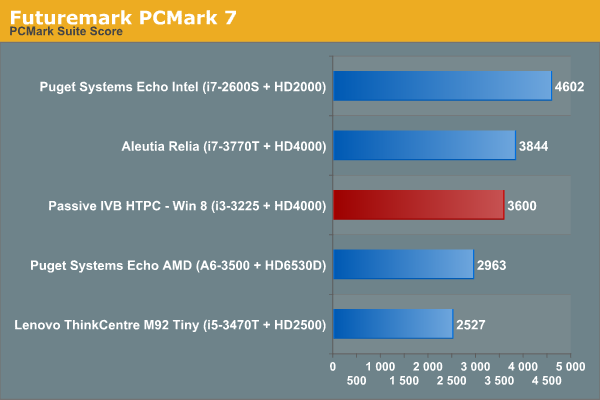
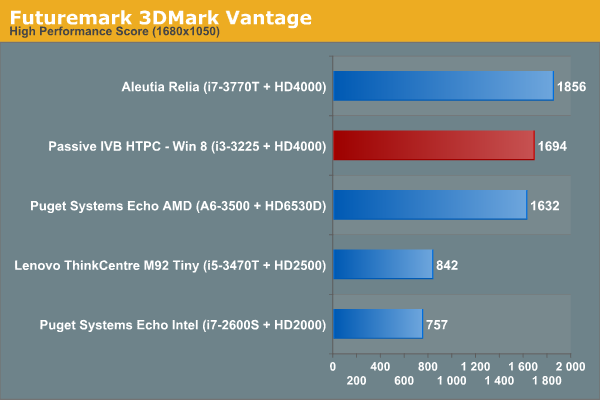
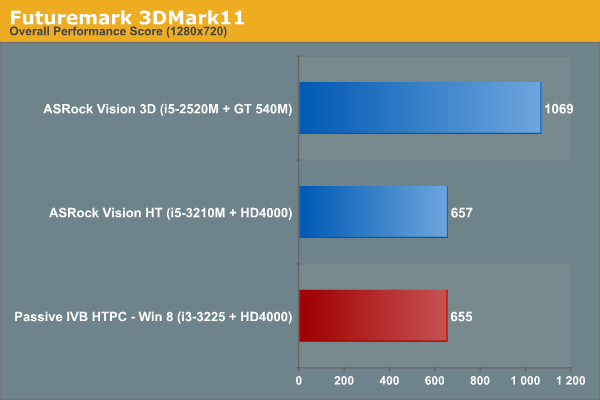
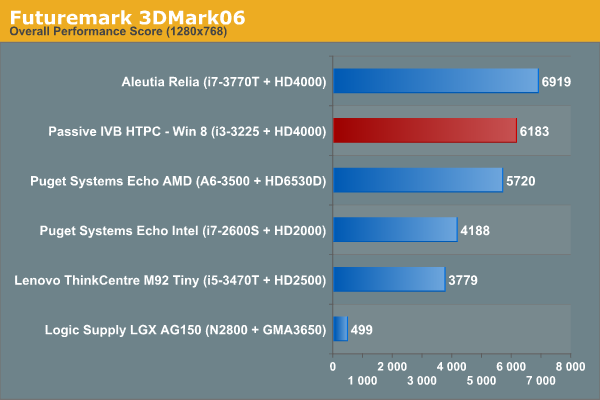
We are not going to compare our build with full-blown desktop solutions. Instead, we will see how the unit stacks up to some of the low power offerings that have graced our labs. Some of the benchmarks have been run for the first time, and hence, not all benchmarks are available for all units. In addition, we are only presenting benchmark results for our build under Windows 8.
Windows Performance Index
This metric is often considered meaningless, but we feel it serves as an indicator of what could be the bottleneck in a system. On Windows 8, systems can score up to 9.9 on this metric, compared to 7.9 on Windows 7.
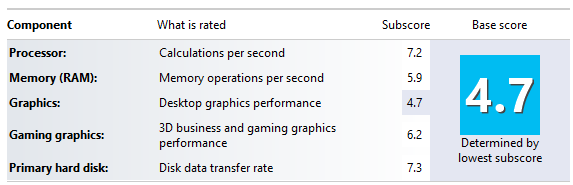
Given that we have equipped the system with SSDs and the RAM runs at the prescribed maximum of 1600 MHz, it is no surprise that the HD 4000 GPU is responsible for a score of 4.7 for the system.
Futuremark Benchmarks
Miscellaneous Benchmarks
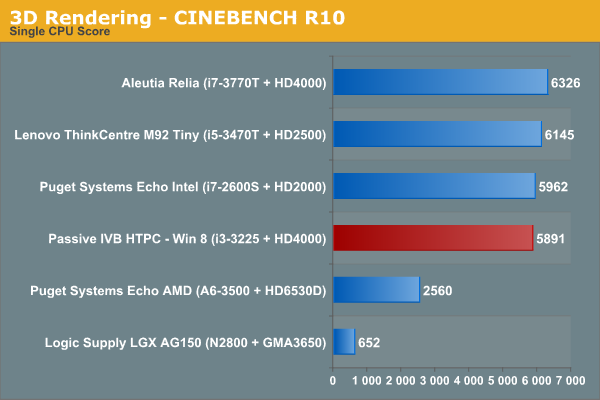
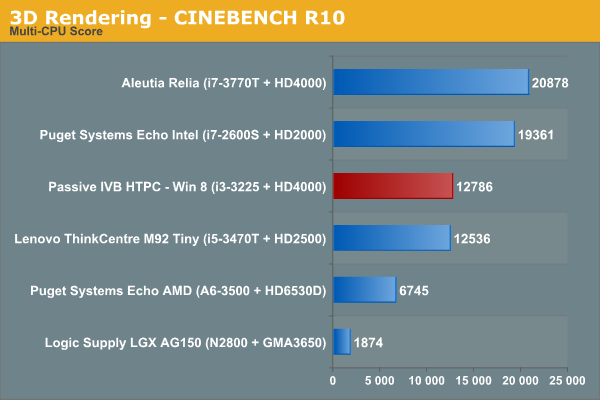
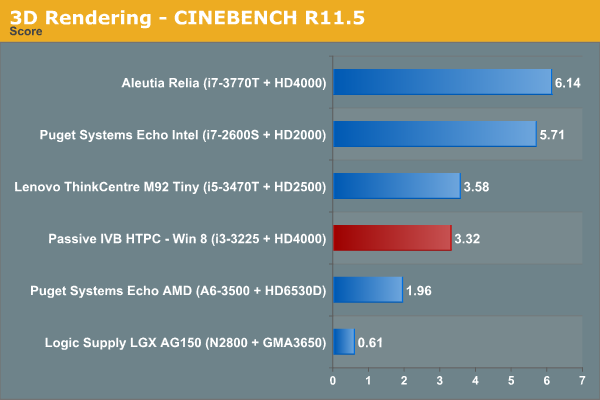
Starting with this review, we are going to utilize Graysky's x264 Benchmark v5.0 for testing out x264 encoding performance. Instead of just presenting benchmarks for our build alone, we took the opportunity to run the benchmark on two HTPC units we reviewed earlier.
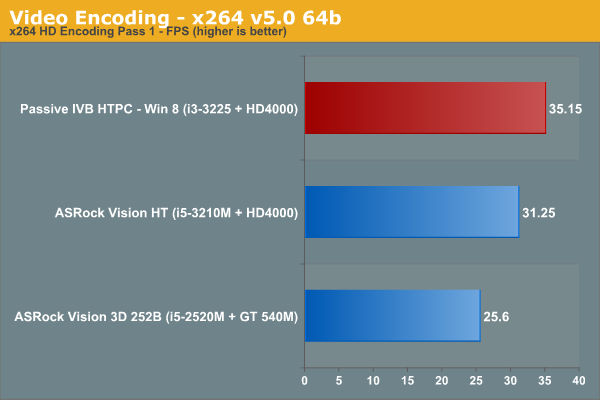
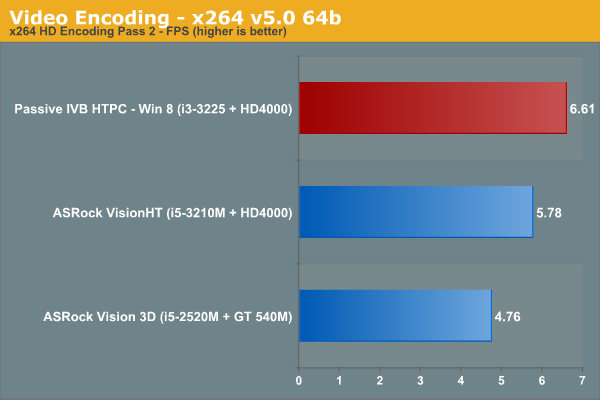
There are no surprises in the benchmarks, with the CPU performance befitting a 55W TDP unit. The absence of four physical cores does hurt it against the i7-based units in the above graphs (and would have showed in the x264 benchmark too, if we had run it on a i7-based system). However, this is not a concern for most HTPC workloads.
Originally published at https://www.anandtech.com/show/6674/getting-the-best-out-of-an-ivy-bridge-htpc-windows-8-madvr-and-more (Wayback Machine).