
Transcend SSD320 & SSD720 (256GB) Review
Transcend SSD720
Both the SSD720 and SSD320 use matching all-metal chassis. The height of the drives is 7mm, making them viable options for nearly all laptops, including some ultrabooks. Transcend doesn't include anything else but a 2.5" to 3.5" adapter and mounting screws in the retail boxes.


Delving inside the chassis reveals eight 24nm SanDisk Toggle-Mode MLC NAND packages. There are another eight on the other side of the PCB, meaning that the packages are dual-die (2x8GB). This NAND is exactly the same (part numbers are a match) as what Corsair uses in their Force GS SSD.
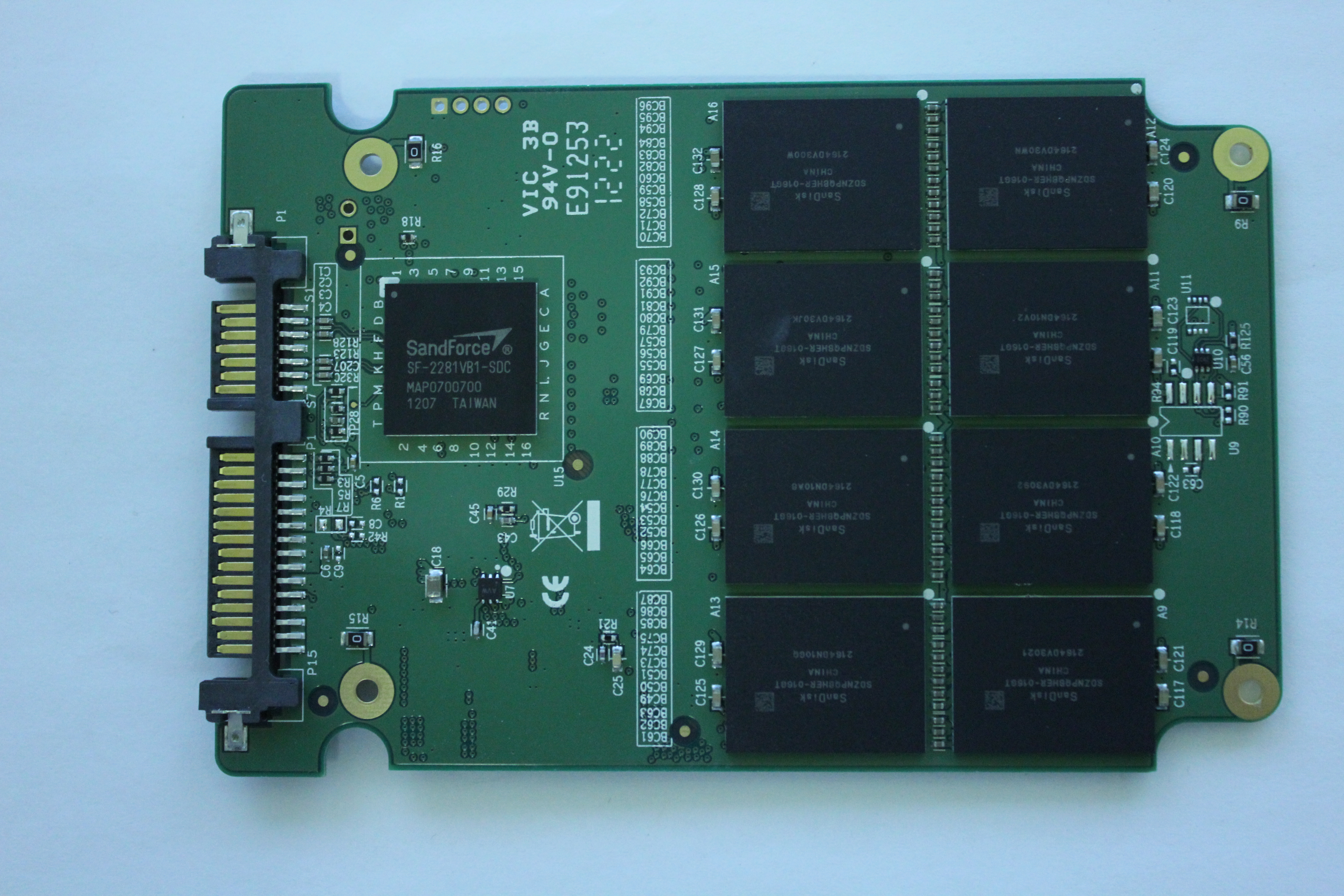
In addition to the another eight NAND packages, the other side of the PCB houses SandForce's SF-2281 controller. As usual, there's no DRAM present because SandForce relies on on-die caches.
SSD320

The SSD320 is a bit more interesting. That's Micron's 25nm asynchronous MLC NAND but with Transcend's labels. Similar to the SSD720, there is a total of sixteen NAND packages, each consisting of two 8GB dies. It's not abnormal for SSD manufacturers to rebrand the NAND they're using and for example OCZ and Kingston do it, although I'm personally not a big fan of this trend because it adds confusion. I do see the reasons behind it, though, as buying NAND in wafers and then packaging is cheaper than buying pre-packaged NAND straight from the manufacturer.

Transcend's SSD Toolbox: SSD Scope
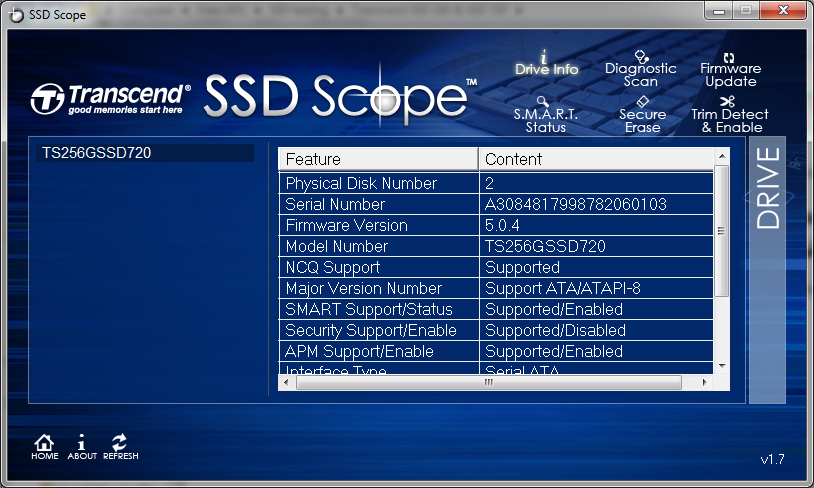
Transcend offers a toolbox for their SSDs called SSD Scope. There is no software CD included in the packaging, but the toolbox is available as a free download at Transcend's website. The toolbox has no clone function but there is a separate TSClone application included in the SSD Scope installer.

SandForce actually offers a toolbox to their clients, but many have decided not to distribute it (there may be some licensing fees involved). I have a feeling that SSD Scope is essentially SandForce's toolbox with Transcend's own skin. The functions are very basic: It can read your drive and SMART information, diagnose, erase and update the drive. For some reason, only the update function works in addition to SMART data, when trying to scan or erase the drive the software says "selected drive is not supported". It's possible that Transcend simply haven't enabled this function in the software or drive's firmware, but as it stands the toolbox is relatively redundant because there are plenty of freeware SMART tools that can do the same.
Test System
| CPU | Intel Core i5-2500K running at 3.3GHz (Turbo and EIST enabled) |
| Motherboard | AsRock Z68 Pro3 |
| Chipset | Intel Z68 |
| Chipset Drivers | Intel 9.1.1.1015 + Intel RST 10.2 |
| Memory | G.Skill RipjawsX DDR3-1600 2 x 4GB (9-9-9-24) |
| Video Card |
XFX AMD Radeon HD 6850 XXX (800MHz core clock; 4.2GHz GDDR5 effective) |
| Video Drivers | AMD Catalyst 10.1 |
| Desktop Resolution | 1920 x 1080 |
| OS | Windows 7 x64 |
Originally published at https://www.anandtech.com/show/6597/transcend-ssd320-ssd720-256gb-review (Wayback Machine).