
Z77 mITX Round-Up: Five of the Best – MSI, Zotac, ASRock, EVGA and ASUS
ASRock Z77E-ITX Conclusion
As part of this Z77 mITX review, I have been secretly hoping for a killer product. Something which is going to sweep the board in terms of price, performance, additional features, BIOS, and software. It is a bit optimistic for sure, and before I had started this review I had heard there were many positive comments coming from the forums regarding the ASRock Z77E-ITX. In order to remove bias from the equation, I tried to shun those threads and attempt to find out for myself why the ASRock was making the noise in all things Z77 and small form factor.
The ASRock Z77E-ITX does one thing different to any other product I have tested or used in a private capacity – putting useful functionality on the reverse of the motherboard. This essentially makes the motherboard a dual-sided affair, similar to that used notebooks. Specifically, ASRock move the mSATA port in their design to the rear of the board, freeing up space on the top. I can see many arguments for this especially in terms of saving space, although there could be some arguments against, such as design complexity moving traces through PCB layers resulting in interference, or the fact that adding z-height on a motherboard rear could restrict case fittings. Personally I think it is a great idea, especially if a case like the Bitfenix Prodigy is used. (Whether mSATA itself is useful in this scenario is another discussion altogether.)
There are other design choices which can differentiate the ASRock Z77E-ITX from the rest of the motherboards tested in this review. The 8-pin CPU power connector is in a better place than most, although the front panel audio is still in an obscure position near the rear IO panel. Integrated on board is a WiFi 802.11b/g/n module in a mini-PCIe slot, with cables going to the rear IO panel – the antenna for the WiFi are paired with a DVI-I where the analogue and digital outputs are combined into one port. To help with D-Sub users, a connector is provided in the box to convert the DVI-I to D-Sub. In contrast to the other models in the review, we have a Broadcom BCM57781 network controller rather than a Realtek, and also a Realtek ALC898 audio codec.
While ASRock would like to promote a ‘Digi Power Design’ on this motherboard, the chokes used for power delivery look a little suspect. The design suggests an iron core choke, similar to those used on low end motherboards, rather than iron powder chokes or alloyed chokes seen on other ASRock models. Despite the look, speaking with ASRock pointed to iron ferrite chokes – the ones used in their server solutions designed to save PCB area. While in the grand scheme of things this should not make much difference in output, one could come to the conclusion that there is potential for higher temperatures under stressed load as server systems are typically in high air flow scenarios. On a more negative note, ASRock do use what seems the common layout of chipset and socket on the motherboard, placing the socket in the bottom right corner and the chipset above the socket. As mentioned in the other boards (except the EVGA and ASUS who do it differently), this limits the CPU cooler to Intel specifications in the x-y plane if normal memory and GPUs are used.
In terms of the BIOS, we get a graphical interface using the older version of the ASRock UEFI rather than the newer ‘starry background’ shown in the latest Z77 and FM2A85X models. As a result, some of the newer features are in their older positions. Nevertheless, we still get the System Browser, Online Management Guard and the ability to update the BIOS via the Internet through the BIOS itself. It still does not take to heart the idea of an ‘interactive’ interface though, and feels like a skin over basic functionality – but most BIOSes do that anyway.
Software comes in the XFast format, with ASRock always keen to promote their XFast LAN, XFast USB and XFast RAM combination. All three software points have their merits, and no doubt enthusiasts would abuse all three for maximum benefit. My family would readily abuse the XFast USB, although the changes it makes should not make much different if Windows 8 is used (more about this in the review).
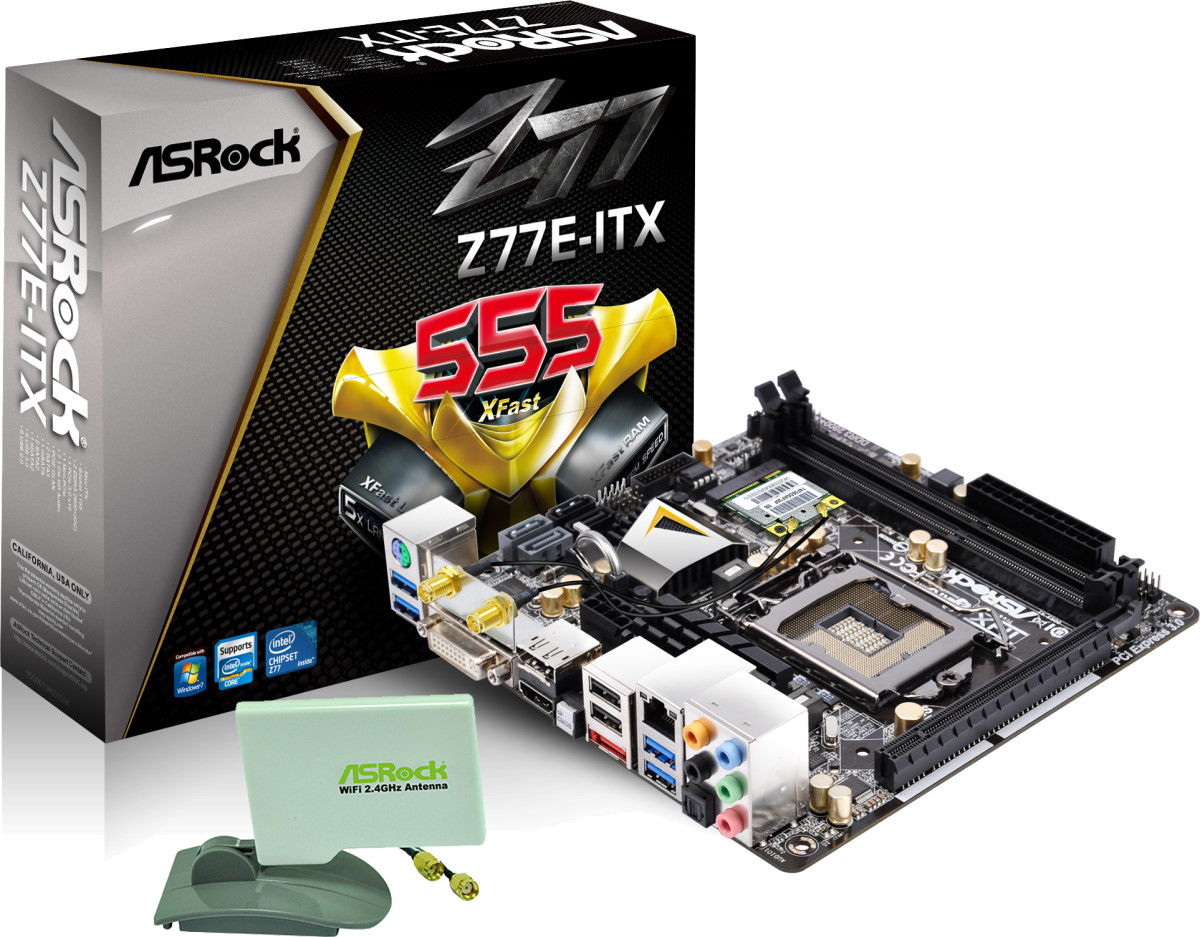
The bonus box add-ins are also of note, given that the WiFi antenna come in a somewhat orthogonal orientation plastic bracket ready to be stuck to the outside of the case (assuming you provide your own sticky tape). The inclusion of a DVI-I to D-Sub adaptor is smart thinking given the video options used on board as well.
In our testing, the ASRock Z77E-ITX performance is only stellar when it comes to the USB ports, although we have a reasonably ok Win7 POST time (11 seconds) and the ALC898 audio codec proves to have the range over lower versions. CPU and GPU performance is there or thereabouts but does not pull ahead of other boards.
The ASRock Z77E-ITX is currently available for $150 on Newegg, making it cheaper than the Zotac ($161) and the EVGA ($200) but slightly more expensive than the MSI ($145). The overall package and design layout makes a lot of sense to the kind of build I would have in mind, making the bang-for-buck meter swing well into the green.
Out of the boards tested today, the ASRock hits more of the primary points wanted in what I would consider a home/work mITX system, as well as a lot of secondary points too. The price competitive nature of the motherboard with a more unique design than most justifies the positive murmurings coming from forum users. As a result, I would like to give the ASRock Z77E-ITX an AnandTech Editors’ Recommended. With a little more performance, a debug LED and the update to the latest form of ASRock BIOS, it may have even pushed for a bronze award.
Originally published at https://www.anandtech.com/show/6516/z77-mitx-roundup-five-of-the-best-msi-zotac-asrock-evga-and-asus (Wayback Machine).