
Capsule Review: Rosewill's Illuminated Gaming Keyboard and RK-9000I Keyboard
- Posted in
- Keyboard
- Rosewill
- Cherry MX
- mechanical
Conclusion: Matters of Priority and Price
Now that we have a pretty full gamut of the four most common Cherry MX switches in hand and can rule out Logitech's otherwise solid G710+ keyboard as a representative of the Browns, we can get a better handle on the differences between the switches and what that means to you. The essential problem is going to continue to be that you're not going to know what sounds and feels best until you can actually put it under your fingertips, but hopefully we can at least point you in the right direction.
In regards to the switches themselves, they can essentially be broken down by the way they actuate: the Blues and Browns are tactile, with the Blues requiring more pressure than the Browns do (and producing a delightful audible click). Meanwhile, the Blacks and Reds are linear, with the Blacks requiring more pressure than the Reds. And amusingly, the linear switches lend themselves better to gaming while the tactile switches feel better for typing due to their distinct feedback.
It's hard to really recommend which switches for which users because of the way things break down, but I can try. If you're prioritizing typing and productivity, you'll want the Blues or Browns, with the lower actuation force of the Browns making them a better compromise for gaming. Meanwhile, if you're prioritizing gaming, you'll want the Reds or Blacks, and if you're the kind of person to beat on your keyboard, the Blacks may actually be the best choice, while twitchier players will feel at home with the Reds. I will say that you'll notice my day job is as a writer, and I'm still using Reds because I prefer the keyboard they're housed in.
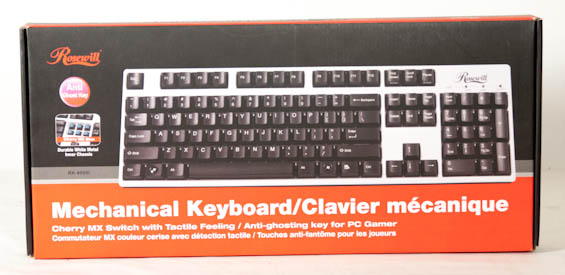
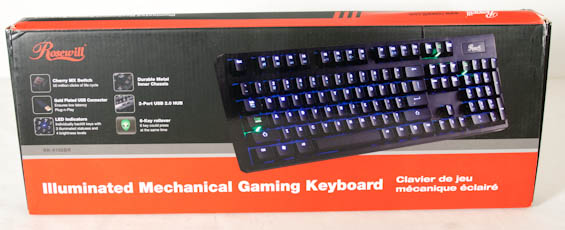
As for the Rosewill keyboards, the non-illuminated models continue to be terrific values for the money and a great way for users to get a feel for mechanical switches. These are smart, practical, functional keyboards that feature both PS/2 and USB 2.0 connectivity depending on which you need/prefer, and while the durability of the key printing is questionable, the price is right. You can get one with Blue switches and a black finish for just $59 right now, which is basically a steal for a mechanical board. The boards with the white finish are a harder sell since Rosewill charges a slight premium for something that's basically irrelevant in any practical way.
Meanwhile, the only thing really wrong with the illuminated models is the price. At $119 for the Blue version and $129 for the Brown, Rosewill's prices are unrealistic and batting out of their league. Brown switches seem to pull a bit of a premium on their own and I can understand why, but other vendors are charging the same or less for potentially more feature rich keyboards. Rosewill needs to drop the prices by about $20-$30 apiece to hit that sweet spot; at that point they're an easy recommendation.
Where things get foggy is the "Gaming" branding, which I feel is inappropriate for the types of switches they're using. There are no Black or Red representatives in their lineups, and I'm personally of the opinion that the Reds are the ones you want as a gamer. This is more of an observation and even a request to Rosewill to expand their lines to include these switches as options than anything damning.
Ultimately these are both fine keyboards, and the illuminated one is pretty attractive in its own right, but ironically Rosewill's worst competition is themselves. Bring the prices down and you'll have a knockout lineup.
Originally published at https://www.anandtech.com/show/6475/capsule-review-rosewills-illuminated-keyboard-and-rk9000bri-keyboard (Wayback Machine).