
Pulse-Eight Motorola NYXboard Hybrid Remote Review
Pulse-Eight is one of the companies tracing its roots to XBMC, and it is no wonder they have a host of interesting products in the HTPC space. We have already taken a look at their innovative HDMI CEC adapter product, and today we have their universal remote up for review. The Motorola NYXboard hybrid remote from Pulse-Eight is unlike any other remote we have evaluated so far.
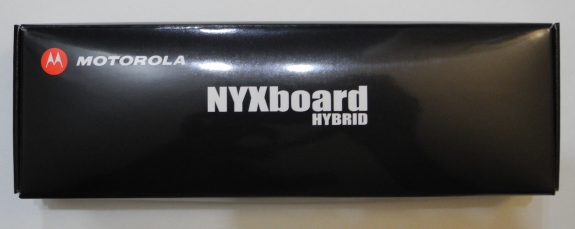
There are plenty of universal remotes and HTPC control solutions at various price points. Some come with both IR and RF capabilities. Others are able to control multiple devices. Some have universal remotes integrated in a keyboard. However, the Motorola NYXboard hybrid remote is unique in terms of combining the optimal features necessary in a XBMC HTPC based setup. It is a dual-sided learning remote with both IR and RF capabilities. The RF capabilities enable it to interact with a PC, while the IR support helps it to control other devices in the home theater setup. The keyboard side also has basic mouse functionality.
Features
The NYXboard remote package comes with the following components:
- Remote control
- 2 x AAA batteries
- USB RF Receiver
- User guide pamphlet

The physical dimensions of the remote are 145 x 48 x 21 mm. It is comparatively thicker than other remotes, but we felt that the thickness lent some solidity to the feel of the remote.

The NYXboard is a dual-sided learning remote. One side has the conventional remote keys shown above, while the other side has a keyboard. The battery compartment is also on the keyboard side.

The remote has two modes of operation:
- Radio Frequency (RF) for PC control
- Infra Red (IR) for CE (consumer electronics) equipment control
RF Features:
The bundled USB RF receiver is connected to the USB port of the HTPC, which enables communication when the remote is in the RF mode. The remote side can be used in XBMC, MCE etc. It can even be used in the regular desktop (for example, the direction keys can be used to navigate up and down in the Start Menu). The keyboard side is also active in this mode. Note the absence of Ctrl and Alt keys in the keyboard. Instead, we have two Fn modifiers and two Shift keys. It would have been better if one of each of those two keys were to be repurposed for Ctrl and Alt functionality. The Fn key also enables the usage of the direction keys on the right to move the mouse pointer. Keeping the direction key pressed (along with the Fn key) accelerates the movement of the mouse pointer. Left and right mouse clicks are achieved with a special button and the Fn modifier.
The remote has an internal orientation sensor which deciphers whether the remote side or the keyboard side is active. Inputs from the inactive side are ignored. This is definitely a useful feature since I ended up pressing random remote keys in the process of typing on the keyboard side. Thankfully, all the random key presses on the remote side never got transferred to the PC.
Note that a HTPC equipped with a CEC adapter can use the NYXboard's RF mode to control all the devices on the CEC bus (provided those devices implement CEC).
IR Features:
In order for the remote to be useful in its IR mode, it needs to undergo initial programming. After this, key presses in the IR mode send out the same IR code as the original remote from which the code for that key was learnt. Programming is done through a learning process in which the NYXboard and the remote whose keys are to be transferred are placed head-to-head, The rest of the learning process is explained in the next section.
Originally published at https://www.anandtech.com/show/5725/pulseeight-motorola-nyxboard-hybrid-remote-review (Wayback Machine).