
Rosewill Ranger: All About Compromising
- Posted in
- Cases/Cooling/PSUs
- mid-tower
- Rosewill
In and Around the Rosewill Ranger
While the Rosewill Ranger is somewhat stylized, it's nowhere near as blinged out as some of the enclosures in its market can be. With the color blue having had its day in the sun as an accent color, Rosewill once again opts for red, easily visible through the side window and ventilation, as well as the HDD indicator light and the front 120mm LED fan.


Unfortunately, I'm not sure the best first impression is made with the Ranger. We're generally not fans of glossy plastic around here due to its ability to pick up fingerprints (not to mention how cheap it often looks), and using glossy black plastic solely for the front fascia creates a disconnect with the rest of the enclosure while looking less than stylish. It's nowhere near as bad as some other implementations are, and Rosewill has confined it mainly to trim, but it does draw attention to itself. Thankfully the rest of the front of the enclosure is more staid, with plastic grating used to cover the majority of it (including the external drive bays). Rosewill also smartly places the I/O ports and power and reset buttons at the top front of the enclosure, making them easily accessible whether the case is on your desk or the floor.
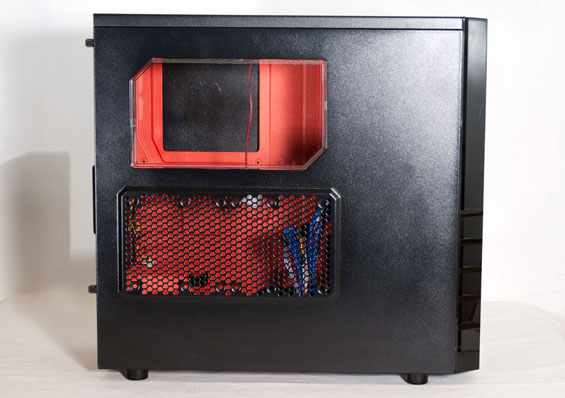
Circle around to the side panel and you can see a case window that hovers over the CPU area of the motherboard as well as ventilation over the expansion slots; this vent supports two 120mm fans for keeping the video card nice and frosty. Overall this is pretty similar to how Rosewill handled the Thor v2, just in a smaller form factor. Behind the window you can also see the red paint job used for the motherboard tray.
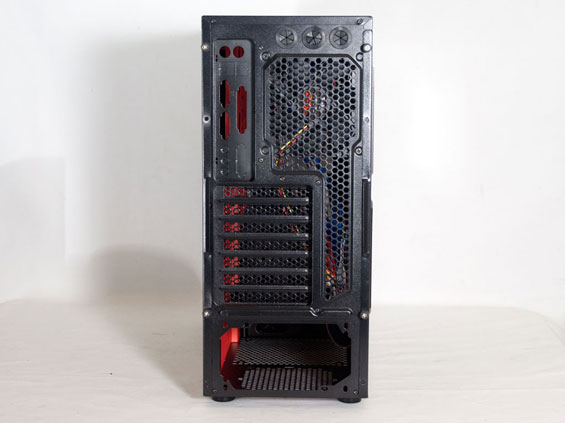
It's when you get to the back of the Ranger that you begin to realize just how small the case really is. There are seven expansion slots, but look at how tightly packed together everything is, suggesting minimal clearance for the top of the case and especially behind the motherboard tray. This is getting perilously close to as small as a standard ATX case can get, and honestly, a bit smaller than I feel like it should get. If you need a tiny computer, at this point Micro-ATX boards have all the functionality of their full-sized kin, and you should be shopping for a Micro-ATX tower accordingly.
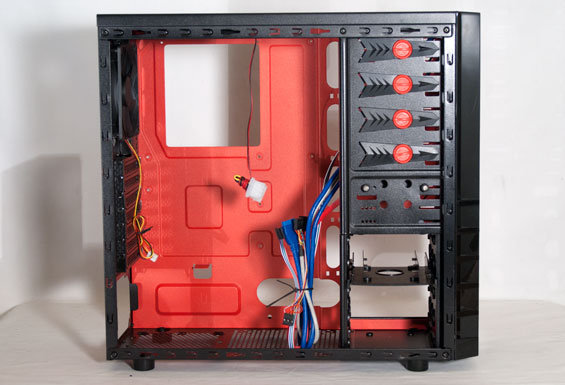
The side panels are held in place by thumbscrews; remove those and we can see where the Ranger's problems really lie. The inside of the case is pretty crowded, with the laterally mounted drive cages encroaching on valuable internal real estate and a 140mm top-mounted fan that practically stops at the top edge of where the motherboard will go. Rosewill includes spacious routing holes around the motherboard tray and in front of the power supply mount. That should theoretically allow you to maintain a fairly clean build, but that illusion is lost once you take a peek behind the tray.
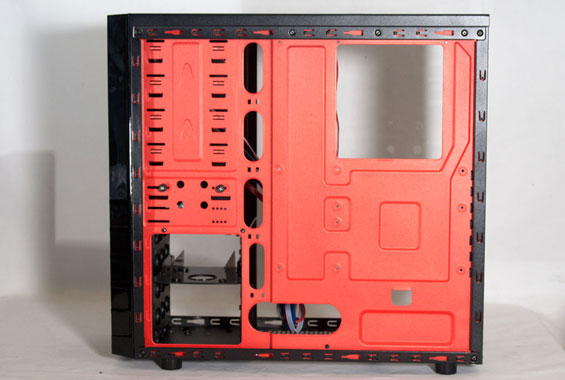
There's an illusion of space for routing cables behind the Ranger's tray, but don't you believe it. The back of the motherboard tray is already pretty close to the side panel; there's an indentation behind the series of drive cages that you'd think would be enough space for hiding cabling. As you'll see when we get to assembly, it's nowhere near enough.
It's entirely possible I've been spoiled by case designs from other manufacturers, but the way Rosewill has laid out the interior of the Ranger just seems wrongheaded. A good, well-balanced enclosure should hopefully give you some room to work in, but you can already tell this is going to be a very tight fit.
Originally published at https://www.anandtech.com/show/5217/rosewill-ranger-all-about-compromising (Wayback Machine).