
BenQ EW2420 Monitor Review
Color Uniformity
The overall color quality of the BenQ was just acceptable with a dE of slightly over 2, and that isn’t limited to the center. Color quality is best at the center and middle-bottom of the screen, with the error level getting higher at the top and corners of the screen.
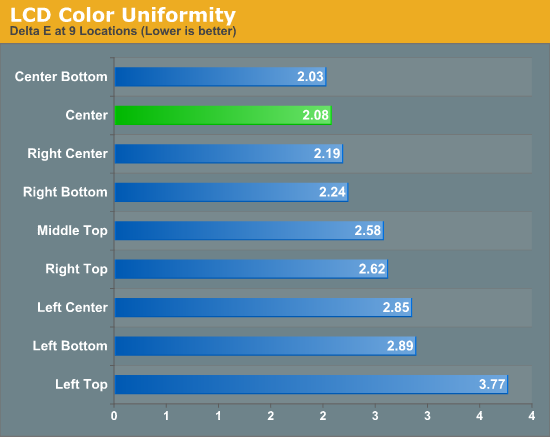
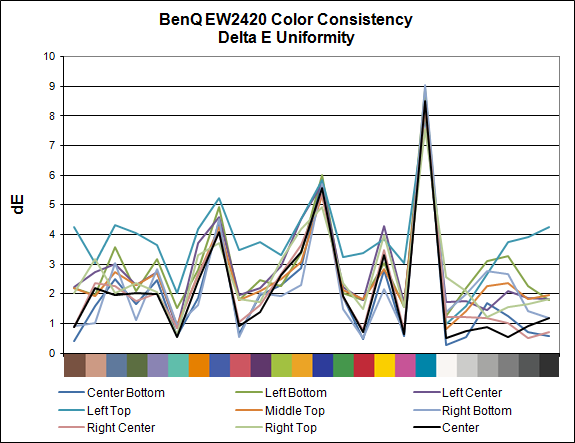
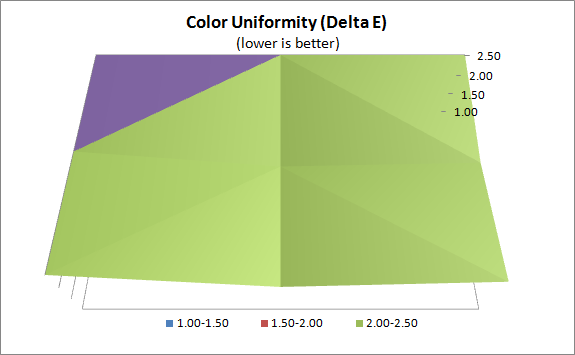
This is a pattern that we will see repeated when we get to the brightness uniformity charts as well. Most likely this is caused by unevenness in the LED backlighting across the screen, which influences the color quality as a result. With a dE that doesn’t fall below 2 anywhere on the screen, the BenQ isn’t a display that can be recommended for serious print work, but for day-to-day use it should be good enough. As with most displays the highest dE errors occur in colors that are a majority blue, and these errors are less visible to the eye than if the colors were mostly red or green. Grayscale tracking was very good overall, and that’s the most important element of image as far as human vision is concerned.
Color Gamut
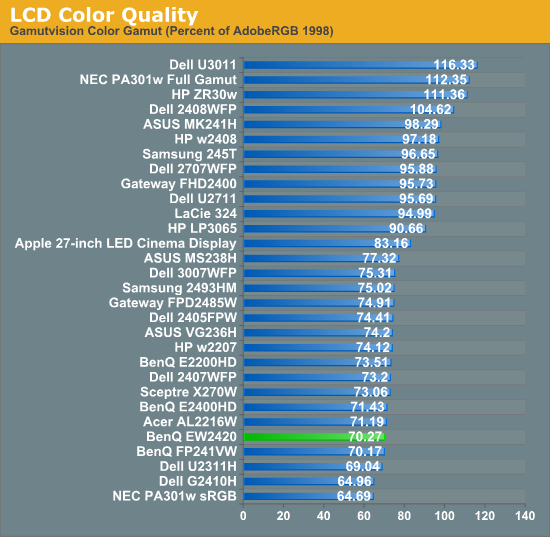
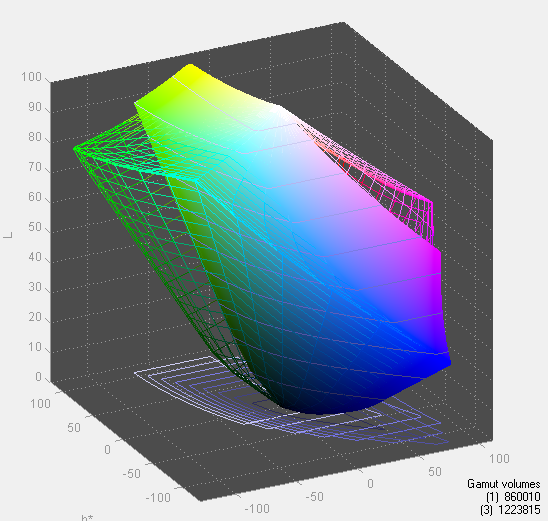
The BenQ EW2420 has LED backlighting but still only covers the standard sRGB colorspace and not the AdobeRGB space. We see in the gamut chart that it covers around 70% of the AdobeRGB space, which is average. This also contributes to the higher dE values as some of the color samples used in that test fall outside of the sRGB gamut.
Originally published at https://www.anandtech.com/show/4960/benq-ew2420-monitor-review (Wayback Machine).