
ASUS G74SX: Noteworthy Updates to ASUS' G7 Series
Application Performance: Add an SSD for Improved Performance
The last-gen G73SW would offer nearly identical performance in our application suite were it not for one thing: the Intel 320 Series SSD in the G74SX. Keep the same processor, improve GPU performance a bit, and add in an SSD and what you get is markedly faster boot and application start times and a smoother overall experience. We’ve mentioned how much Futuremark’s PCMark suites skew towards SSDs, but there’s something to be said for what an SSD can provide. I still feel like it should be more like a 30% improvement in application scores—and you really mostly notice it when launching applications or booting, particularly if you launch multiple applications at once or have half a dozen startup programs. We’ll start with the PCMark suites before moving into CPU-limited testing.
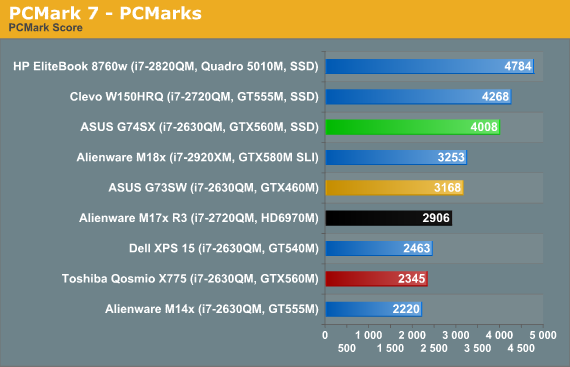
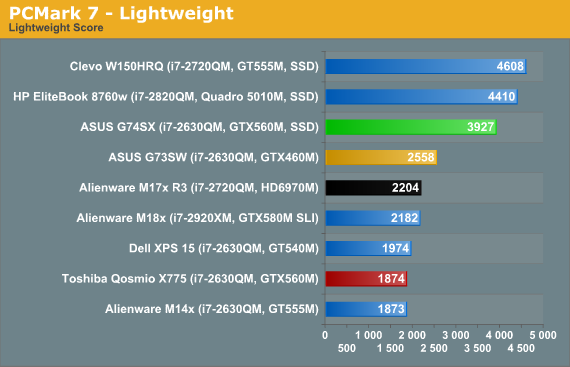
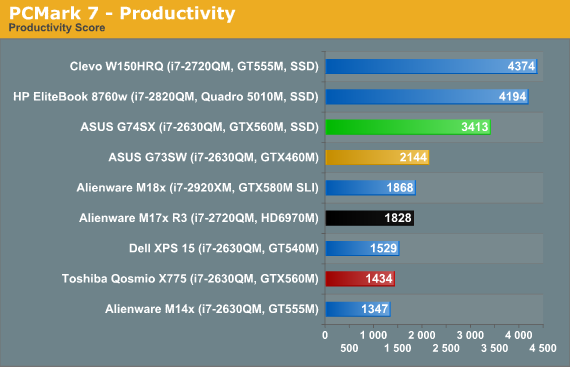
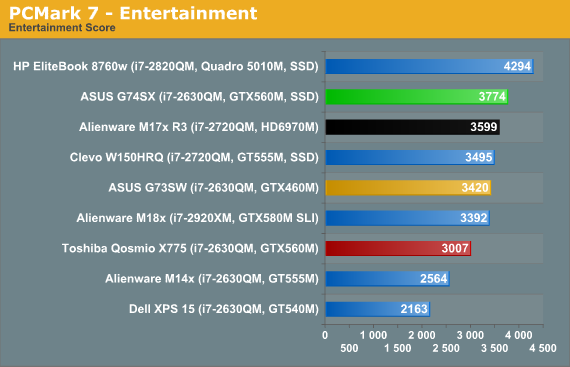
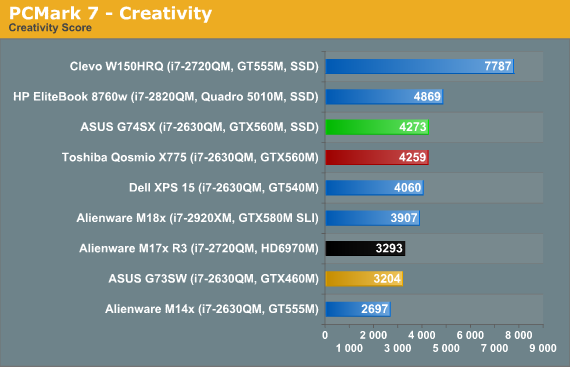
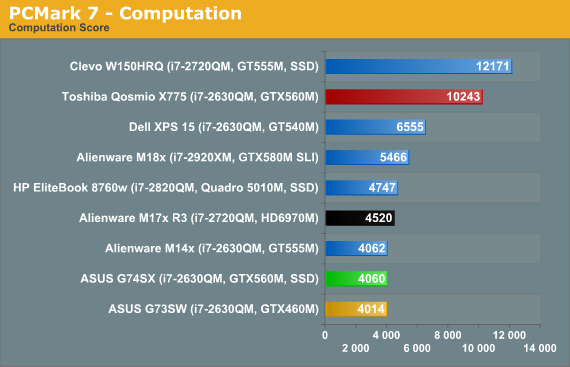
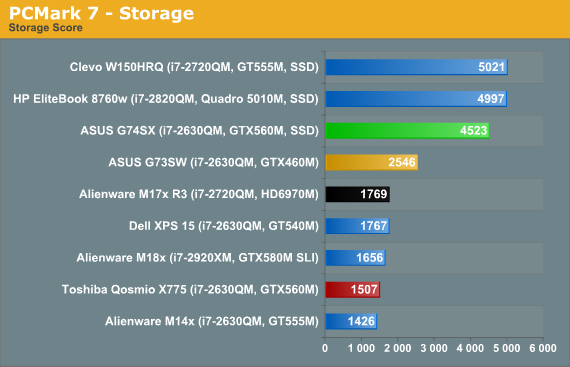
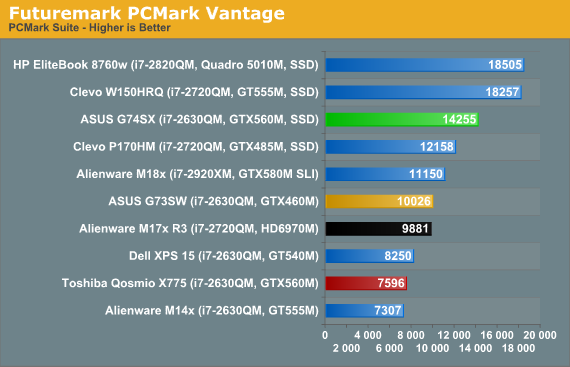
So I just said that I felt the overall benefit to general performance from an SSD should be around 30%, and for the overall PCMark 7 suite that’s exactly what we get: the G74SX ends up 27% faster than the G73SW. Elsewhere, the G74SX is anywhere from equal to its predecessor (the Computation score), to 10% faster (Entertainment), to around 30% faster (Creativity), or as much as 50 to 80% faster (Lightweight, Productivity, and Storage). Turning to the older PCMark Vantage, the G74SX tops the G73SW by 42%.
Moving to a slightly different notebook, however, we can see the problem: the G74SX is 38% faster than the Alienware M17x R3 in the overall PCMark 7 suite, even though the Alienware has a faster i7-2720QM processor, and it’s 155% faster in the storage benchmark—and the M17x is sporting RAID 0 750GB HDDs. ASUS has somehow optimized storage performance so that PCMark 7 really favors their notebooks, and the SSD boosts their score by an appropriate ~30%, but the G73SW already outperforms similarly equipped laptops (e.g. the Dell XPS 15) by 28%, likely thanks to storage optimizations.
I can’t really say that any of the individual scores are without merit, but I can say that you shouldn’t expect a 50% boost in gaming performance from adding an SSD—even if you happen to have enough free space on our SSD to hold the games you play. Similarly, video encoding performance and other computationally intensive tasks are still going to hinge on raw CPU speed, and PCMark’s Computation result reflects this (assuming you’re not using Quick Sync, which we’re not on most of these notebooks, the Qosmio, XPS 15, and W150HRQ being the exceptions). Here are the results from the remainder of our application suite, along with a few 3DMark scores, to round out our general performance overview.
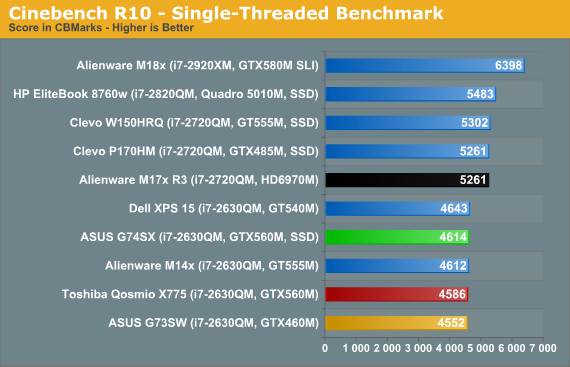
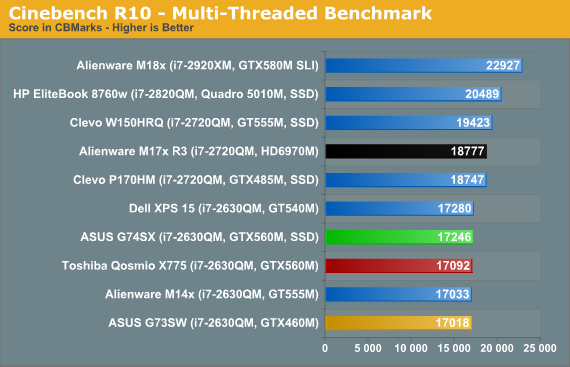
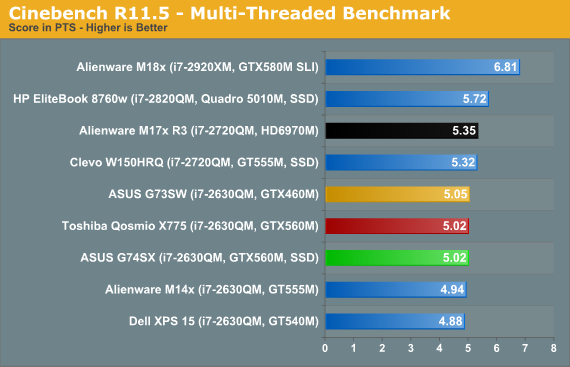
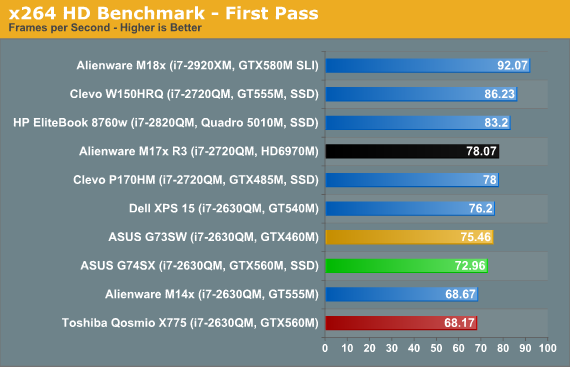
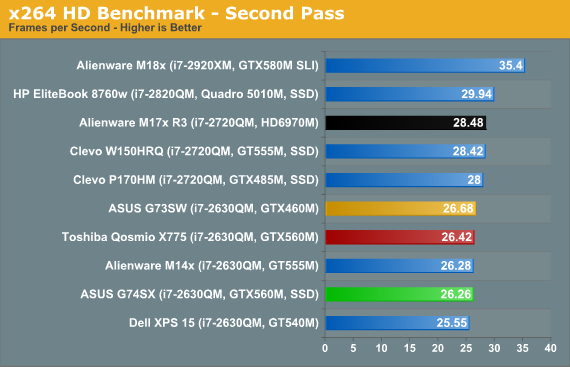
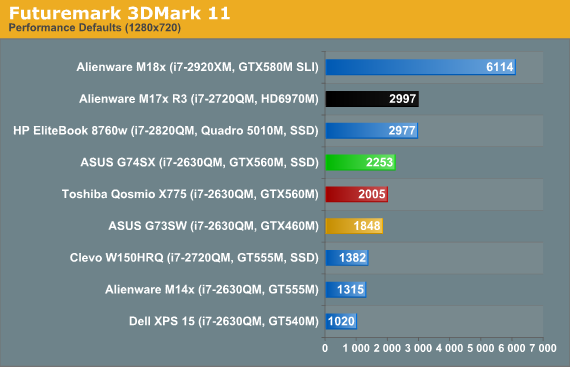
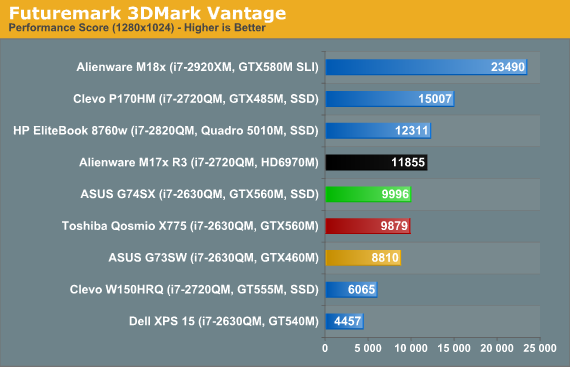
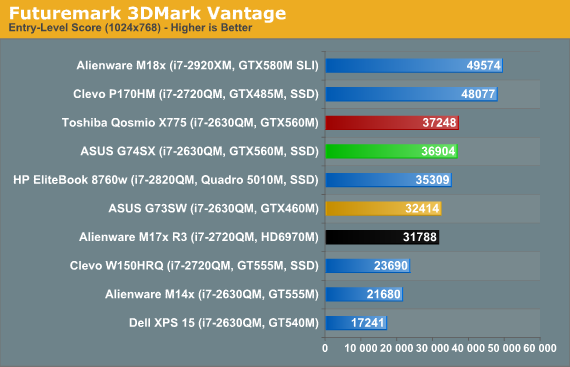
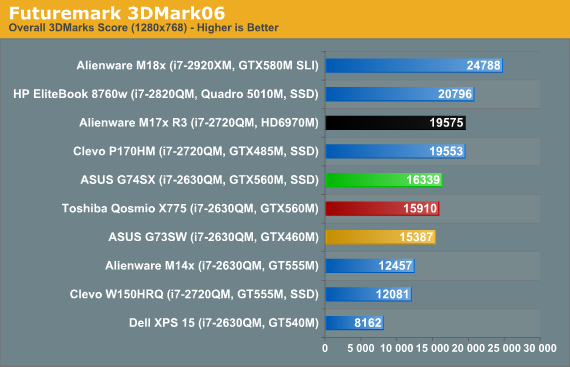
The i7-2630QM is a well-known quantity, and the results fall out right about where we’d expect. There’s some minor variation in performance in the x264 encode first pass, but nothing to worry about. 3DMark gives us our first glimpse of the graphics upgrade the GTX 560M brings to bear, and the results range from 22% faster than the G73SW (3DMark 11) to only 6% faster (3DMark06). We’re also testing with a newer driver release on the G74SX, which may explain the score discrepancy between the ASUS and the Toshiba Qosmio. Optimus may also be a factor, but more likely it’s just drivers. Let’s hit the gaming results next for a full look at graphics performance.
Originally published at https://www.anandtech.com/show/4911/asus-g74sx-noteworthy-updates-to-asus-g7-series (Wayback Machine).