
Lian Li's PC-V353: Lighter Than Air
Assembling the Lian Li PC-V353
Lian Li designed the PC-V353's assembly to be tackled essentially in pieces. I have historically endorsed using modular power supplies for any build (to the point where I'm mortified whenever I have to assemble a machine without a modular power supply); in the instance of the PC-V353, I'm about 5% away from making it a requirement.


The PC-V353 breaks down into roughly four parts (five if you're going to argue semantics): the motherboard tray, the drive trays, the power supply mount, and the chassis (which includes the optical drive mount). Because of the nature of the breakdown, it's really in your best interests to wire up each part as best you can before fitting it all together. Since power leads are particularly ornery, that makes a modular power supply that much more vital to assembly in a case like this.
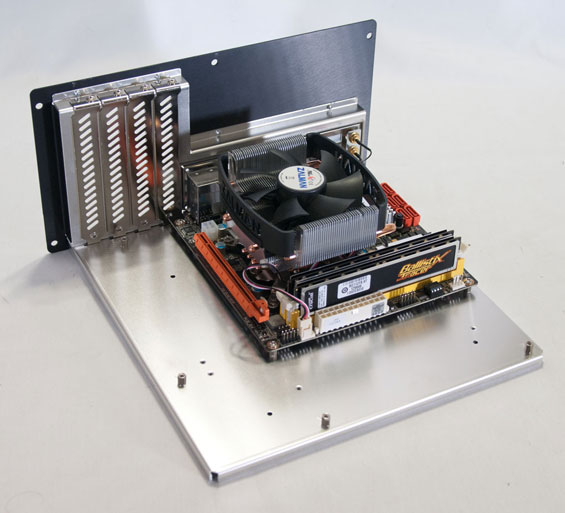
Since the motherboard tray is removable, that part was remarkably easy, though I found the relatively flimsy nature of the tray itself to be a little disconcerting. Everything did come together fine, but it's strange when you're reassuring yourself that it'll work because the rest of the case will have a little give. When I installed the GeForce GTX 580 on the tray, it looked absolutely massive.
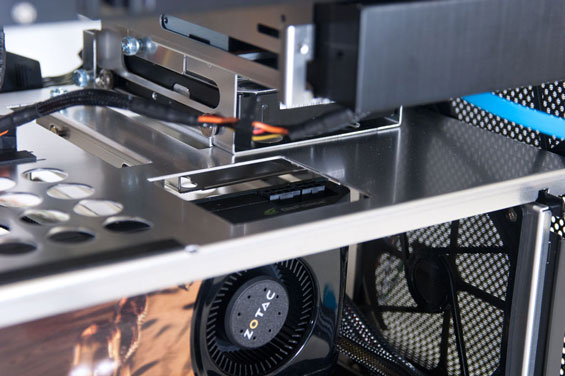
Unfortunately, video cards with top-mounted power connectors are liable to be basically hosed when you do install them in the PC-V353, and that's the reason why there are no results for the GTX 580 in the thermal and acoustic testing: the card itself fit fine, but the power connectors were just too thick and there wasn't enough clearance. Lian Li has a cut-out in the top half of the case for routing exactly these power cables, but it didn't line up with our GTX 580, which uses NVIDIA's reference design.
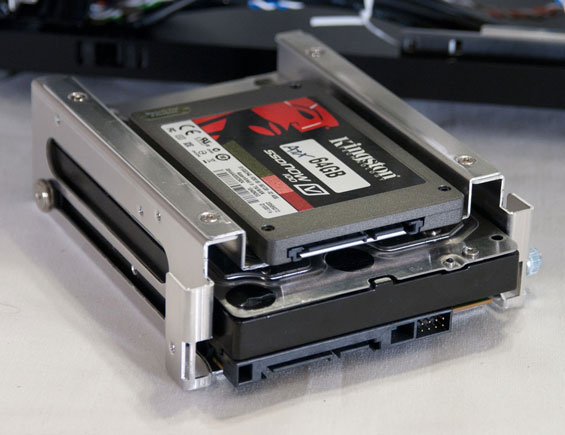
The drives all install in a fairly unique way as well: all of the screws are on rubber-lined runners, and this is true for the 2.5", 3.5" and 5.25" drive mounts. Screws are mounted into the drive first, and then for the 3.5" drive, the drive slides into the rails, and then a thumbscrew locks it into place. Instead of a thumbscrew for the 5.25" drive, it's the fascia. And for the 2.5" drive, there are basically four big holes you drop the screw side into, then push the drive "up" and it locks into place. The system is really quite clever. Again, though, you'll want to wire the drives first. Routing the 5.25" drive's cables requires some doing; you'll want to basically slide them in between the gap between the opposite 5.25" drive bay's fascia and the chassis itself.
Finally, the power supply should go in last and quarters are going to be cramped. If you've been doing this properly and used a modular power supply, your power leads will be connected to the components first so they can be routed up to the power supply at the last stop. If you've been careful, everything should come together reasonably well.
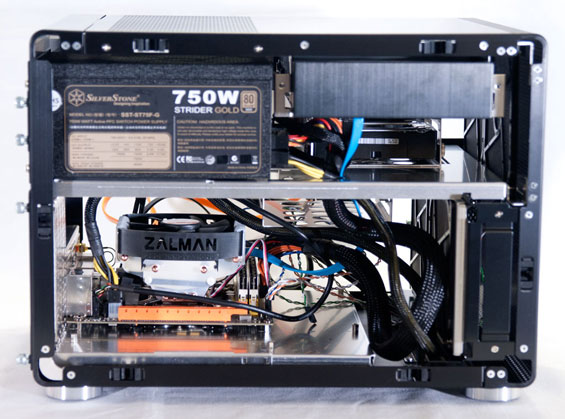
I have to be honest, I'm just not a fan of how the PC-V353 comes together. It feels like it's too unusual, and Lian Li just doesn't make the best use of empty space the way the similar SilverStone does in the Temjin TJ08-E. I have an AVADirect desktop in house that's installed in a Lian Li PC-V354, and honestly that design looks to be a little more sensible than this one. The lack of clearance for the video card's power cables makes all of that case depth feel pointless, and side mounting the optical drive just doesn't seem at all necessary. On top of that, I found the optical drive bay button doesn't line up with our test drive at all. That's not unusual with designs like these, but it makes me wonder why more enclosure designers don't just design a larger button (either externally or internally) that's able to cover the gamut of optical drive eject button placement.
Originally published at https://www.anandtech.com/show/4866/lian-lis-pcv353-lighter-than-air (Wayback Machine).