
StarTech.com Portable SATA Duplicator & USB / eSATA Dock Review
- Posted in
- Gadgets
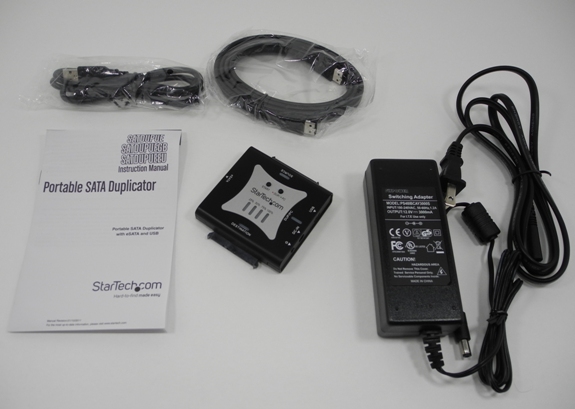
The SATDUPUE package contained the following:
- Portable SATA duplicator / dock
- 36W power adapter
- eSATA - eSATA cable
- USB 2.0 A Male to Mini-B 5 pin Male cable
- Instruction manual


Before getting into the test setup and benchmarking process, it is important to understand the usage and limitations of the product.
In the dock mode (default, green mode status LED), connecting two drives will result in a JBOD configuration (2 distinct disks visible to the PC). However, this is only through the USB port. If seen through the eSATA port, only the drive connected to the destination is seen (unless the PC's eSATA port supports port multipliers). When both USB and eSATA are connected, USB takes preference.
The product can be put into the duplicator mode (red mode status LED) by keeping the mode button pressed for 3 seconds. In this mode, the drive connected to the destination must be of equal or higher capacity compared to the drive connected to the source port. In our testing, we made sure that there was no EISA partition in the source drives. StarTech.com specifically mentions that the EISA partition must be removed prior to duplication.
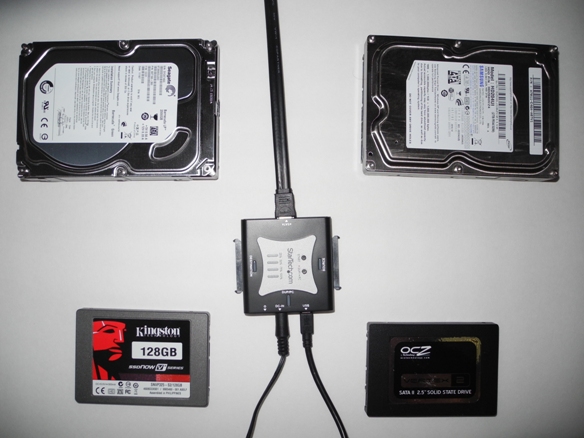
Our test setup consisted of the following:
- SATDUPUE
- Seagate Barracuda LP 2000 GB 3.5" Hard Drive [ ST2000DL003 5900 rpm 64MB ]
- Samsung EcoGreen 2 TB 3.5" Hard Drive [ HD204UI 5400 rpm 32 MB ]
- OCZ Vertex 2 OCZSSD2-2VTX120G 2.5" 120GB SSD
- Kingston SSDNow V+ Series SNVP325-S2/128GB 2.5" 128GB SSD
For testing the dock functionality, the OCZ Vertex 2 drive was hooked up to a 6 Gbps SATA port in the ASRock CoreHT 252B's HM65 based motherboard as a secondary drive. The eSATA port in the CoreHT 252B unfortunately doesn't support the port multiplier function.
Two sets of tests were performed, one in DOCK mode and the other in DUPLICATOR mode. All the tests involved transfer of the HQV 2.0 Benchmark Blu-ray folder backup (11.37 GB Blu-ray folder structure) using the robocopy command in mirror mode. While the stress was on transfer rate measurements, the duplicator mode also offered interesting insights into the power consumption and temperature factors.
In the next section, we will look at the benchmark results and present our conclusions.
Originally published at https://www.anandtech.com/show/4737/startechcom-portable-sata-duplicator-usb-esata-dock-review (Wayback Machine).