
BitFenix Shinobi: The Budget Ninja
Noise and Thermal Testing, Overclocked
When we apply the overclocked settings to our testbed, though, we start to separate the men from the boys. The juicy overclock applied to the processor and RAM produces a substantially greater amount of heat and draws far more power, forcing the enclosures to work that much harder and in some cases revealing thermal limitations for the cases.
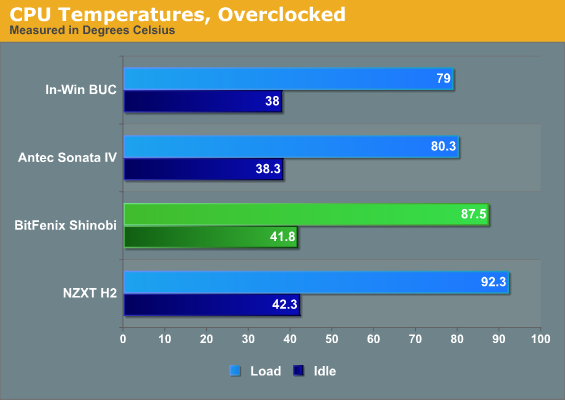
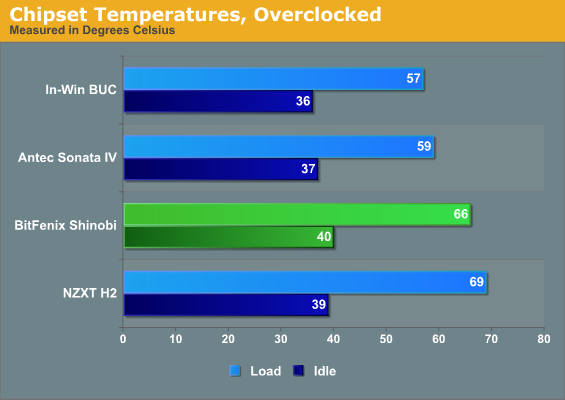
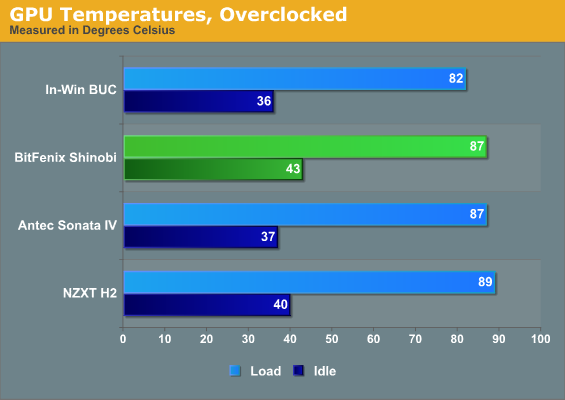
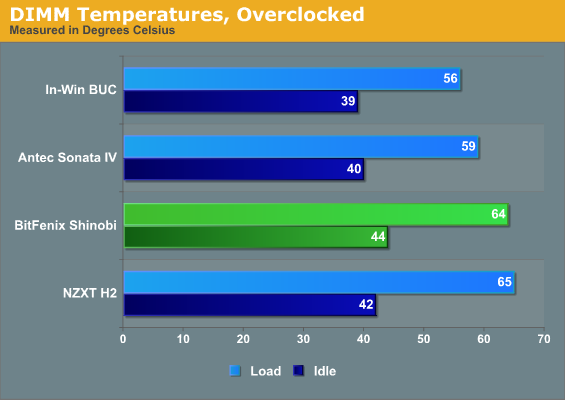
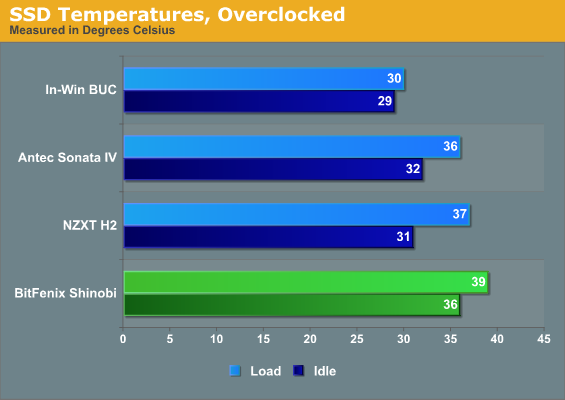
Uh oh. In its stock configuration the Shinobi's cooling system starts running into problems. While the In-Win BUC's ventilation and the Antec Sonata IV's smart thermal design are able to keep the CPU running at a fairly reasonable temperature given the overclock, the CPU starts to creep close to the unhealthy 90C threshold in the Shinobi, with only the H2 delivering worse performance. Everything runs pretty toasty in the Shinobi, even the SSD. That SSD temperature is still well within spec, but the drive does suffer for having to be mounted in a 5.25" bay with no real ventilation as opposed to the other enclosures.
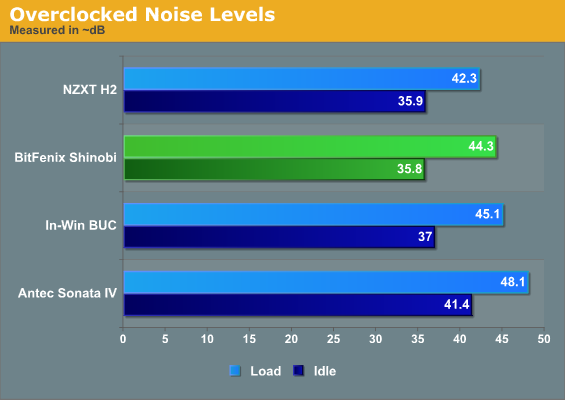
There's a bright side to this story, though: the Shinobi is a touch quieter than the In-Win BUC and only slightly louder than the H2. So while the fans inside the Sonata IV have to work double-time (and you can really hear it), the Shinobi's two included fans are able to at least keep things running quietly. The thermal results aren't anywhere close to ideal, but at least the Shinobi isn't particularly loud. There's a trade-off being made.
Originally published at https://www.anandtech.com/show/4460/bitfenix-shinobi-the-budget-ninja (Wayback Machine).