
P67 $190 Part 2: MSI P67A-GD65, ASRock P67 Extreme6 and ECS P67H2-A2
MSI P67A-GD65: Overview
On the face of it, the MSI P67A-GD65 is aimed at a variety of markets—for system builders and sellers, we have the OC Genie button which implements a very quick overclock setting; for sub-zero overclockers we get a series of voltage read points; and for the general enthusiast, we have a nice PCIe slot layout, and the standard array of P67 internals. After a run through with the MSI board, I can totally see it as a capable daily machine with that OC button, but beware with the software that comes with the board—there is a mountain if you want to look through it (and we cover it here), and some of it isn't even applicable.
MSI have a history of producing fine boards, but often with a few niggles. It is similar here with the P67A-GD65, predominantly in terms of the lack of USB performance against its competitors from a variety of price points, and the fact that MSI offer games (??!) in the UEFI! I'm being serious—read on to find out more.
MSI P67A-GD65: Visual Inspection
When you first look at the MSI P67A-GD65, you'll notice that the power delivery chokes are not what we've seen on our previous Cougar Point motherboards—here we have 'Super Ferrite Chokes', which supposedly result in a reduced power loss from the power delivery to the components, and are part of the MSI DrMOS topology.
Around the CPU socket, the VRM heatsinks are smaller than what we see on other P67 boards, and are connected by a heatpipe to cover the 6+2 phase power delivery. Along the top of the board are six LEDs which light up when various CPU phases are active—for the most part, we only observed either one or all six of them on at a time. In terms of fan headers around the CPU socket, we have one 3-pin at the bottom left of the socket and a 4-pin CPU fan header at the top right. Two others are on the right hand side of the board above the 24-pin ATX power connector and another header below this—meaning any dual fan all-in-one CPU water cooling (such as the Corsair H50) should be catered for if the pump is plugged into a fan header on the far right of the board.
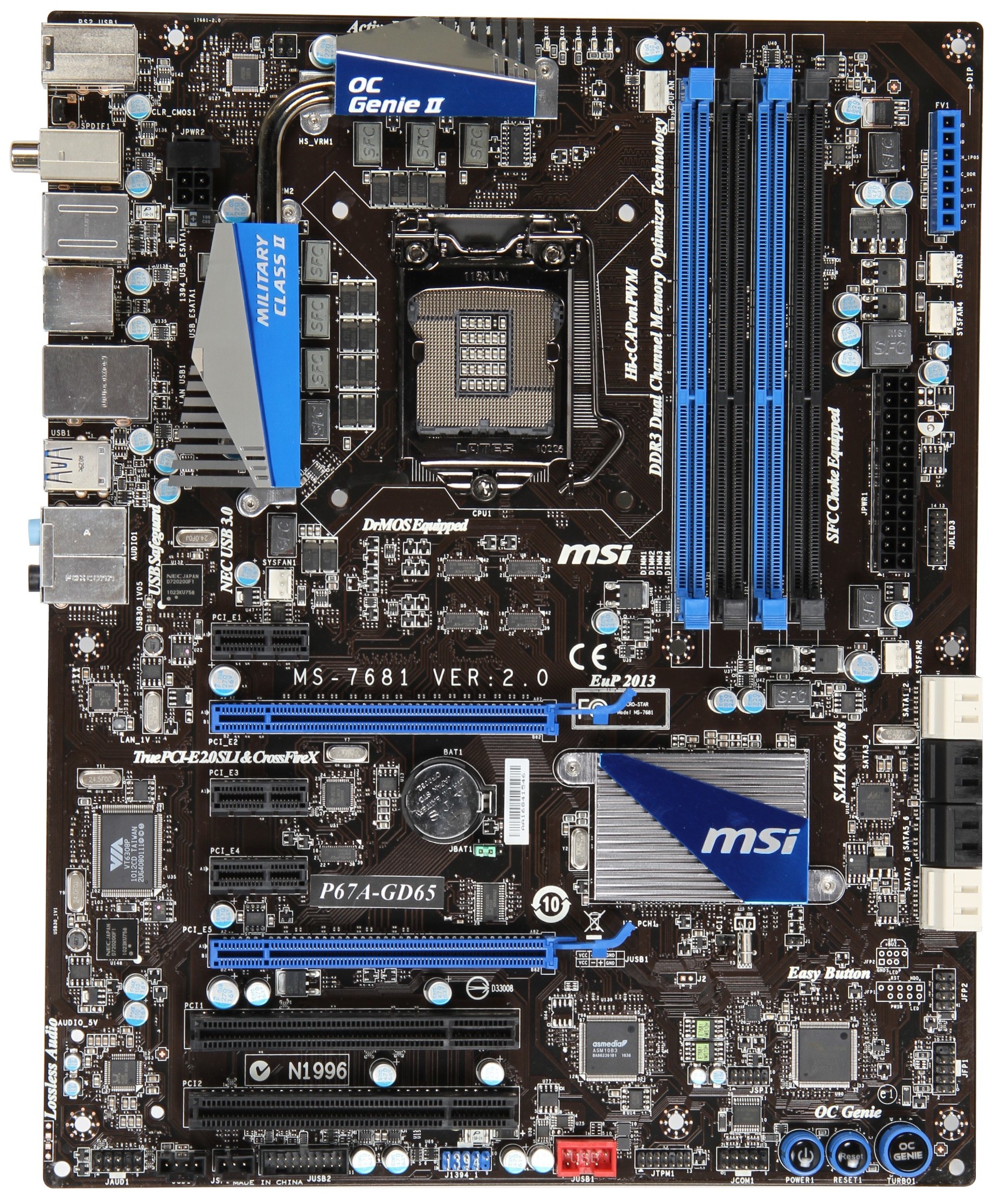
On the other side of the memory slots, we have our voltage read points, where two GND points are alongside the PCH, VCC_DDR, CPU_SA, CPU_VTT and VCCP pins. MSI include these on several boards in their P67 range, and of real use only to a sub-zero overclocker pushing the limits of the board.
The SATA ports could possibly be better color coded, as the white ports are the SATA 6 Gbps, however the top are from the PCH, and the bottom are from the Marvell SE9128 controller. The black ones in the middle are the standard SATA 3 Gbps ports. On the bottom right of the board are the Power/Reset buttons, alongside the MSI OC Genie. We cover the operation of the OC Genie switch in our overclocking section. We don't see a debug LED here on the MSI board—you could consider that as it is technically the cheapest in this round-up that it is less likely to have one, and that our previous $190 round-up the ASUS and Gigabyte didn't have them either, but the ASRock P67 Extreme4 at $160 had one, as well as the ECS P67H2-A2 in this roundup.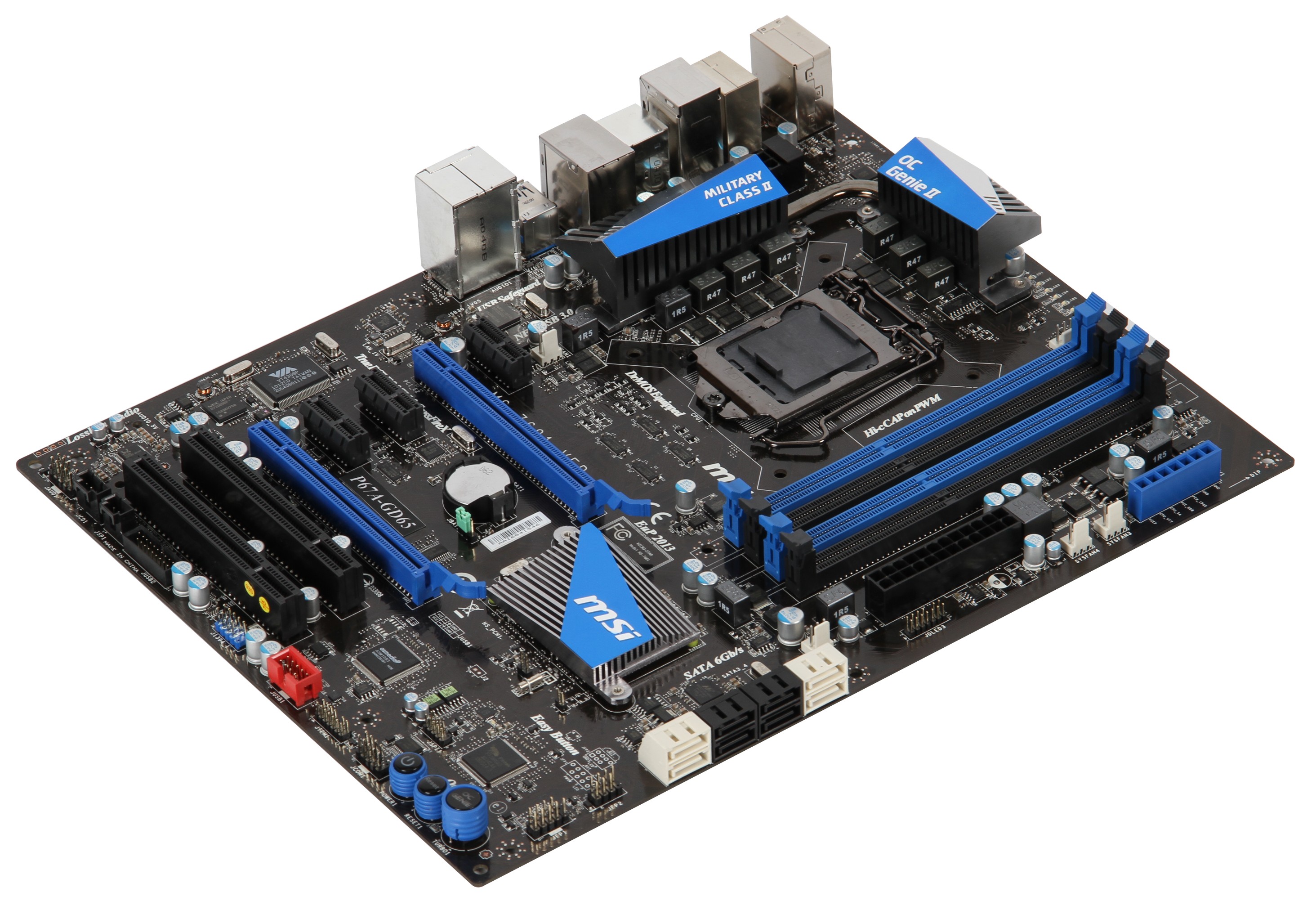
The PCH heatsink is small and flat, and complementary with the blue-black livery of the board, which is quite aesthetically pleasing in my view—even if the white SATA ports and red power USB header stick out like a sore thumb. The PCIe slot layout is fairly good, with an unrestricted PCIe 1x at the top, a triple slot gap between the PCIe 16x slots (run at 8x/8x when two GPUs are present), and when the two PCIe 16x slots are populated with dual slot cards, a PCIe 1x is available between the cards and a PCI slot is available at the bottom.

The IO back panel is fairly standard—one PS/2 mouse/keyboard port, optical and coaxial S/PDIF out connectors, a clear CMOS button, two eSATA 3 Gbps ports via a JMicron JMB362 controller, eight USB 2.0 ports, two USB 3.0 ports in blue via a NEC uPD720200F1 controller, a single gigabit Ethernet port from a Realtek 8111E controller, a Firewire port, and the standard Realtek rear 8-channel HD audio with THX TruStudio Pro support.
Originally published at https://www.anandtech.com/show/4323/p67-190-part-2-msi-asrock-and-ecs (Wayback Machine).