
webOS 2.0 Overview
Synergy Revisited
The next update that webOS brings is to the contact system, what HP calls “Synergy”. The contact management system in webOS is beautiful in its concept; you have a central repository of all your contacts and each contact entry in itself acts as a collection of all information, aggregated from different sources, for that one person. So selecting Anand in my contact book would display his mobile, work, and home numbers; his AIM, Google, Yahoo, and Exchange addresses; and links to his Twitter, Facebook and Linkedin profiles (with profile pictures automatically applied as the caller ID). All of this happens without you having to do much more than enter your username/password for each of the social network accounts.
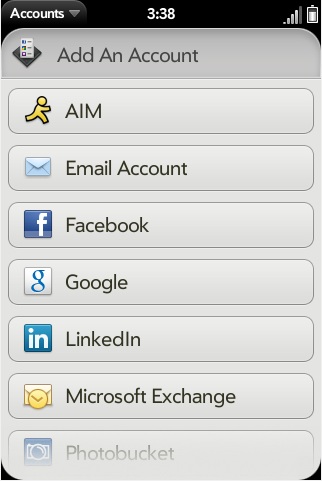
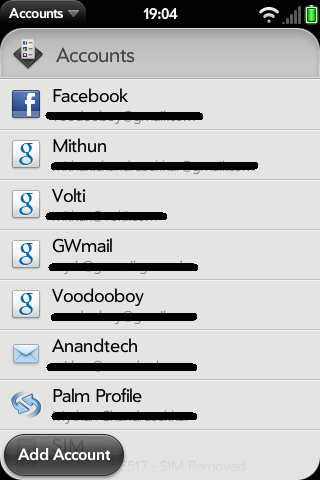
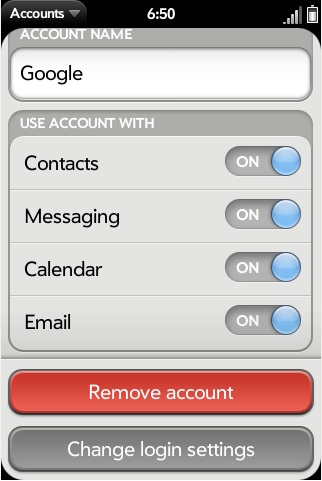
Account management is now more straightforward, but not perfect
As mentioned earlier, while a great idea, the nightmare starts when you now have hundreds of so-called contacts added to your phone, with no way or form of selecting whom to add and whom to ignore. And to add to the pain, webOS by default is not totally accurate in linking, e.g. “Anand” to his Facebook account. So you will have to go in and manually link accounts if you want a "clean" contact book.
With webOS 2.0, HP has partially addressed this issue. While webOS will still try to go ahead and add every Tom, Dick, and Harry to your contact list, you have a modicum of control over what gets synced from each account. With “Accounts”, you now have a single location from where you can add new accounts and choose if you want calendars synced from Google, contacts from Facebook added to your contact list, and/or AIM contacts added to your messaging list. I still feel it needs to provide control, one granularity-level lower, where I can choose which particular Facebook contact I want added to my list. But this all or nothing approach is certainly a marked improvement over not being given an option at all!
Originally published at https://www.anandtech.com/show/4145/webos-20-overview (Wayback Machine).